
소개
This instruction manual provides comprehensive guidance for the Baseus Metal Gleam USB-C Hub, model CAHUB-CW0G. This versatile hub is designed to expand the connectivity options of your USB-C enabled devices, offering multiple ports for data transfer, video output, network connection, and power delivery. Please read this manual carefully before using the product to ensure optimal performance and safety.
주요 특징
- 6-in-1 연결성: 단일 USB-C 포트를 여러 개의 필수 포트로 확장합니다.
- 4K HDMI 출력: 외부 디스플레이용 고화질 비디오 출력을 최대 4K@60Hz까지 지원합니다.
- High-Speed USB 3.0 Ports: Three USB 3.0 ports for data transfer speeds up to 5Gbps.
- 100W 전력 공급(PD): Allows charging of your host device while using the hub.
- 기가비트 이더넷 포트: Provides stable and fast wired network connectivity (1000Mbps).
- SD/TF 카드 리더: Integrated slots for convenient access to memory cards.
- 내구성이 뛰어난 금속 구조: Ensures longevity and efficient heat dissipation.

Image: The Baseus Metal Gleam USB-C Hub showcasing its various ports including USB-C, HDMI, USB 3.0, and Ethernet.
설치 지침
- 호스트 장치에 연결: Plug the USB-C male connector of the Baseus Metal Gleam Hub into the USB-C port of your laptop, tablet, or smartphone. Ensure the connection is secure.
- 전력 공급(선택 사항): If your host device requires charging, connect a USB-C power adapter (not included) to the PD (Power Delivery) port on the hub. This allows your device to charge while using the hub's other functions.
- 드라이버 설치: In most cases, the hub is plug-and-play and does not require additional drivers. Your operating system should automatically detect and install the necessary components.
Video: This video demonstrates the connection of the Baseus USB-C Hub to a laptop and the use of its various ports, including HDMI for display extension, USB for data transfer, and PD for charging.
작동 지침
1. HDMI 비디오 출력
Connect an HDMI cable from the hub's HDMI port to your monitor, TV, or projector. The hub supports resolutions up to 4K at 60Hz, providing a smooth and clear visual experience. Ensure your display device is set to the correct HDMI input.
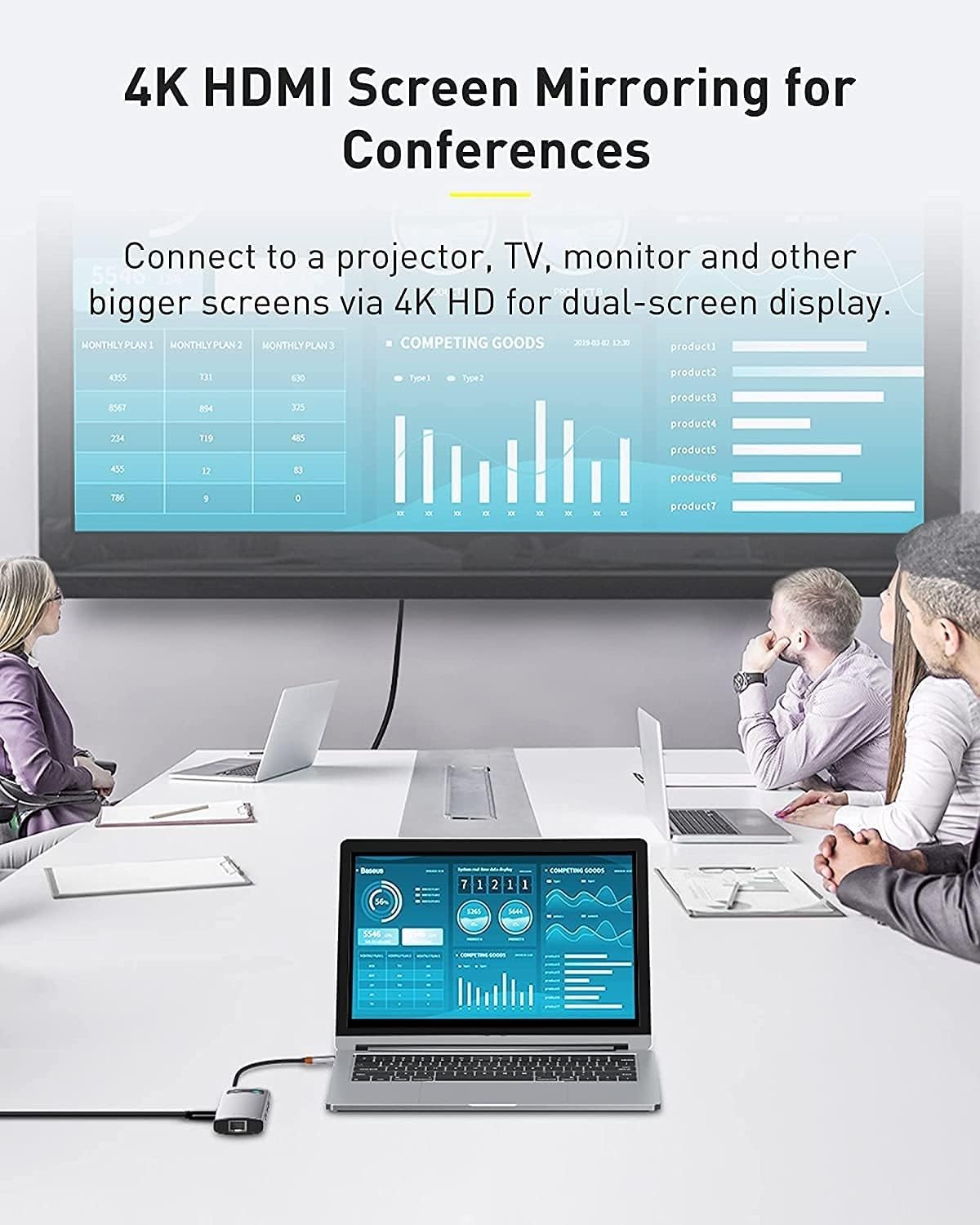
Image: A laptop connected to a large external monitor via the hub's HDMI port, demonstrating 4K screen mirroring for conferences.
2. USB 3.0 데이터 전송
Plug your USB devices (e.g., flash drives, external hard drives, keyboards, mice) into the three USB 3.0 ports. These ports support data transfer speeds of up to 5 Gigabits per second, enabling fast file transfers and efficient peripheral connectivity.

Image: Close-up of the Baseus USB-C Hub showing USB 3.0 ports with devices connected, highlighting high-speed data transfer at 5Gbps.
3. 기가비트 이더넷 연결
For a stable and reliable internet connection, connect an Ethernet cable from your router or modem to the Gigabit Ethernet port on the hub. This port supports 1000Mbps, 100Mbps, and 10Mbps network speeds.

이미지: 자세한 view of the Gigabit Ethernet port on the Baseus USB-C Hub with an Ethernet cable plugged in, ensuring stable network connectivity.
4. SD/TF 카드 리더기
Insert your SD or TF (Micro SD) memory cards into the corresponding slots on the hub to access photos, videos, and other files directly from your computer. The hub supports simultaneous reading of both card types.
유지
- 청소: 허브 표면은 부드럽고 마른 천으로 닦으십시오. 액체 세척제나 연마재는 사용하지 마십시오.
- 저장: 사용하지 않을 때는 허브를 직사광선과 극한의 온도를 피해 시원하고 건조한 곳에 보관하세요.
- 손질: Handle the hub with care. Avoid dropping it or exposing it to strong impacts.
- 케이블 관리 : 손상을 방지하기 위해 내장된 USB-C 케이블을 과도하게 구부리거나 비틀지 마십시오.
문제 해결
- Issue: No display output via HDMI.
- 해결책: Ensure the HDMI cable is securely connected to both the hub and the display. Verify that your display is set to the correct HDMI input. Check if your host device's USB-C port supports video output (DisplayPort Alternate Mode). Try restarting your host device.
- Issue: USB devices are not recognized or data transfer is slow.
- 해결책: Ensure USB devices are fully inserted into the ports. Try connecting the USB device directly to your host device to confirm it's working. If using an external hard drive, ensure it has sufficient power. Some high-power USB devices may require external power or a powered USB hub.
- Issue: Host device is not charging via PD port.
- 해결책: Verify that your USB-C power adapter and cable are functioning correctly and support Power Delivery. Ensure the power adapter is connected to the PD port on the hub and the hub is connected to your host device. Check if your host device supports USB-C Power Delivery.
- Issue: Ethernet connection is unstable or not working.
- 해결책: Check the Ethernet cable connection to both the hub and your router/modem. Ensure your network drivers are up to date on your host device. Try connecting the Ethernet cable directly to your host device (if applicable) to rule out cable or network issues.
명세서
| 특징 | 세부 사항 |
|---|---|
| 모델 번호 | CAHUB-CW0G |
| 상표 | 베이스어스 |
| 제품 치수 | 17.6L x 4.5W x 1.7Hcm |
| 무게 | 120그램 |
| 하드웨어 인터페이스 | USB, HDMI, Ethernet, SD/TF Card Reader |
| USB 포트 수 | 6 (3x USB 3.0, 1x USB-C PD, 1x USB-C host connection) |
| 데이터 전송 속도 | 초당 5기가비트(USB 3.0) |
| HDMI 출력 | 4K@60Hz |
| 이더넷 속도 | 10/100/1000Mbps |
| 전력 공급 | 최대 100W |
| 재료 | 금속 |
| 색상 | 검은색 |
보증 및 지원
The Baseus Metal Gleam USB-C Hub comes with a 2년 제조사 보증. For warranty claims or technical support, please contact Baseus customer service through their official web제품을 구매한 사이트 또는 소매점에 문의하십시오. 보증 확인을 위해 구매 증빙을 보관하십시오.
추가 지원이 필요하면 다음을 방문하세요. 아마존에서 Baseus 스토어를 만나보세요.