
1. 서론
This manual provides detailed instructions for the installation, operation, and maintenance of your Jensen MSX65R Marine Coaxial Speakers. These 6.5-inch speakers are designed for high-performance audio in marine environments, featuring waterproof construction and robust design. Please read this manual thoroughly before installation and use to ensure optimal performance and longevity of your speakers.
2. 패키지 내용
설치를 진행하기 전에 패키지에 모든 품목이 들어 있는지 확인하세요.
- 2 x Jensen MSX65R Marine Coaxial Speakers
- Silver White Grilles (included with speakers)
- Mounting Hardware (screws, clips, etc. - specific hardware may vary, refer to packaging)
- 사용 설명서(본 문서)
3. 사양
The following table outlines the key technical specifications for the Jensen MSX65R speakers:
| 특징 | 사양 |
|---|---|
| 모델 번호 | JEN-MSX65R |
| 스피커 유형 | 6.5" Marine Coaxial |
| 최대 출력 전력 | 75 와트 |
| 주파수 응답 | 65Hz - 20kHz |
| 임피던스 | 4옴 |
| 우퍼 소재 | 폴리프로필렌 |
| 보이스 코일 크기 | 1 인치 |
| 장착 유형 | Flush Mount (Coaxial, Ceiling Mount, Boat Mount) |
| 장착 구멍 직경 | 6.5인치 |
| 장착 깊이 | 2.375 inches (2 3/8") |
| 방수 레벨 | Waterproof (UV Exposure Standard Compliant) |
4. 설정 및 설치
Proper installation is crucial for optimal performance and safety. If you are unsure about any step, consult a qualified marine audio technician.
4.1 장착 위치 선택
Select a location that allows for the required mounting depth (2 3/8 inches) and diameter (6.5 inches). Ensure the location is free from obstructions and provides adequate clearance behind the speaker. Consider sound dispersion and protection from physical damage.
4.2 장착 구멍 가공
- Carefully mark the center of your desired speaker location.
- Using a compass or template, draw a 6.5-inch diameter circle.
- Using an appropriate cutting tool (e.g., jigsaw), carefully cut out the marked hole. Ensure the edges are smooth.
- Test fit the speaker to ensure it sits flush.
4.3 스피커 배선
스피커 선을 해양 오디오 시스템에 연결하세요. amplifier or head unit. Pay close attention to polarity (+ and -) to ensure correct phase and optimal sound quality. The MSX65R speakers have a 4 Ohm impedance. Ensure your amp이 임피던스에서는 파이어가 안정적입니다.
- Connect the positive (+) terminal of the speaker to the positive (+) output of the amp리퍼.
- Connect the negative (-) terminal of the speaker to the negative (-) output of the amp리퍼.
- Use marine-grade wiring to prevent corrosion and ensure reliable connections in the marine environment.
4.4 스피커 장착
- Once wired, carefully place the speaker into the mounting hole.
- Secure the speaker using the provided mounting screws. Do not overtighten, as this can damage the speaker frame or mounting surface.
- Attach the silver-white grilles by aligning them with the speaker and pressing firmly until they click into place or securing with screws if applicable.
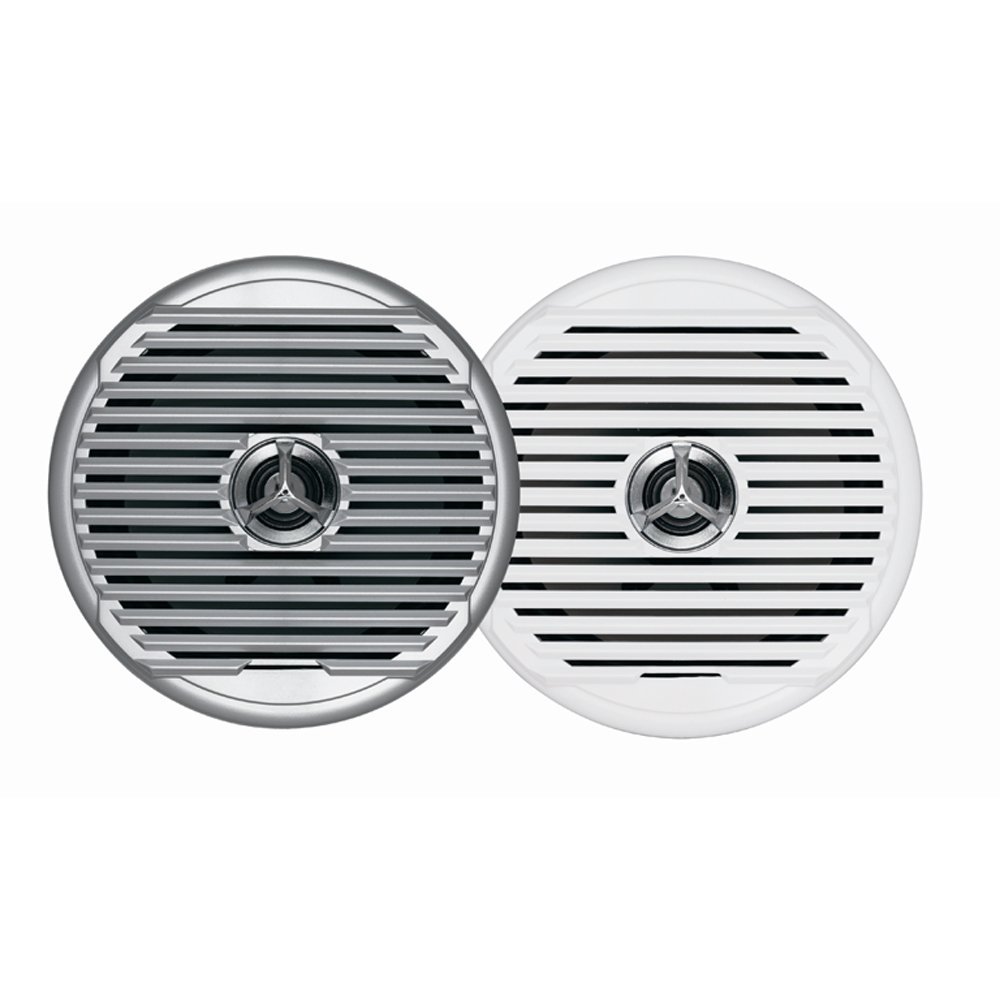
Figure 4.1: Jensen MSX65R Marine Coaxial Speaker. This image shows the speaker with its silver-white grille, ready for flush mounting.
5. 운영
Once properly installed and connected to an audio source (e.g., marine stereo, amplifier), the Jensen MSX65R speakers will reproduce audio. Ensure your audio source is powered on and configured correctly.
- 볼륨 조절: Adjust the volume level from your connected audio source. Avoid excessively high volumes that can cause distortion or damage to the speakers.
- 밸런스/페이더: Use the balance and fader controls on your audio source to optimize sound distribution within your vessel.
- 톤 컨트롤: Adjust bass, treble, and other tone controls on your audio source to suit your listening preferences.
These speakers are designed for marine environments and are waterproof. However, avoid submerging them or exposing them to high-pressure water jets.
6. 유지관리
Regular maintenance will help prolong the life and performance of your Jensen MSX65R speakers.
- 청소: Periodically wipe down the speaker grilles and surrounds with a soft, damp cloth to remove salt, dirt, and grime. Do not use harsh chemicals or abrasive cleaners.
- 점검: Regularly inspect the speaker grilles and mounting hardware for any signs of damage or loosening. Tighten screws if necessary.
- 자외선 차단: While the speakers are UV exposure standard compliant, prolonged direct exposure to intense sunlight can still affect their appearance over time. Consider using covers when the vessel is not in use for extended periods.
- 배선: Check wiring connections periodically for corrosion or loose contacts, especially in saltwater environments.
7. 문제 해결
스피커에 문제가 발생하는 경우 다음의 일반적인 문제 해결 단계를 참조하십시오.
| 문제 | 가능한 원인 | 해결책 |
|---|---|---|
| 스피커에서 소리가 나지 않음 |
|
|
| 왜곡되거나 음질이 좋지 않음 |
|
|
| 스피커 1개가 작동하지 않음 |
|
|
If these steps do not resolve the issue, please contact Jensen customer support.
8. 보증 및 지원
For detailed warranty information, please refer to the warranty card included with your product or visit the official Jensen web사이트. 보증 약관은 다를 수 있습니다.
For technical support, replacement parts, or further assistance, please contact Jensen customer service through their official web사이트 또는 제품 포장에 제공된 연락처 정보를 참조하세요.
Jensen Official Web대지: www.jensen.com (참고: 이것은 플레이스홀더입니다. URL. Please refer to your product packaging for the most accurate support contact information.)