
1. 서론
The D-Link DIR-610 Wireless N150 Router is designed to provide a high-speed wireless network connection for your home or small office. This manual will guide you through the installation, configuration, and operation of your new router, ensuring a secure and efficient internet experience.
The DIR-610 supports the latest wireless security features to prevent unauthorized access to both the wireless network and the internet. It also includes Quality of Service (QoS) functionality, which, when enabled, allows for a better online experience by prioritizing network traffic.
2. 패키지 내용
패키지에 다음 품목이 모두 들어 있는지 확인해 주십시오.
- 1 x D-Link DIR-610 Wireless N150 Router
- 1 x 전원 어댑터
- 1 x 이더넷 케이블
- 1 x 설치 가이드
- 1 x 사용자 매뉴얼(이 문서)
If any items are missing or damaged, please contact your local D-Link reseller.
3. 설정
Follow these steps to set up your D-Link DIR-610 Router:
- 라우터 압축 풀기: 라우터와 모든 액세서리를 포장에서 조심스럽게 꺼내세요.
- 라우터 위치 지정: Place the router in a central location in your home or office, away from obstructions and devices that may cause interference (e.g., cordless phones, microwave ovens).
- 전원에 연결: Connect the power adapter to the router's power port and then plug the adapter into a wall outlet. Ensure the power LED on the router illuminates.
- 인터넷(WAN)에 연결: Connect one end of the provided Ethernet cable to your modem's Ethernet port and the other end to the Internet (WAN) port on the DIR-610 router.
- Connect to Computer (LAN - Optional): For initial setup or wired connections, connect one end of another Ethernet cable (not included, or use the provided one if not connecting to modem yet) to one of the LAN ports on the router and the other end to your computer's Ethernet port. Alternatively, you can connect wirelessly using the default Wi-Fi name and password found on the router's label.
- Run D-Link Assistant: The D-Link Assistant allows users without technical knowledge to install the router and establish an internet connection in minutes by simply running the product CD. Insert the product CD into your computer and follow the on-screen instructions.
- 입장 Web-based Setup: If not using the CD, open a web browser (e.g., Chrome, Firefox) on a connected computer and type
http://dlinkrouter.localorhttp://192.168.0.1into the address bar. Log in using the default username (usually 관리자) and password (often blank or 관리자). Refer to the router's label for default login credentials. - 설치 마법사를 따르세요: Once logged in, the setup wizard will guide you through configuring your internet connection, wireless network name (SSID), and password.
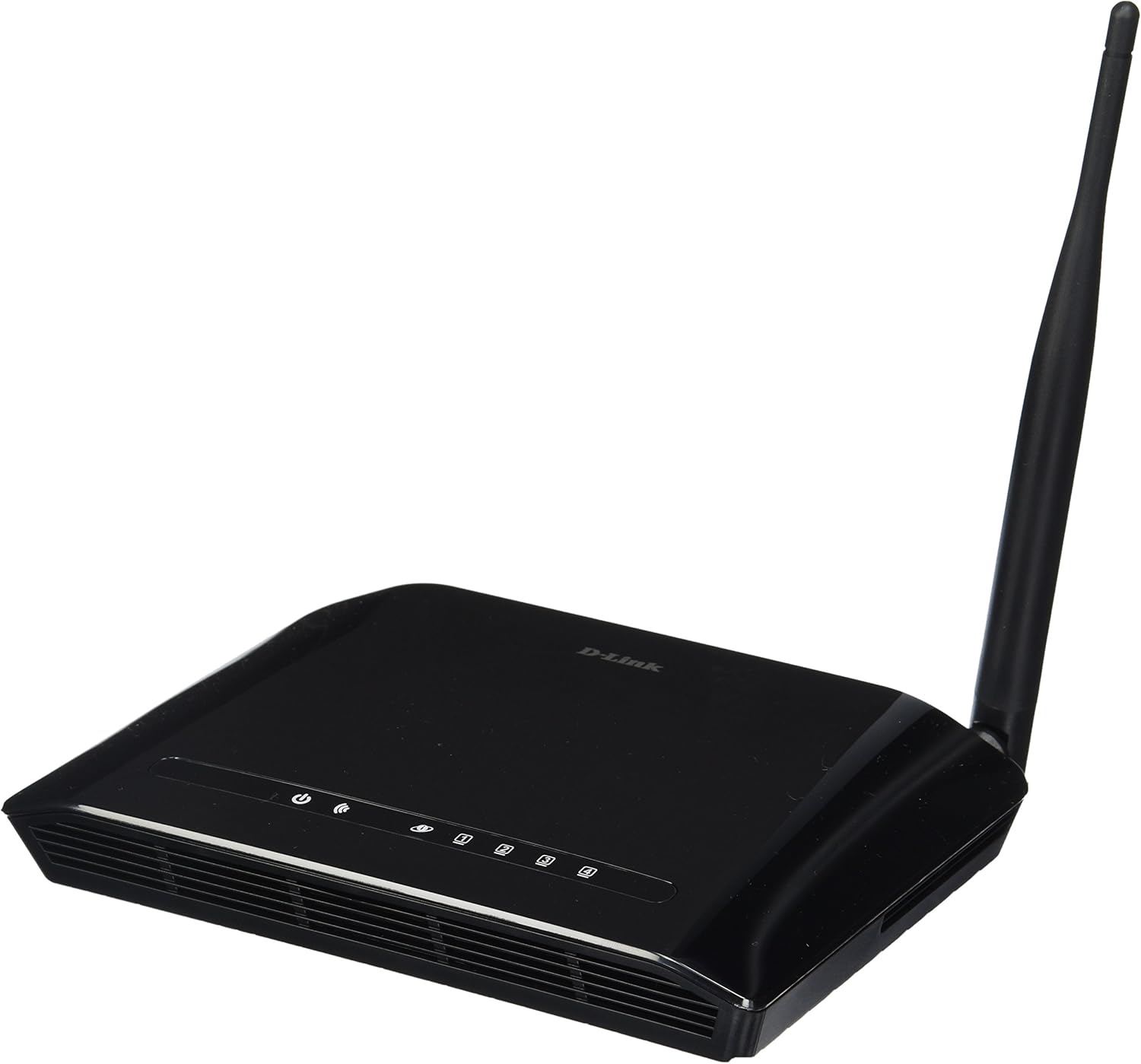
그림 3.1: 앞쪽 view of the D-Link DIR-610 Wireless N150 Router. This image shows the compact black router with its single external antenna and LED indicators on the front panel for power, internet, and wireless status.
4. 라우터 작동
Once your D-Link DIR-610 router is set up, you can manage its various functions through the web기반 인터페이스.
4.1 무선 연결
The DIR-610 provides Wireless N150 connectivity, offering reliable wireless access for devices such as laptops, smartphones, and tablets. To connect a device:
- 장치에서 Wi-Fi를 활성화하십시오.
- 사용 가능한 무선 네트워크를 검색합니다.
- Select your configured network name (SSID).
- Enter your wireless password (WPA/WPA2 key).
4.2 보안 기능
The DIR-610 incorporates advanced wireless security protocols to protect your network from unauthorized access. It supports WPA/WPA2 encryption. It is highly recommended to use WPA2-PSK (AES) encryption with a strong, unique password for your wireless network.
4.3 서비스 품질(QoS)
The DIR-610 Router includes Quality of Service (QoS) functionality. QoS allows you to prioritize certain types of network traffic, such as online gaming or video streaming, over less time-sensitive activities like file downloads. This helps ensure a smoother and more responsive experience for critical applications. You can configure QoS settings through the router's web 인터페이스.
5. 유지관리
Regular maintenance helps ensure optimal performance and longevity of your D-Link DIR-610 router.
- 펌웨어 업데이트: Periodically check the D-Link support web펌웨어 업데이트 사이트입니다. 펌웨어를 업데이트하면 성능이 향상되고, 새로운 기능이 추가되며, 보안 취약점이 수정될 수 있습니다.
- 보안 비밀번호: Regularly change your router's administrator password and your Wi-Fi password to strong, unique combinations.
- 물리적 환경: Keep the router in a well-ventilated area, free from dust and direct sunlight. Avoid placing heavy objects on top of the router.
- 재부팅: If you experience network issues, a simple reboot of the router (unplugging the power for 10 seconds and plugging it back in) can often resolve minor problems.
6. 문제 해결
This section addresses common issues you might encounter with your D-Link DIR-610 router.
6.1 인터넷 접속 불가
- Check all cable connections: Ensure the Ethernet cable from your modem is securely connected to the router's Internet (WAN) port.
- Verify modem status: Ensure your modem is working correctly and has an active internet connection.
- Reboot devices: Power cycle your modem, then your router, and finally your computer/device.
- 라우터 설정 확인: 라우터에 접속하세요. web interface and verify your internet connection settings (e.g., PPPoE, DHCP, Static IP) are correct as provided by your Internet Service Provider (ISP).
6.2 느린 무선 속도
- 간섭: 간섭을 일으킬 수 있는 다른 전자 장치로부터 라우터를 멀리 옮기세요.
- 채널 선택: In the router's wireless settings, try changing the wireless channel to a less congested one (e.g., 1, 6, or 11).
- 거리와 장애물: Ensure your device is within a reasonable range of the router and that there are no major physical obstructions (thick walls, metal objects) blocking the signal.
- QoS 설정: If QoS is enabled, ensure it is configured correctly and not inadvertently prioritizing less important traffic.
6.3 관리자 암호를 잊어버린 경우
If you forget your router's administrator password, you will need to perform a factory reset. Locate the reset button (usually a small pinhole button) on the router. With the router powered on, use a paperclip to press and hold the reset button for about 10 seconds. The router will reboot with factory default settings, and you can then log in using the default credentials (e.g., username 관리자, password blank or 관리자).
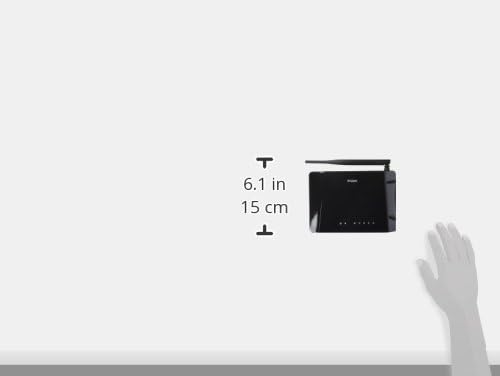
그림 6.1: Diagram illustrating the approximate dimensions of the D-Link DIR-610 Router. The image shows the router's height of approximately 6.1 inches (15 cm).
7. 사양
| 특징 | 사양 |
|---|---|
| 상표 | 디링크 |
| 제조업체 | 디링크 |
| 시리즈 | 97200GL |
| 색상 | 검은색 |
| 제품 높이 | 14.75센티미터 |
| 제품 폭 | 3.15센티미터 |
| 해결 | pixels Pixels |
| 배터리 포함 | 아니요 |
| 제품 치수 | 11.32 x 3.15 x 14.75 cm; 200g |
| 제품 모델 번호 | DIR 610 |
| ASIN | B00CLMOR4U |
| 첫 번째 가능한 날짜 | 15년 2012월 XNUMX일 |
| 포함된 구성 요소 | 1 DIR-610 Router, Power Adapter, Ethernet Cable, Installation Guide, User Manual |
| 연결 기술 | 무선 전화 |
| 제품 무게 | 200그램 |
| 제어 방법 | Application (referring to web 상호 작용) |
| LAN 포트 대역폭 | 10/100 메가비트/초 |
| 한국어: | 790069377822, 790069377808, 790069377891 |
| 국제 무역 품목 번호(GTIN) | 00790069377891 |
8. 안전 정보
부상이나 장치 손상을 방지하려면 모든 안전 지침을 읽고 따르십시오.
- 장치를 열지 마십시오.asing.
- 기기를 물, 습기 또는 극한 온도에 노출시키지 마세요.
- 기기와 함께 제공된 전원 어댑터만 사용하세요.
- 장치를 열원이나 직사광선으로부터 멀리 두십시오.
- 장치 주변의 적절한 환기를 보장하십시오.
9. 보증 및 지원
For warranty information, please refer to the warranty card included with your product or visit the official D-Link website for your region. D-Link provides technical support for its products. For assistance, please visit your local D-Link support web사이트를 방문하거나 고객 서비스에 문의하세요.
디링크 Web대지: www.dlink.com