
1. 서론
This manual provides essential information for the safe and effective assembly, operation, and maintenance of your Keter Gulliver Low Cabinet. Please read these instructions carefully before use and retain them for future reference.
The Keter Gulliver Low Cabinet is a versatile storage solution designed for organizing household, utility, and garage items. Constructed from durable, watertight resin, it features a modern design with lockable double doors and two adjustable shelves.
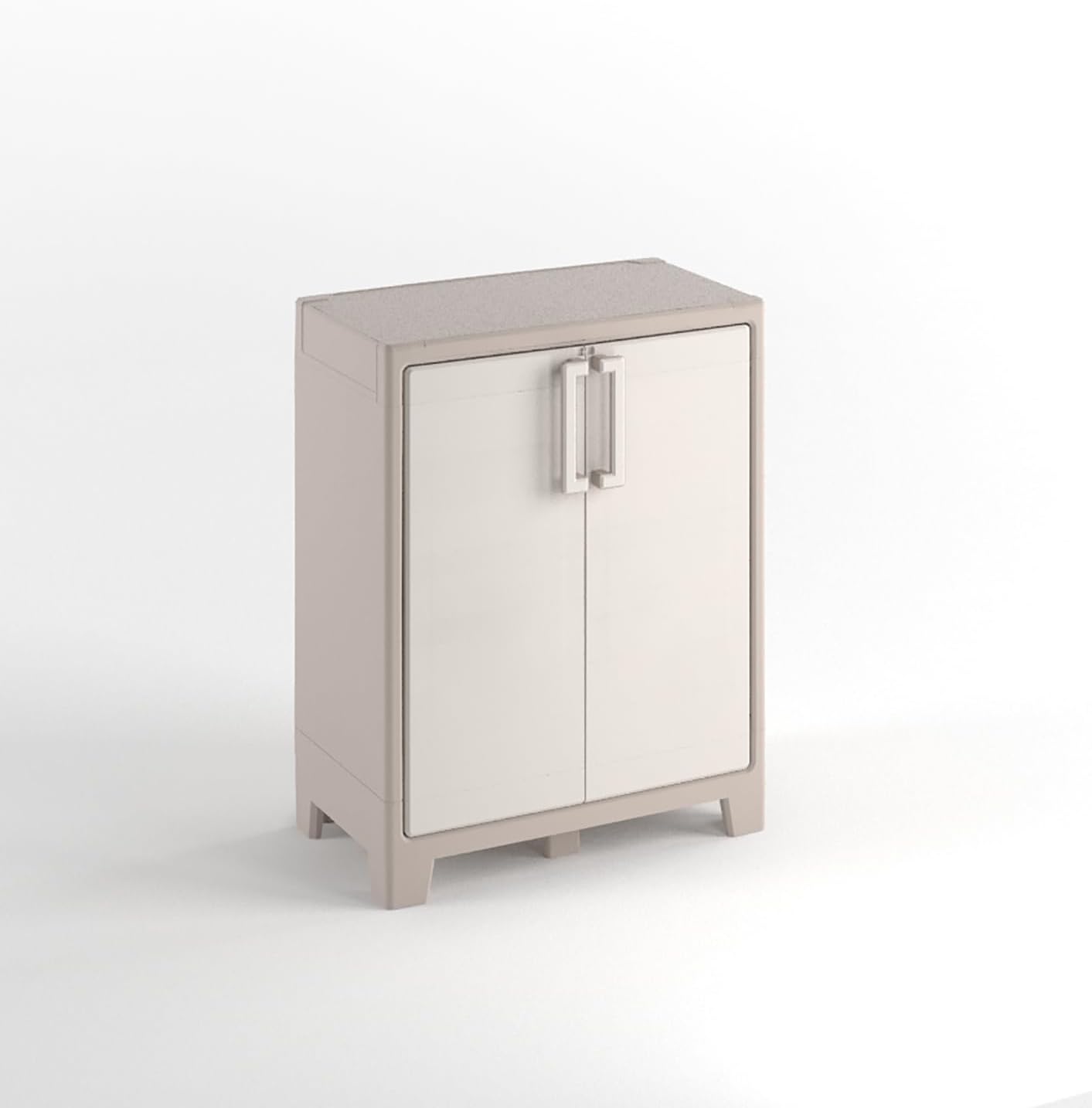
Image 1.1: Keter Gulliver Low Cabinet. This image displays the full cabinet, highlighting its compact and functional design suitable for various storage needs.
2. 안전 정보
- 벽면 장착: It is strongly recommended to fix the cabinet to a wall to ensure stability and safety, especially when storing heavy objects. This prevents accidental tipping.
- 하중 용량: Each shelf has a maximum load capacity of 30 kg (66 lbs). Do not exceed this weight limit per shelf. The total weight limit for the entire cabinet is 60 kg (132 lbs).
- 집회: Ensure all components are correctly assembled according to the provided instructions before use. Improper assembly can lead to instability.
- 놓기: This cabinet is suitable for both indoor and outdoor use. When placed outdoors, ensure it is on a level surface.
- 어린이들: Keep children away from the cabinet during assembly. Do not allow children to climb on or play inside the cabinet.
3. 패키지 내용
Before beginning assembly, verify that all parts are present and undamaged. The package should contain the following:
- Cabinet panels (sides, top, bottom, back, doors)
- 조절 가능한 선반 2개
- Assembly hardware (screws, hinges, handles, feet, etc.)
- 사용 설명서

Image 3.1: Product Packaging. This image shows the exterior of the Keter Gulliver cabinet packaging, indicating the product name and some key features.
4. 설치 및 조립
Assembly of the Keter Gulliver Low Cabinet is required. Please follow the detailed step-by-step instructions provided in the separate assembly guide included in your package. Ensure you have adequate space and the necessary tools (typically a screwdriver) before starting.
주요 조립 단계:
- 구성 요소 풀기: 모든 부품을 포장에서 조심스럽게 꺼낸 후 긁힘을 방지하기 위해 깨끗하고 부드러운 표면에 놓으세요.
- 프레임 조립: Connect the side panels to the bottom and top panels as per the instructions.
- 후면 패널 설치: Secure the polypropylene back panel into the frame.
- 문 부착: Mount the doors using the provided metal hinges. Ensure they open and close smoothly.
- 선반 삽입: 높이 조절 선반을 원하는 높이에 설치하세요.
- 받침대 설치: Attach the cabinet feet to the base for stability.
- Wall Fixing (Recommended): For enhanced safety, secure the cabinet to a wall using appropriate hardware (not always included, check assembly guide).

Image 4.1: Cabinet Interior. This image shows the cabinet with its doors open, illustrating the two adjustable shelves and internal storage space.

Image 4.2: Cabinet Base. A detailed view of the cabinet's underside, showing the sturdy feet and structural design for stability.
5. 사용 설명서
5.1 문 열기 및 닫기
The cabinet features double doors with handles for easy access. To open, pull the handles outwards. To close, push the doors firmly until they latch securely.
5.2 선반 활용하기
The two included shelves are adjustable. To change their height, carefully remove the shelf, reposition the support clips (if applicable, refer to assembly guide), and reinsert the shelf at the desired level. Ensure shelves are securely seated before placing items on them.
5.3 잠금 장치
The cabinet is designed with a padlock-compatible locking mechanism for added security. To lock the cabinet, align the holes on the doors and insert a standard padlock (not included).

Image 5.1: Locking Mechanism. This image provides a close-up view of the cabinet's handle and the integrated feature for attaching a padlock, enhancing security.
6. 유지관리
The Keter Gulliver Low Cabinet is made from durable, watertight polypropylene resin, requiring minimal maintenance.
- 청소: Clean the cabinet surfaces with a soft cloth, mild soap, and water. Avoid abrasive cleaners or harsh chemicals, as these can damage the material.
- 점검: Periodically check all connections and hinges to ensure they remain secure. Tighten any loose screws if necessary.
- 야외 사용: While suitable for outdoor use, prolonged exposure to extreme weather conditions may affect its appearance over time.
7. 문제 해결
- 문이 제대로 닫히지 않음: Check for any obstructions in the door path or hinges. Ensure the cabinet is on a level surface. Verify that the hinges are correctly installed and tightened.
- 내각 불안정성: Ensure all assembly screws are tightened. If not already done, fix the cabinet to a wall using appropriate hardware to prevent tipping.
- 손상된 부품: 제품 도착 시 부품이 손상되었거나 누락된 경우 조립을 진행하지 마십시오. 고객 지원팀에 문의하여 도움을 받으십시오.
8. 사양
| 특징 | 세부 사항 |
|---|---|
| 상표 | 케테르 |
| 모델명 | 걸리버 |
| 품목 모델 번호 | 9752000 |
| 제품 크기(D x W x H) | 10.04" x 19.69" x 32.05"(25.5cm x 50cm x 81.4cm) |
| 품목 무게 | 9.45kg(20.8파운드) |
| 재료 | Polypropylene (PP) Plastic |
| 색상 | 베이지색 |
| 선반 수 | 2 |
| 선반 하중 제한 | 선반당 30kg(66파운드) |
| 총 중량 제한 | 60kg(132파운드) |
| 조립이 필요합니다 | 예 |
| 잠금 유형 | Padlock compatible (padlock not included) |
| 추천 용도 | 실내, 실외 |
9. 보증
For information regarding the product warranty, please refer to the documentation included with your purchase or visit the official Keter web사이트. 보증 약관은 지역 및 소매업체에 따라 다를 수 있습니다.
10. 지원
If you have any questions, require assistance with assembly, or need to report missing/damaged parts, please contact Keter customer support. You can often find support contact information on the Keter brand web해당 사이트를 통해서나 제품을 구매한 소매업체를 통해서도 구매가 가능합니다.
자세한 내용은 다음을 방문하세요. 아마존의 케터 스토어.