
1. 서론
Thank you for choosing the Mac Audio Ice Cube 12-300mm Subwoofer. This manual provides essential information for the proper installation, operation, and maintenance of your new car audio subwoofer. Please read these instructions carefully before attempting to install or use the product to ensure optimal performance and safety.
2. 안전 지침
부상이나 제품 및 차량 손상을 방지하기 위해 항상 다음 안전 예방 조치를 준수하세요.
- 전문 설치 권장: Installation of car audio components can be complex. If you are unsure about any part of the installation process, consult a qualified professional installer.
- 배터리 분리: Before starting any electrical work, disconnect the vehicle's negative battery terminal to prevent short circuits and electrical hazards.
- 적절한 배선: Ensure all wiring is correctly connected, insulated, and secured to prevent shorts, overheating, and interference. Use appropriate gauge wires for power and speaker connections.
- 장착 보안: Securely mount the subwoofer to prevent it from becoming a projectile in the event of sudden stops or collisions.
- 통풍: 서브우퍼 주변에 적절한 환기를 확보하십시오. amp과열을 방지하는 lifier.
- 볼륨 레벨: 높은 음량에 장시간 노출되면 청력 손상이 발생할 수 있습니다. 안전하고 편안한 수준으로 음량을 조절하십시오.
3. 제품 오버view
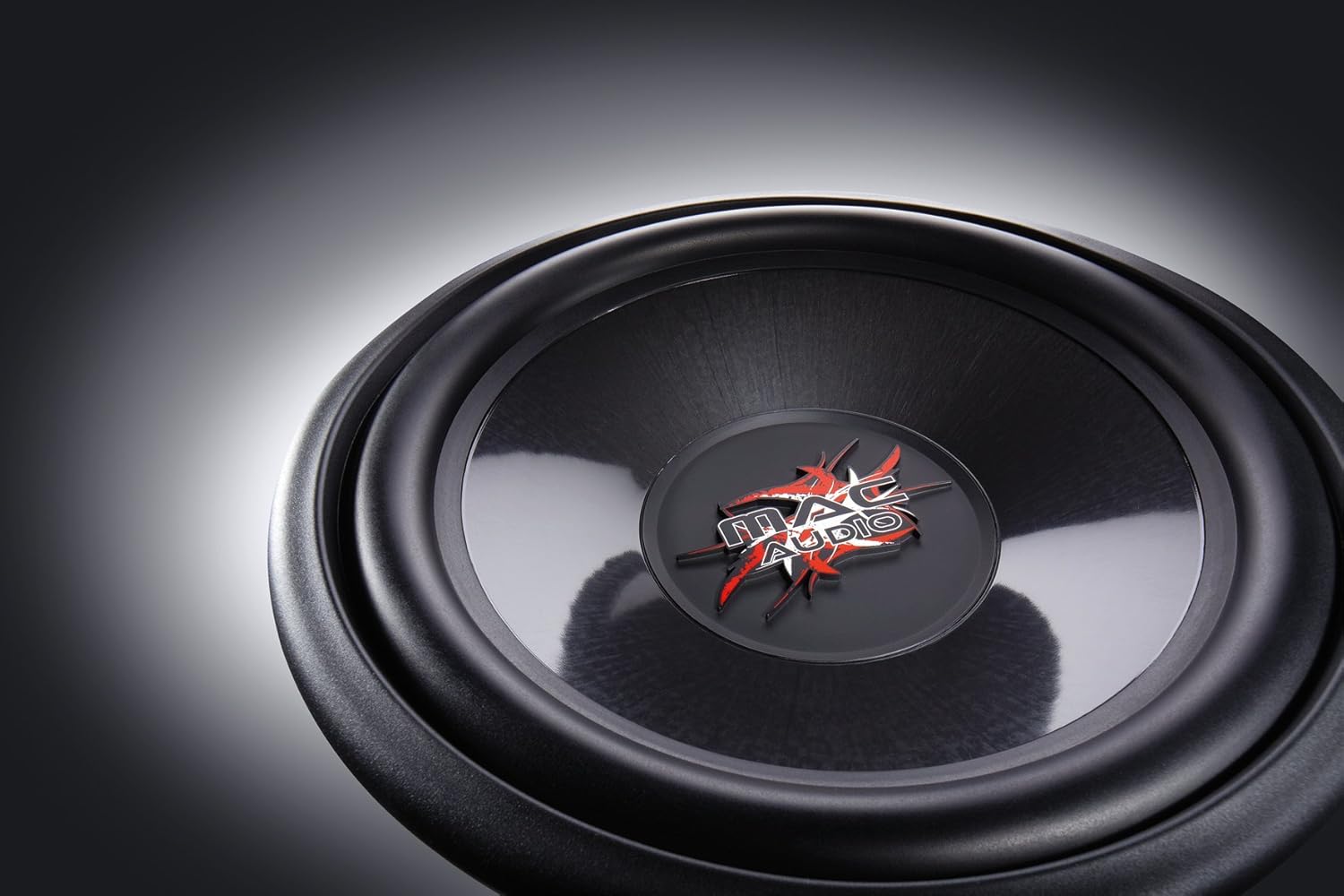
The Mac Audio Ice Cube 12-300mm Subwoofer is designed to deliver powerful bass performance for your car audio system. It features a robust construction suitable for both enclosed and bass-reflex mounting applications.
주요 특징:
- 300 mm subwoofer for enclosed/bass-reflex mounting.
- High-performance 5 cm voice coil with Japanese Totoku wire and additional ventilation.
- Steel basket with multi-layer coating for reduced resonance.
- High-power 40 oz magnet with protective cap.
구성 요소:
The subwoofer consists of the speaker driver, a robust steel basket, a voice coil, and a powerful magnet assembly. The terminals for connecting speaker wires are located on the side of the basket.

4. 설정 및 설치
Proper installation is crucial for the performance and longevity of your subwoofer. This subwoofer is designed for integration into a custom enclosure, either sealed (enclosed) or ported (bass-reflex).
4.1 인클로저 설계
- 봉인된 인클로저: Provides tight, accurate bass response. The internal volume of the enclosure should be calculated based on the subwoofer's Thiele-Small parameters for optimal performance.
- Ported (Bass-Reflex) Enclosure: Offers louder bass output at specific frequencies. Requires careful design of port dimensions (length and diameter) to tune the enclosure to the desired frequency.
- Consult a car audio specialist or use specialized software for precise enclosure design.
4.2 서브우퍼 장착
- Ensure the enclosure has a cutout of the correct diameter for the subwoofer.
- Place the subwoofer into the cutout, aligning the mounting holes.
- Secure the subwoofer using appropriate screws, ensuring an airtight seal between the subwoofer frame and the enclosure. Do not overtighten.
4.3 배선 연결
서브우퍼를 적합한 스피커에 연결 amp리퍼. 다음을 확인하십시오. amplifier can provide sufficient power within the subwoofer's rated specifications. Pay close attention to polarity.
- 스피커 터미널 : The subwoofer has clearly marked positive (+) and negative (-) terminals.
- Amplifier 연결: 서브우퍼의 양극(+) 단자를 앰프의 스피커 출력 단자의 양극(+) 단자에 연결하세요. amp앰프. 서브우퍼의 음극(-) 단자를 앰프의 음극(-) 스피커 출력 단자에 연결하십시오. amp리퍼.
- 와이어 게이지 : Use appropriate gauge speaker wire (e.g., 12-16 gauge) for the distance and power levels.
- 보안 연결: 모든 연결부가 단단히 고정되어 있고 합선을 일으킬 수 있는 전선이 닳거나 손상되지 않았는지 확인하십시오.
5. 사용 설명서
Once installed, follow these steps for initial operation and optimal sound adjustment:
- 초기 전원 켜기: After all connections are made and checked, reconnect the vehicle's battery. Turn on your car audio system.
- Amp설정:
- 게인 컨트롤 : 로 시작하세요 amplifier's gain control at its minimum setting. Gradually increase the gain until the subwoofer output matches the rest of your system without distortion. Avoid setting the gain too high, as this can lead to clipping and damage.
- 저역 통과 필터(LPF): 설정하다 amplifier's low-pass filter to a suitable frequency, typically between 60 Hz and 100 Hz. This ensures the subwoofer only reproduces low frequencies.
- 베이스 부스트 : Use bass boost sparingly, if at all. Excessive bass boost can cause distortion and damage the subwoofer.
- 침입 기간: Allow a break-in period of approximately 10-20 hours of normal listening before operating the subwoofer at maximum volume. This allows the suspension components to loosen up and perform optimally.
6. 유지관리
The Mac Audio Ice Cube subwoofer requires minimal maintenance to ensure long-term performance.
- 청소: Use a soft, dry cloth to wipe down the subwoofer cone and frame. Avoid using harsh chemicals or abrasive cleaners.
- 점검: Periodically check all wiring connections for tightness and signs of corrosion. Ensure the subwoofer is still securely mounted in its enclosure.
- 환경적 요인: 서브우퍼를 극한 온도, 직사광선 및 습기로부터 보호하십시오.
7. 문제 해결
서브우퍼에 문제가 발생하면 다음의 일반적인 문제와 해결 방법을 참조하세요.
| 문제 | 가능한 원인 | 해결책 |
|---|---|---|
| 서브우퍼에서 소리가 나지 않습니다 |
|
|
| 왜곡되거나 약한 베이스 |
|
|
| Subwoofer cuts out |
|
|
이러한 해결 방법을 시도한 후에도 문제가 지속되면 대리점이나 자격을 갖춘 서비스 기술자에게 문의하십시오.
8. 사양
The following are the technical specifications for the Mac Audio Ice Cube 12-300mm Subwoofer (Model 1328320):
| 사양 | 값 |
|---|---|
| 상표 | 맥 오디오 |
| 스피커 유형 | 서브우퍼 |
| 힘 | 1200와트(최대) |
| 제품 크기(L x W x H) | 31.7 x 31.7 x 13cm |
| 품목 무게 | 3.3 킬로그램 |
| 품목 모델 번호 | 1328320 |
| 장착 유형 | Table Mount (Refers to general mounting, typically in an enclosure) |
| Software updates guaranteed until | 정보가 없습니다 |
9. 보증 및 지원
For warranty information, please refer to the documentation provided at the time of purchase or contact your authorized Mac Audio dealer. Keep your proof of purchase for any warranty claims.
For technical support or further assistance, please contact the retailer where you purchased the product or visit the official Mac Audio web연락처 정보 사이트.