
1. 제품 오버view
The KJB DD1206 iProtect Digital RF Detector is a sophisticated handheld device designed for detecting various wireless protocols. Unlike typical searching devices, it can detect modern hidden bugs that use protocols such as Bluetooth and Wi-Fi at a long distance. The DD1206 utilizes a separate channel with a high (2.4/5 GHz) frequency pre-selector to detect and locate Bluetooth and Wi-Fi with significantly higher sensitivity. Additionally, the unit can detect all classical bugs and analyze them for correlation by sending sound impulses, as well as other digital transmissions (GSM, LTE, 3G, 4G, 5 GHz, DECT, etc.). This device incorporates the ability to detect nearly any type of wireless protocol, including digital frequencies like Wi-Fi and analog frequencies, reaching up to 12 GHz in range.
주요 특징:
- Wide-band antenna for comprehensive signal detection.
- Micro-Pointer microwave antenna for enhanced sensitivity to signals above 2 GHz, including Bluetooth, Wi-Fi 2.4 GHz, Wi-Fi 5GHz, and wireless video cameras.
- 16-segment bargraph indicator for clear signal strength visualization.
- Three alert modes: sound, vibration, and mixed, for discreet or audible alerts.
- Correlation function to identify FM transmitters by analyzing probing sound.
- Two levels of sensitivity (attenuator) for precise signal location.

그림 1: The KJB DD1206 iProtect Digital RF Detector highlighting its capabilities for detecting RF, GSM, Bluetooth, Wi-Fi, and Wi-Max signals.
2. 설치 및 조립
Before operating the DD1206, ensure proper battery installation and antenna attachment.
2.1 배터리 설치
- 장치 뒷면에서 배터리 구획을 찾으세요.
- 구획 덮개를 엽니다.
- Insert two AAA batteries (2xLR 03), ensuring correct polarity.
- 배터리 덮개를 단단히 닫으세요.
2.2 안테나 부착
The DD1206 comes with two types of antennas:
- Wide-band antenna: Connects to the ANT1 socket for general frequency detection (50-12000 MHz).
- Micro-Pointer microwave antenna: Connects to either ANT1 or ANT2 socket for enhanced detection of higher frequencies (2.4-2.48 GHz, 4.9-5.875 GHz). This antenna is particularly effective for Bluetooth and Wi-Fi signals.
- Gently screw the desired antenna into the appropriate socket (ANT1 or ANT2) until finger-tight. Do not overtighten.

그림 2: The DD1206 device and its components, including the wide-band antenna and the Micro-Pointer microwave antenna.
3. 사용 설명서
This section details how to operate your DD1206 detector for effective signal detection.
3.1 전원 켜기/끄기
- 전원을 켜려면 힘 디스플레이가 켜질 때까지 버튼을 누르세요.
- 전원을 끄려면 힘 디스플레이가 꺼질 때까지 버튼을 다시 누르세요.
3.2 안테나 선택
The device allows switching between antennas for different detection scenarios.
- 사용하세요 앤트1 button to select the wide-band antenna.
- 사용하세요 앤트2 button to select the Micro-Pointer microwave antenna.
- The active antenna will be indicated on the display.
3.3 Sensitivity Adjustment (Attenuator)
The attenuator provides two levels of sensitivity to help pinpoint signal sources more quickly.
- 를 누르세요 ATT+ 감도를 높이는 버튼입니다.
- 를 누르세요 ATT- 감도를 낮추는 버튼입니다.
- Adjust sensitivity to avoid saturation in areas with strong background RF noise, or to detect weaker signals.
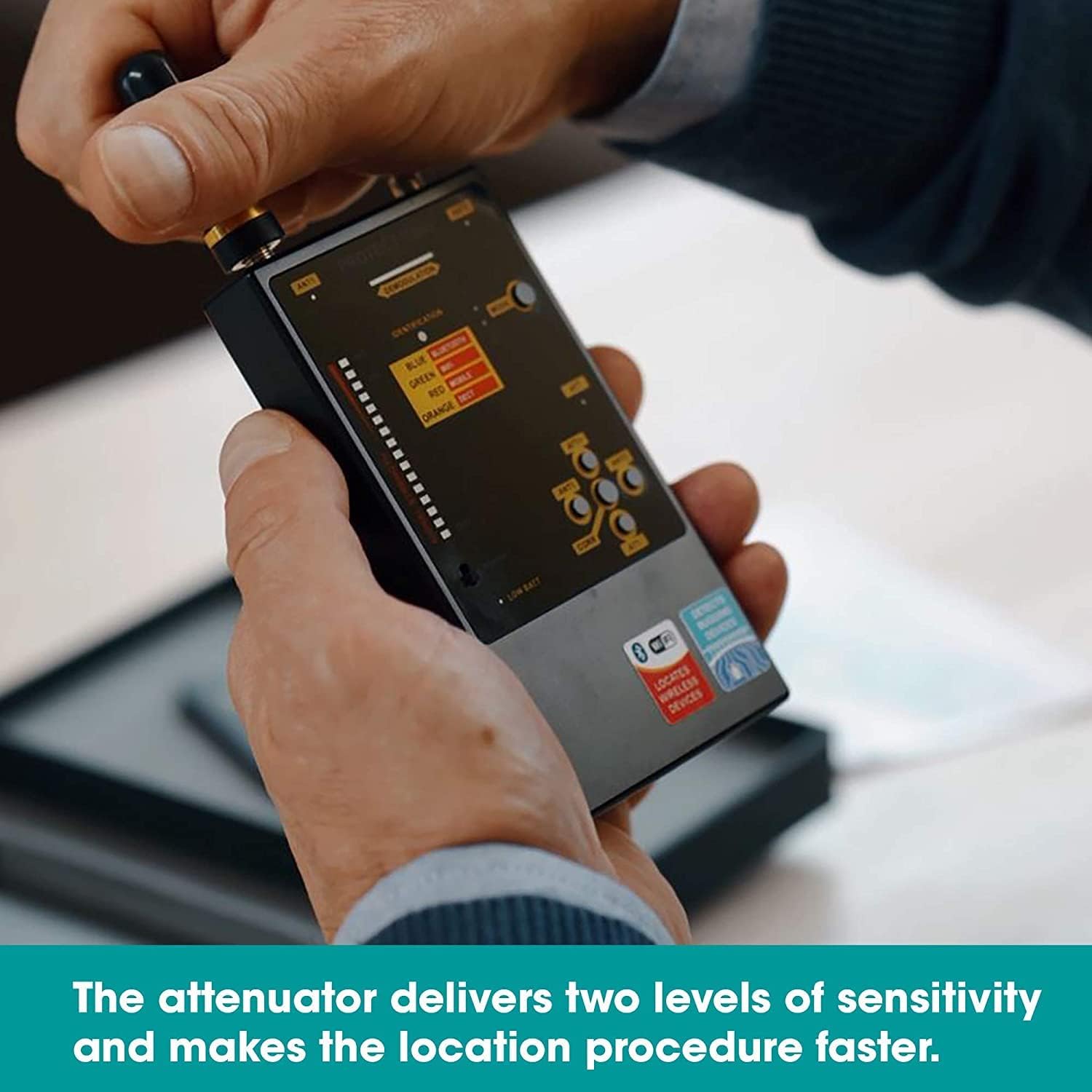
그림 3: Adjusting the attenuator for optimal sensitivity during detection.
3.4 경보 모드
The DD1206 offers three distinct alert modes:
- 사운드 모드 : Audible alerts indicate signal detection and strength.
- 진동 모드: Discreet vibration alerts for silent operation.
- 혼합 모드: Combines sound and vibration alerts.
를 누르세요 방법 이 버튼을 클릭하면 옵션들을 순환하며 살펴볼 수 있습니다.

그림 4: Switching between sound, vibration, and mixed alert modes.
3.5 Interpreting the Bargraph and Identification
- The 16-segment bargraph displays the detected signal strength. More illuminated segments indicate a stronger signal.
- 그만큼 신분증 section on the display provides an indication of the detected signal type (e.g., Bluetooth, Wi-Fi, Mobile, DECT).
- Move the device slowly around the area of interest. A rising bargraph and specific identification suggest proximity to a signal source.

그림 5: The DD1206 display showing signal strength on the bargraph and identified signal types.
3.6 Using the Micro-Pointer Antenna
The Micro-Pointer antenna is designed for directional detection of higher frequency signals.
- Attach the Micro-Pointer antenna to either ANT1 or ANT2.
- Point the antenna in different directions to locate the strongest signal, indicated by the bargraph. The arrow on the antenna indicates the direction of maximum sensitivity.
- This antenna is particularly useful for pinpointing Wi-Fi and Bluetooth devices.

그림 6: The Micro-Pointer antenna enhances detection of signals above 2 GHz, aiding in precise location.
3.7 Correlation Function
The correlation function helps identify FM transmitters by analyzing the presence of a probing sound.
- Activate the correlation function by pressing the 코르 단추.
- Listen for changes in the audio output or observe the display for indications of correlation, which suggests an FM transmitter is present.
4. 유지관리
Proper maintenance ensures the longevity and optimal performance of your DD1206 detector.
4.1 청소
- 부드럽고 마른 천으로 기기를 닦으십시오.
- 액체 세척제나 용제는 사용하지 마십시오. 기기가 손상될 수 있습니다.
4.2 배터리 교체
- When the "Low battery" indicator appears, replace both AAA batteries promptly.
- 배터리 설치 지침은 섹션 2.1을 참조하세요.
4.3 보관
- 본 기기는 직사광선과 극한의 온도를 피해 시원하고 건조한 곳에 보관하세요.
- 장기간 보관할 경우 누출을 방지하기 위해 배터리를 제거하세요.
5. 문제 해결
If you encounter issues with your DD1206, refer to the following common problems and solutions.
| 문제 | 가능한 원인 | 해결책 |
|---|---|---|
| 장치의 전원이 켜지지 않습니다. | 배터리가 방전되었거나 잘못 설치되었습니다. | 배터리 극성을 확인하세요. 새 AAA 배터리로 교체하세요. |
| No signal detected or weak signal. | Incorrect antenna selected; sensitivity too low; signal source too far. | Ensure the correct antenna is attached and selected (ANT1 for wide-band, ANT2 for Micro-Pointer). Increase sensitivity using ATT+. Move closer to the suspected source. |
| Device overheats or loses signal. | Prolonged use in high temperatures; internal malfunction. | Allow the device to cool down. If the problem persists, contact customer support. |
| False alarms or constant high signal. | High background RF noise; sensitivity too high. | Decrease sensitivity using ATT-. Move to an area with less ambient RF interference. |
6. 사양
Detailed technical specifications for the KJB DD1206 iProtect Digital RF Detector.
| 상표 | KJB |
| 모델 번호 | DD1206 |
| Frequency Range (Antenna 1) | 50~12000MHz |
| Frequency Range (Antenna 2) | 2.4 - 2.48 GHz, 4.9 - 5.875 GHz |
| 전원 | 2 x AAA batteries (LR 03) |
| 현재 소비량 | 최대 30mA |
| 운영 기간 | 최대 20시간 |
| 표시 | Active antenna, Low battery, Mode, Identification, Attenuator, Secondary demodulation |
| Dimensions (W/o antennas) | 120 x 70 x 16mm |
| Dimensions (W/ antennas) | 210 x 70 x 16mm |
| 재료 | 금속 |
| 품목 무게 | 6온스(약 170g) |
| 국제 보호 등급 | IP66 |

그림 7: Sensitivity graph illustrating the detection capabilities of the wide-band (rod) antenna and the Micro-Pointer antenna across different frequency ranges.
7. 보증 및 지원
Information regarding product warranty and customer support was not provided in the available product data. For warranty details, technical assistance, or service inquiries, please contact KJB Security directly or refer to the documentation included with your purchase.
You may also visit the official KJB Security web최신 지원 정보는 사이트에서 확인하세요.


