
디링크 DGS-1210-28
D-Link DGS-1210-28 28-Port Gigabit Smart Managed Switch User Manual
Model: DGS-1210-28
제품 끝view
The D-Link DGS-1210-28 is a 28-Port Gigabit Smart Managed Switch, part of the DGS-1210 Series. This advanced network switch features 24 10/100/1000BASE-T ports and 4 Gigabit SFP optical ports, designed to provide robust functionality, security, and manageability for small and medium-sized businesses. It incorporates D-Link Green 3.0 technology for energy efficiency, complying with the IEEE 802.3az Energy Efficient Ethernet standard. Multiple management options facilitate quick deployment, infrastructure expansion, and seamless upgrades. Key features include comprehensive Layer 2 capabilities such as IGMP Snooping, Port Mirroring, Spanning Tree, and Link Aggregation Control Protocol (LACP). Enhanced security features like D-Link Safeguard Engine, 802.1X port-based authentication, Access Control List (ACL), ARP Spoofing Prevention, and DHCP Server Screening protect against various network threats. The DGS-1210-28 is fanless for silent operation and comes with a Limited Lifetime Warranty, reflecting D-Link's commitment to product quality and long-term customer confidence.

그림 1: 전면 view of the D-Link DGS-1210-28 Smart Managed Switch, showing 24 Gigabit Ethernet ports and 4 SFP combo ports.
설정 및 설치
This section provides instructions for the initial setup and installation of your D-Link DGS-1210-28 switch.
패키지 내용
시작하기 전에 패키지에 모든 품목이 들어 있는지 확인하세요.
- D-Link DGS-1210-28 Switch
- 랙 장착 키트
- 전원 코드
- 리테이너 클립
- 콘솔 케이블
- 고무 발
- 빠른 설치 가이드(QIG)
물리적 설치
The DGS-1210-28 can be installed on a desktop or mounted in a standard 19-inch equipment rack.
데스크탑 설치
- Attach the included rubber feet to the bottom of the switch to prevent scratching and provide stability.
- Place the switch on a flat, stable surface in a well-ventilated area, away from direct sunlight and heat sources.
- 적절한 공기 흐름을 위해 스위치 주변에 충분한 공간을 확보하세요.

그림 2: 각도 view of the DGS-1210-28, illustrating its form factor for desktop or rackmount installation.
랙 설치
- Attach the two rack-mounting brackets to the sides of the switch using the screws provided in the rack mounting kit.
- Secure the switch in the rack using appropriate rack screws (not included).
- Ensure the rack is properly grounded and has sufficient ventilation.

Figure 3: DGS-1210 Family Series switches in a rack, highlighting their suitability for business environments.
스위치 연결
- 전원 연결: Connect the provided power cord to the AC power inlet on the rear panel of the switch. Secure the power cord with the retainer clip if desired. Plug the other end into a suitable power outlet.
- 네트워크 연결 :
- Connect your network devices (computers, servers, printers, IP cameras, etc.) to the 24 Gigabit Ethernet ports (RJ45) on the front panel using standard Ethernet cables.
- For high-speed uplinks or long-distance fiber connectivity, use the 4 Gigabit SFP combo ports with compatible SFP transceivers and fiber optic cables.
- Management Connection (Optional): For initial configuration or advanced management, connect a computer to the switch's console port using the provided console cable, or connect via an Ethernet port for web기반 관리.

Figure 4: Rear panel of the DGS-1210-28, illustrating the power connection and grounding options.
스위치 조작
The DGS-1210-28 is a Smart Managed Switch, offering various management interfaces for configuration and monitoring.
Web-Based Management Interface (Web UI)
The primary method for managing the switch is through its intuitive web-based interface. This allows for easy setup, monitoring, and advanced configuration.
- Ensure your computer is connected to the switch via an Ethernet cable.
- 열기 web browser and enter the default IP address of the switch (refer to the Quick Installation Guide or product documentation for the default IP).
- 기본 사용자 이름과 비밀번호를 사용하여 로그인하세요.
- Once logged in, you can configure various settings, including VLANs, QoS, port mirroring, link aggregation, and security features.

그림 5: 직관적 Web-Based Management interface, providing options for standard and surveillance modes.
주요 특징 및 기능
- 고속 네트워킹: 24 Gigabit Ethernet ports provide high-speed connectivity for various devices.
- SFP 포트: 4 Gigabit SFP combo ports enable flexible fiber optic uplinks for extended reach.
- Advanced Traffic Management: Features like Bandwidth Control, Quality of Service (QoS), VLAN support, Port Mirroring, Link Aggregation, and Spanning Tree Protocol (STP) optimize network performance and minimize congestion.
- 종합적인 보안: Includes Access Control List (ACL), 802.1X / RADIUS authentication, ARP Spoofing Prevention, and D-Link Safeguard Engine to protect against unauthorized access and malicious attacks.
- Surveillance Mode with ONVIF Support: Streamlines IP surveillance network deployment by automatically detecting ONVIF-compliant devices and optimizing video traffic for security systems.
- 에너지 효율성: Fanless design ensures silent operation and complies with IEEE 802.3az Energy Efficient Ethernet for reduced power consumption.
- 케이블 진단: Quickly identifies and resolves network cable issues, ensuring stable and reliable connections.
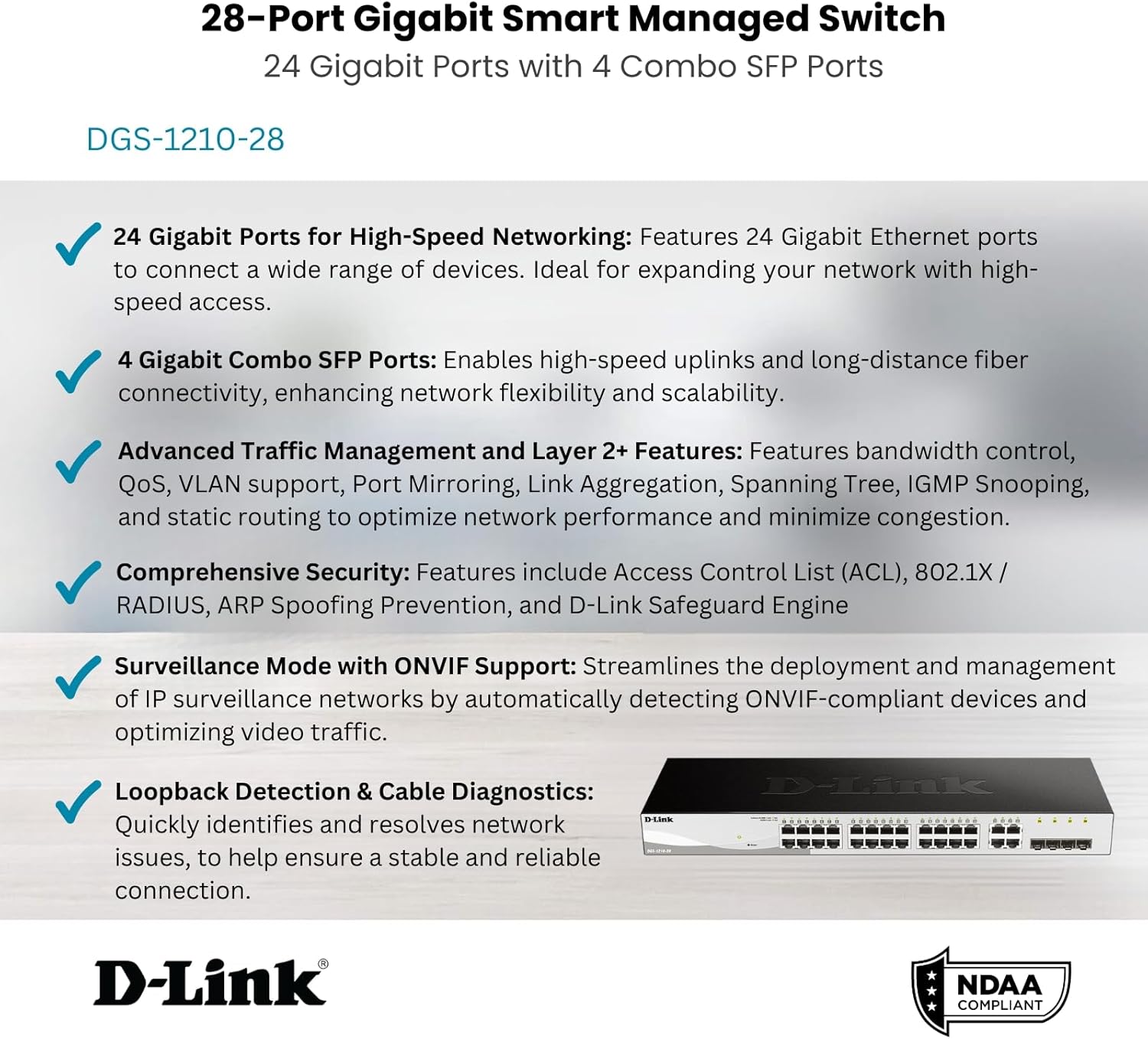
그림 6: 이상view of the DGS-1210-28's core features.
유지
Proper maintenance ensures the longevity and optimal performance of your D-Link DGS-1210-28 switch.
- 펌웨어 업데이트: Regularly check the D-Link support web최신 펌웨어 업데이트는 해당 사이트에서 확인하세요. 펌웨어를 최신 상태로 유지하면 새로운 기능, 성능 향상 및 보안 패치를 이용할 수 있습니다.
- 환경 조건: Ensure the switch operates within the recommended temperature (up to 60°C) and humidity ranges. Avoid placing it in direct sunlight or near heat sources.
- 청소: Keep the switch clean and free of dust. Use a soft, dry cloth to wipe the exterior. Do not use liquid or aerosol cleaners.
- 케이블 관리 : Ensure network cables are neatly organized and not excessively bent or strained. This prevents damage to cables and ports and improves airflow.
- 백업 구성: 스위치 구성 설정을 주기적으로 백업하십시오. 이렇게 하면 공장 초기화 또는 장치 교체 시 신속하게 복원할 수 있습니다.
문제 해결
This section addresses common issues you might encounter with your DGS-1210-28 switch.
전원 표시등 없음
- Verify that the power cord is securely connected to both the switch and a working power outlet.
- 다른 기기를 콘센트에 꽂아 전원 콘센트를 확인해 보세요.
- 전원 스위치(있는 경우)가 '켜짐' 위치에 있는지 확인하십시오.
No Network Connectivity on a Port
- Check the Ethernet cable connection at both ends (switch port and connected device). Try a different cable.
- Verify that the Link/Act LED for the specific port on the switch is illuminated. If not, there might be an issue with the cable or the connected device.
- 연결된 장치의 전원이 켜져 있고 네트워크 어댑터가 올바르게 작동하는지 확인하세요.
- Use the switch's 케이블 진단 feature via the Web UI to test the cable integrity.
- If using an SFP port, ensure the SFP transceiver is properly seated and compatible with the fiber optic cable and the connected device.
접근할 수 없습니다 Web 관리 인터페이스
- 컴퓨터의 IP 주소가 스위치의 IP 주소와 동일한 서브넷에 있는지 확인하세요.
- Verify that you are using the correct IP address for the switch. If unsure, you may need to reset the switch to factory defaults (refer to the QIG for instructions).
- 간섭을 방지하기 위해 컴퓨터의 방화벽이나 바이러스 백신 소프트웨어를 일시적으로 비활성화하십시오.
- 다른 인터페이스에서 액세스해보세요 web 브라우저.
Network Performance Issues
- Check for network loops using the switch's Spanning Tree Protocol (STP) or Loopback Detection features.
- Monitor port utilization via the Web UI to identify congested ports. Consider enabling Bandwidth Control or configuring QoS for critical applications.
- Ensure all connected devices are operating at their optimal speed (Gigabit Ethernet where supported).
기술 사양
| 특징 | 사양 |
|---|---|
| 모델 번호 | DGS-1210-28 |
| 스위치 유형 | Layer 2 Smart Managed Switch |
| 포트 수 | 24 x 10/100/1000BASE-T Gigabit Ethernet Ports, 4 x Gigabit SFP Combo Ports |
| 데이터 전송 속도 | 초당 1000메가비트(Mbps) |
| 권tage | 100볼트(AC) |
| 케이스 소재 | 금속 |
| 상한 온도 등급 | 섭씨 60도 |
| 제품 치수 | 17.32 x 5.46 x 1.73 인치 |
| 품목 무게 | 0.02 파운드 |
| 포함된 구성 요소 | Switch, Rack mounting kit, Power cord, Retainer clip, Console cable, Rubber feet, QIG |
| 규정 준수 | IEEE 802.3az Energy Efficient Ethernet, NDAA Compliant |
보증 및 지원
The D-Link DGS-1210-28 switch comes with a 제한된 평생 보증, demonstrating D-Link's commitment to product quality and long-term customer confidence. For detailed warranty terms and conditions, please refer to the official D-Link web사이트에 접속하거나 제품에 포함된 보증 카드를 확인하세요.
For technical support, product registration, and additional resources, please visit the official D-Link support portal. You can also find the latest drivers, firmware, and user manuals there.
For the User Guide (PDF), you can refer to the official document: DGS-1210 Series User Guide
Ask a question about this manual
Ask about setup, troubleshooting, compatibility, parts, safety, or missing instructions. Manuals+ will review the question and use this page’s manual context to help answer it.