
1. 서론
Thank you for choosing the Severin KV 8023 S2 Superautomatic Coffee Machine. This appliance is designed to provide a premium coffee experience with ease, offering a variety of coffee specialties at the touch of a button. Featuring a high-quality ceramic grinder and intuitive controls, this machine ensures fresh, aromatic coffee every time. Please read this manual carefully before first use to ensure safe operation and optimal performance.

이미지 1.1: 앞면 view of the Severin KV 8023 S2 Superautomatic Coffee Machine. This image shows the sleek black design of the appliance, highlighting its compact form factor suitable for any kitchen countertop.
2. 중요 안전 지침
Always observe the following safety precautions when using electrical appliances to prevent electric shock, fire, injury, or damage.
- 사용하기 전에 모든 지침을 주의 깊게 읽으세요.
- 제품, 코드, 플러그를 물이나 기타 액체에 담그지 마십시오.
- 어린이의 손이 닿지 않는 곳에 보관하세요.
- 사용하지 않을 때와 세척 전에는 콘센트에서 플러그를 뽑아두세요.
- 코드나 플러그가 손상된 경우 또는 기기가 오작동하거나 어떤 식으로든 손상된 경우에는 기기를 작동하지 마십시오.
- 제조업체가 권장하는 액세서리만 사용하십시오.
- 뜨거운 표면을 만지지 마십시오. 손잡이나 손잡이를 사용하십시오.
- 볼륨을 확보하세요tag기기에 표시된 e는 귀하의 주 전원에 해당합니다.tage.
- 절대로 제품 케이스를 열지 마십시오. 수리는 공인 서비스 담당자에게만 맡겨주세요.
3. 설정 및 첫 사용
3.1 풀기
Carefully remove all packaging materials. Check that all parts are present and undamaged. Keep packaging for future transport or disposal.
3.2 초기 청소
- 기계 외부를 광고로 닦으세요.amp 옷감.
- Remove the water tank, coffee bean container lid, and drip tray. Wash them with warm soapy water, rinse thoroughly, and dry.
- 모든 부품을 재조립합니다.
3.3 물 탱크 채우기
Open the lid of the water tank and fill it with fresh, cold tap water up to the MAX mark. Close the lid securely.
3.4 콩 용기 채우기
Open the lid of the coffee bean container and fill it with whole coffee beans. Do not use ground coffee in this container. Close the lid to maintain freshness.
3.5 전원 켜기 및 프라이밍
- 전원 코드를 적합한 벽면 콘센트에 연결하십시오.
- Press the power button. The machine will perform an initial rinse cycle. Place a cup under the coffee spout to collect the water.
- The display will guide you through any necessary priming steps, such as filling the water circuit.
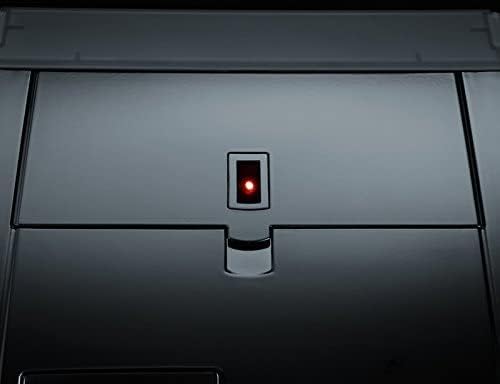
Image 3.1: Close-up of the power button with its red indicator light, located on the top surface of the coffee machine. This light indicates the machine's power status.
3.6 Adjusting Water Hardness
The machine allows for adjustable water hardness settings to optimize the water filter's performance (a filter is included). Refer to the display menu for instructions on how to measure and set your local water hardness level.
4. 사용 설명서
The Severin KV 8023 S2 features an intuitive E-select button and a high-contrast graphic display for easy navigation.

Image 4.1: The control panel of the Severin KV 8023 S2, showing the multi-language graphic display and the E-select rotary knob for intuitive menu navigation. Several selection buttons are also visible below the display.
4.1 Making Coffee Specialties (One-Touch)
For Cappuccino, Latte Macchiato, or Latte:
- Ensure the milk system is connected and the milk container is filled.
- Place your cup under the coffee-milk spout.
- Select your desired drink from the display using the E-select button.
- Press the corresponding button to start brewing. The machine will automatically prepare your drink without requiring you to move the cup.
4.2 커피 강도 및 양 조절
You can customize your coffee strength (3 levels + 1 personal fit) and volume via the display menu. Use the E-select button to navigate to these settings and adjust according to your preference.
4.3 분쇄도 조절
The ceramic grinder offers 5 adjustable grind levels. To change the grind level, turn the knob inside the bean container. Adjust only when the grinder is operating to prevent damage.
4.4 Adjusting Coffee-Milk Spout Height
The coffee-milk spout can be adjusted in height from 80 mm to 135 mm to accommodate various cup sizes. Gently slide the spout up or down to the desired position.

Image 4.2: Close-up of the adjustable coffee-milk spout on the Severin KV 8023 S2, featuring the 'SEVERIN S2+' branding. This spout can be moved vertically to fit different cup sizes.
4.5 프로그래밍 옵션
The machine offers various programming options, including individually adjustable on/off times and 5 temperature levels for your beverages. Access these settings through the main menu on the graphic display.
5. 유지관리 및 청소
정기적인 청소와 유지관리는 커피 머신의 수명과 최적의 성능을 위해 매우 중요합니다.
5.1 자동 청소 프로그램
The Severin KV 8023 S2 features automatic cleaning, rinsing, and descaling programs. The display will prompt you when these programs are due. Follow the on-screen instructions carefully.
5.2 양조 장치 청소
The patented brewing unit is removable for easy cleaning. Follow these steps:
- 기계를 끄고 플러그를 뽑습니다.
- 서비스 도어를 열고 분리 버튼을 눌러 추출 장치를 분리하십시오.
- Rinse the brewing unit thoroughly under running lukewarm water. Do not use detergents.
- 다시 삽입하기 전에 완전히 자연 건조시키세요.
5.3 Cleaning the Coffee-Milk Spout
The coffee-milk spout is dishwasher-safe and removable. Regularly detach it and clean it to prevent milk residue buildup. The machine also has a 2-stage milk system rinse program that should be run after each milk-based beverage.
5.4 Emptying Drip Tray and Coffee Grounds Container
The machine will indicate when the drip tray and coffee grounds container need to be emptied. Remove, empty, rinse with water, and dry these components before returning them to the machine.
6. 문제 해결
이 섹션에서는 발생할 수 있는 일반적인 문제를 다룹니다. 여기에 나열되지 않은 문제는 고객 지원팀에 문의하세요.
| 문제 | 가능한 원인 | 해결책 |
|---|---|---|
| 커피는 제공되지 않습니다. | Water tank empty, beans empty, brewing unit clogged. | Fill water tank/beans. Clean brewing unit. |
| 커피가 너무 약해요/너무 강해요. | Incorrect grind level or coffee strength setting. | Adjust grind level (finer for stronger, coarser for weaker). Adjust coffee strength setting in menu. |
| 우유 거품이 제대로 나지 않습니다. | Milk system clogged, milk too warm, incorrect milk type. | Clean milk system/spout. Use cold, fresh milk. Ensure milk type is suitable for frothing. |
| 기계에 오류 메시지가 표시됩니다. | 구체적인 내부 문제. | Refer to the display for the specific error code and consult the full manual or contact support. Try restarting the machine. |
7. 기술 사양
- 상표: 세베린
- 모델 번호: KV 8023
- 색상: 검은색
- 제품 크기: 33.2 x 24.5 x 35.8cm
- 품목 무게: 9.51kg
- 물탱크 용량: 1.5리터
- 힘: 1500 와트
- 권tage: 230V(XNUMXV)
- 재료: 스테인리스 스틸
- 특별 기능: Integrated filter, Ceramic grinder, One-Touch function
- 커피 메이커 유형: 에스프레소 머신
8. 보증 및 지원
8.1 보증 정보
Your Severin KV 8023 S2 Superautomatic Coffee Machine comes with a manufacturer's warranty. Please refer to the warranty card included in your product packaging for detailed terms and conditions, including the warranty period and coverage. Keep your proof of purchase for any warranty claims.
8.2 고객 지원
Should you require assistance with your appliance, encounter issues not covered in this manual, or need spare parts, please contact Severin customer support. Contact details can typically be found on the official Severin web사이트 또는 제품과 함께 제공된 설명서를 참조하세요.
For online support and further information, visit the Severin Brand Store.