
샤프 RRMCGA535WJSA
Sharp Aquos LCD TV Remote Control Instruction Manual
모델: RRMCGA535WJSA
브랜드 : 샤프
소개
This manual provides comprehensive instructions for the operation and maintenance of your new Sharp Aquos LCD TV Remote Control, model RRMCGA535WJSA. This genuine Sharp remote transmitter is designed to provide seamless control over your compatible Sharp Aquos LCD TV models. Please read this manual thoroughly before use to ensure proper functionality and to maximize your view경험.
안전 정보
다음 안전 예방 조치를 준수하십시오.
- 리모컨을 직사광선, 높은 습도 또는 극한 온도에 노출시키지 마십시오.
- 리모컨을 떨어뜨리거나 강한 충격을 주지 마세요.
- Do not attempt to disassemble or modify the remote control. This may void the warranty and cause damage.
- 배터리는 어린이의 손이 닿지 않는 곳에 보관하십시오. 삼켰을 경우 즉시 의사의 진료를 받으십시오.
- 사용한 배터리는 지역 규정에 따라 폐기하십시오. 소각하지 마십시오.
패키지 내용
패키지에 모든 품목이 들어 있는지 확인하세요.
- Sharp Aquos LCD TV Remote Control (Model: RRMCGA535WJSA)
- 사용 설명서(본 문서)
참고: 배터리는 일반적으로 포함되어 있지 않으며 별도로 구매해야 합니다.
제품 끝view
Familiarize yourself with the buttons and features of your remote control.

그림 1: 전면 View 리모컨
This image displays the front of the Sharp Aquos remote control, showing all primary buttons including power, input selection, channel, volume, numeric keypad, and navigation controls. The Sharp and Aquos logos are visible at the bottom.
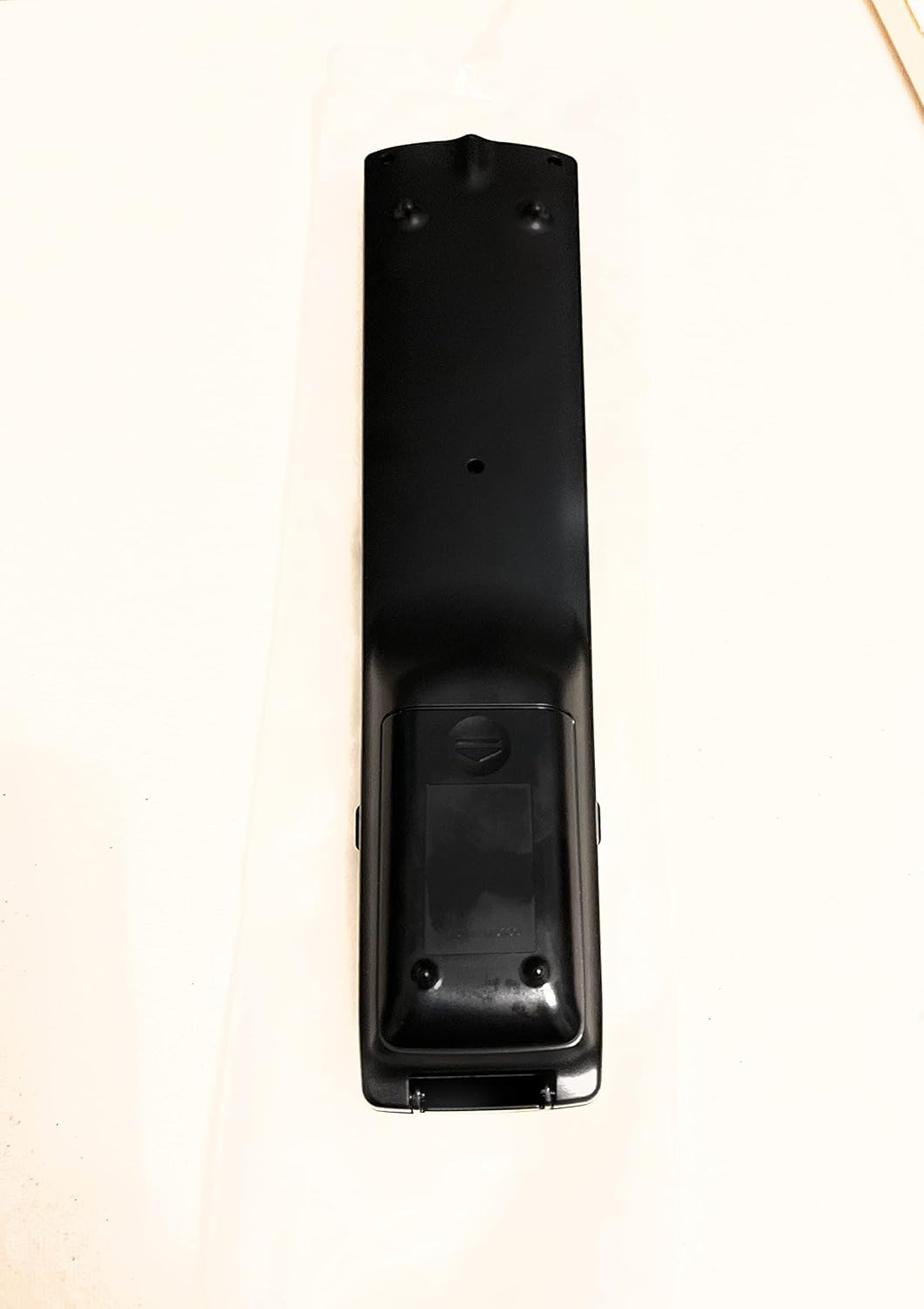
그림 2: 뒤로 View 리모컨
This image shows the rear side of the Sharp Aquos remote control, highlighting the smooth, ergonomic design and the battery compartment cover.

Figure 3: Remote Control with Battery Compartment Open
This image illustrates the Sharp Aquos remote control with its battery compartment cover slid open, revealing the space for battery insertion.

Figure 4: Close-up of Hidden Panel
This close-up image shows the lower section of the Sharp Aquos remote control with its hinged panel opened, revealing additional function buttons such as SLEEP, AUDIO, AV MODE, and CC (Closed Caption).
버튼 기능:
| 단추 | 기능 |
|---|---|
| 힘 | TV를 켜거나 끕니다. |
| INPUT / SOURCE | 입력 소스(예: HDMI, AV, 컴포넌트)를 선택합니다. |
| 채널 +/- | TV 채널을 위아래로 바꿉니다. |
| 볼륨 +/- | 볼륨 레벨을 조절합니다. |
| 음소거 | TV 소리를 음소거하거나 음소거 해제합니다. |
| 메뉴 | TV의 화면 메뉴를 엽니다. |
| 입력하다 | 메뉴에서 선택한 내용을 확인합니다. |
| 탐색 화살표(위/아래/좌/우) | 메뉴 옵션을 탐색합니다. |
| EXIT / RETURN | 현재 메뉴를 종료하거나 이전 화면으로 돌아갑니다. |
| 숫자 키패드(0-9) | 채널 번호를 직접 입력합니다. |
| 잠 (under hidden panel) | 설정한 시간이 지나면 TV가 자동으로 꺼지도록 설정합니다. |
| 오디오 (under hidden panel) | 오디오 모드 또는 트랙을 선택합니다. |
| AV 모드 (under hidden panel) | Adjusts picture and sound settings for different content types. |
| CC(자막) (under hidden panel) | Turns closed captions on or off. |
설정
배터리 설치:
- 리모컨 뒷면에 있는 배터리함을 찾으십시오(그림 2 참조).
- Slide the battery compartment cover downwards to open it (refer to Figure 3).
- AAA 배터리 2개(별도 구매)를 넣을 때, 양극(+)과 음극(-) 단자가 배터리함 내부의 표시와 올바르게 일치하는지 확인하십시오.
- 배터리 덮개를 제자리에 밀어 넣어 딸깍 소리가 날 때까지 밀어 넣습니다.
주의: 항상 동일한 종류의 새 배터리를 사용하십시오. 오래된 배터리와 새 배터리를 혼용하거나, 종류가 다른 배터리를 사용하지 마십시오.
작동 지침
기본 작업:
- 전원 켜기/끄기: 를 누르세요 힘 button to turn your Sharp Aquos TV on or off.
- 볼륨 조절: 를 누르세요 볼륨 + 볼륨을 높이는 버튼 권 - 볼륨을 줄입니다.
- 채널 선택: 사용하세요 채널 + or CH - buttons to change channels sequentially. Alternatively, use the numeric keypad to directly enter a channel number.
- 입력 소스 선택: 를 누르세요 입력 or 원천 button to cycle through available input sources (e.g., HDMI 1, HDMI 2, AV, Component).
- 무음: 를 누르세요 음소거 이 버튼을 누르면 TV 소리가 일시적으로 꺼집니다. 다시 누르면 소리가 다시 나옵니다.
메뉴 탐색:
- 를 누르세요 메뉴 button to display the TV's on-screen menu.
- 사용하세요 탐색 화살표 (Up, Down, Left, Right) to move through menu options.
- 를 누르세요 입력하다 강조 표시된 옵션을 선택하거나 설정을 확인하려면 이 버튼을 사용하십시오.
- 를 누르세요 EXIT or 반품 button to close the menu or go back to the previous menu level.
Advanced Functions (Hidden Panel):
Some advanced functions are located under a hinged panel at the bottom of the remote control (refer to Figure 4). Gently open this panel to access buttons such as:
- 잠: 텔레비전이 자동으로 꺼지도록 타이머를 설정합니다.
- 오디오: 오디오 설정을 조정하거나 오디오 트랙을 선택합니다.
- AV 모드: Cycles through preset picture and sound modes (e.g., Standard, Movie, Game).
- CC (자막): 자막 기능을 켜거나 끕니다.
유지
청소:
To clean the remote control, wipe it gently with a soft, dry cloth. Do not use liquid cleaners, abrasive cleaners, or chemical solvents, as these may damage the surface or internal components.
배터리 교체:
Replace batteries when the remote control's response becomes sluggish or stops working. Follow the battery installation steps outlined in the "Setup" section. Always replace both batteries at the same time.
문제 해결
| 문제 | 가능한 원인 | 해결책 |
|---|---|---|
| 리모컨이 작동하지 않습니다. | 배터리가 방전되었거나 잘못 삽입되었습니다. | 배터리를 새 것으로 교체하고 극성(+/-)이 올바른지 확인하세요. |
| 리모컨 작동 범위가 좋지 않습니다. | Weak batteries; obstruction between remote and TV; infrared sensor on TV is blocked. | Replace batteries. Ensure no objects are blocking the line of sight between the remote and the TV's IR sensor. |
| 특정 버튼이 작동하지 않습니다. | 버튼 아래에 먼지나 이물질이 끼었거나 내부 고장이 발생한 경우입니다. | Clean the remote control. If the issue persists, the remote may require replacement. |
| TV not responding to any remote commands. | TV is unplugged or turned off; TV's IR sensor is faulty. | Ensure the TV is powered on and plugged in. Test with another remote if available. Consult TV's manual for IR sensor location. |
명세서
| 특징 | 세부 사항 |
|---|---|
| 모델 번호 | RRMCGA535WJSA |
| 상표 | 날카로운 |
| 호환 장치 | Sharp Aquos LCD Televisions (various models, see product title for list) |
| 연결 기술 | 적외선 (IR) |
| 전원 | AAA 배터리 2개(포함되지 않음) |
| 크기(대략) | 8.8 x 2.4 x 0.9인치(패키지 크기) |
| 무게(대략) | 4 온스 |
| 특징 | Ergonomic design, Hidden function panel |
보증 및 지원
법적 고지사항:
This item is provided in new condition. Please note that this item is offered "as is" as it is past its original manufacturer's warranty period. Any implied warranties are disclaimed to the fullest extent permitted by law.
고객 지원:
For further assistance or inquiries regarding your Sharp Aquos LCD TV, please refer to your television's original instruction manual or visit the official Sharp support website. For issues specifically with this replacement remote control, please contact the seller from whom it was purchased.
Ask a question about this manual
Ask about setup, troubleshooting, compatibility, parts, safety, or missing instructions. Manuals+ will review the question and use this page’s manual context to help answer it.