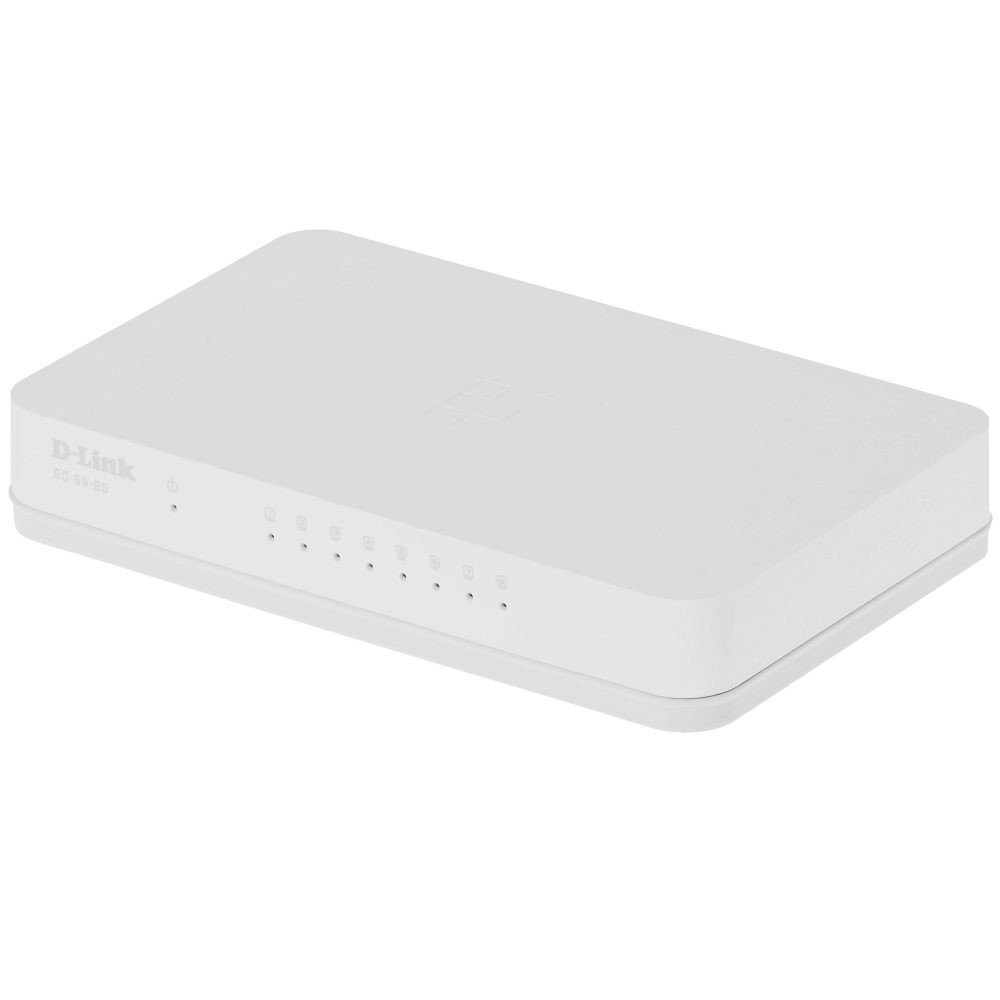
The D-Link GO-SW-8G is an 8-port unmanaged Gigabit desktop switch designed for small office and home office (SOHO) environments. This device facilitates network expansion by providing eight 10/100/1000 Mbps Ethernet ports, enabling high-speed data transfer for connected devices. It incorporates D-Link's Green Technology for energy efficiency, reduced heat generation, and extended product lifespan.
설정
패키지 내용
패키지에 다음 품목이 포함되어 있는지 확인하십시오.
GO-SW-8G device
전원 어댑터
스위치 연결
The GO-SW-8G is a plug-and-play device, requiring no software configuration for basic operation. Follow these steps to set up your switch:
전원 연결: Connect the provided power adapter to the power input port on the rear panel of the GO-SW-8G switch and then plug the adapter into a standard electrical outlet.
네트워크 장치 연결: Connect Ethernet cables from your network devices (e.g., computers, network-attached storage, routers) to any of the eight available RJ45 ports on the GO-SW-8G switch. The switch supports auto MDI/MDIX, so you can use either straight-through or crossover Ethernet cables.
확인: Once connected, the corresponding LED indicator for each active port will illuminate, indicating a successful link.
Image: D-Link GO-SW-8G 8-Port Unmanaged Gigabit Desktop Switch. This image displays the compact white design of the switch with its multiple Ethernet ports and power input.
운영
The D-Link GO-SW-8G operates as an unmanaged switch, meaning it requires no user configuration for its core functions. It automatically detects network speed and duplex mode for each connected device, providing optimal performance. The Gigabit Ethernet ports support data transfer rates of up to 1000 Mbps, facilitating fast communication within your local network.
LED 표시등
The switch features LED indicators for each port and for power. These indicators provide visual feedback on the status of the switch and its connections:
전원 LED: 스위치에 전원이 들어오면 불이 들어옵니다.
링크/활동 LED(포트당):
솔리드 그린: Indicates a successful network link at Gigabit speed (1000 Mbps).
호박색: Indicates a successful network link at Fast Ethernet speed (10/100 Mbps).
섬광: Indicates network activity (data transmission or reception) on that port.
끄다: No link detected or device is not powered on/connected.
유지
To ensure optimal performance and longevity of your D-Link GO-SW-8G switch, follow these general maintenance guidelines:
놓기: Place the switch in a well-ventilated area to prevent overheating. Avoid direct sunlight and heat sources.
케이블 관리 : 네트워크 케이블이 깔끔하게 정리되어 있고 과도하게 구부러지거나 팽팽하게 당겨지지 않았는지 확인하십시오.
전원 공급 장치: 장치와 함께 제공된 전원 어댑터만 사용하십시오.
문제 해결
If you encounter issues with your D-Link GO-SW-8G switch, refer to the following common troubleshooting steps:
전원 없음:
전원 어댑터가 스위치와 작동하는 전기 콘센트에 안전하게 연결되어 있는지 확인하세요.
다른 장치를 연결해 전원 콘센트가 작동하는지 확인하세요.
링크 표시등 없음:
Verify that the Ethernet cable is securely plugged into both the switch port and the network device.
연결된 네트워크 장치의 전원이 켜져 있고 올바르게 작동하는지 확인하세요.
케이블 고장 가능성을 배제하려면 다른 이더넷 케이블을 사용해 보세요.
스위치의 다른 포트를 사용하여 테스트해 보세요.
네트워크 속도가 느립니다:
Confirm that all connected devices and cables support Gigabit Ethernet (1000 Mbps) for optimal performance.
연결된 기기에서 과도한 네트워크 트래픽이나 대역폭을 많이 사용하는 애플리케이션이 실행 중인지 확인하십시오.
Ensure the switch is placed in an area with adequate ventilation to prevent performance degradation due to overheating.
명세서
상표
디링크
모델 번호
GO-SW-8G/B
포트 수
8
데이터 전송 속도
1000 Megabytes Per Second (Gigabit)
스위치 유형
관리되지 않음
인터페이스
RJ45
호환 장치
PC, 맥
권tage
5 볼트
케이스 재질 종류
플라스틱
품목 무게
0.3 파운드
보증 정보
The D-Link GO-SW-8G switch comes with a 3년 한정 보증. For detailed terms and conditions, please refer to the warranty card included with your product or visit the official D-Link web대지.
지원하다
For technical support, product registration, or to download the latest firmware and documentation, please visit the official D-Link support website. You can typically find support resources by searching for your product model (GO-SW-8G) on their site.
Ask about setup, troubleshooting, compatibility, parts, safety, or missing instructions. Manuals+ will review the question and use this page’s manual context to help answer it.