
1. 서론
The Sitecom CN-070 USB 3.0 4-Port Hub is designed to expand the connectivity of your desktop PC or notebook by adding four additional USB 3.0 ports. This hub utilizes the USB 3.0 standard, offering data transfer speeds up to 5 Gigabits per second (Gbps), which is significantly faster than USB 2.0. It also provides increased bandwidth, allowing for simultaneous data transmission and reception.
2. 패키지 내용
패키지에 다음 품목이 모두 들어 있는지 확인해 주십시오.
- Sitecom CN-070 USB 3.0 4-Port Hub
- USB 3.0 연결 케이블
- 빠른 설치 가이드(포함된 경우)
3. 제품 오버view
The Sitecom CN-070 hub features a compact design with four USB 3.0 ports, allowing you to connect multiple USB devices simultaneously. Its high-quality finish and modern design complement various computer setups.
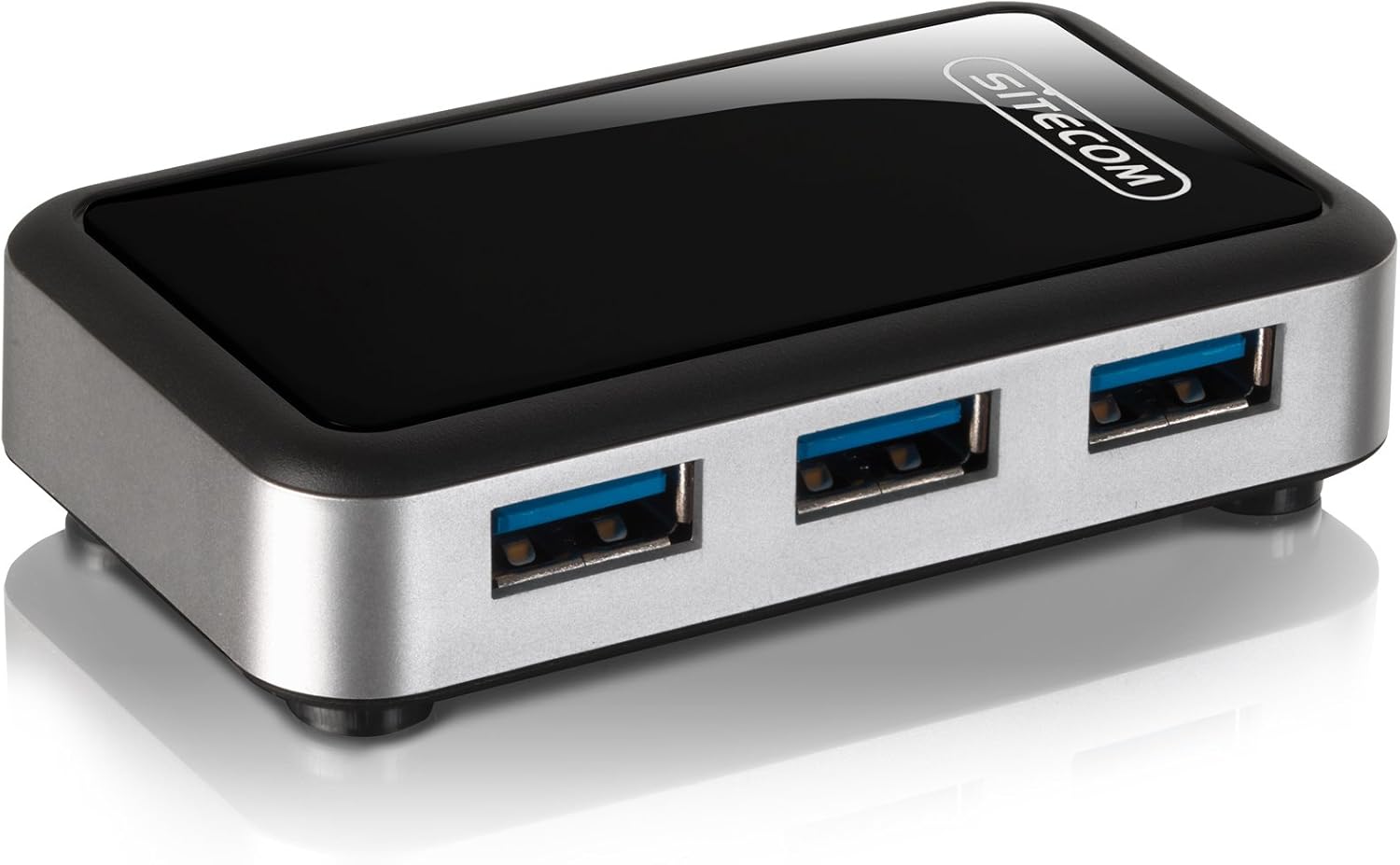
이미지 3.1: The Sitecom CN-070 USB 3.0 4-Port Hub, showcasing its sleek black and silver design with four blue-accented USB 3.0 ports.
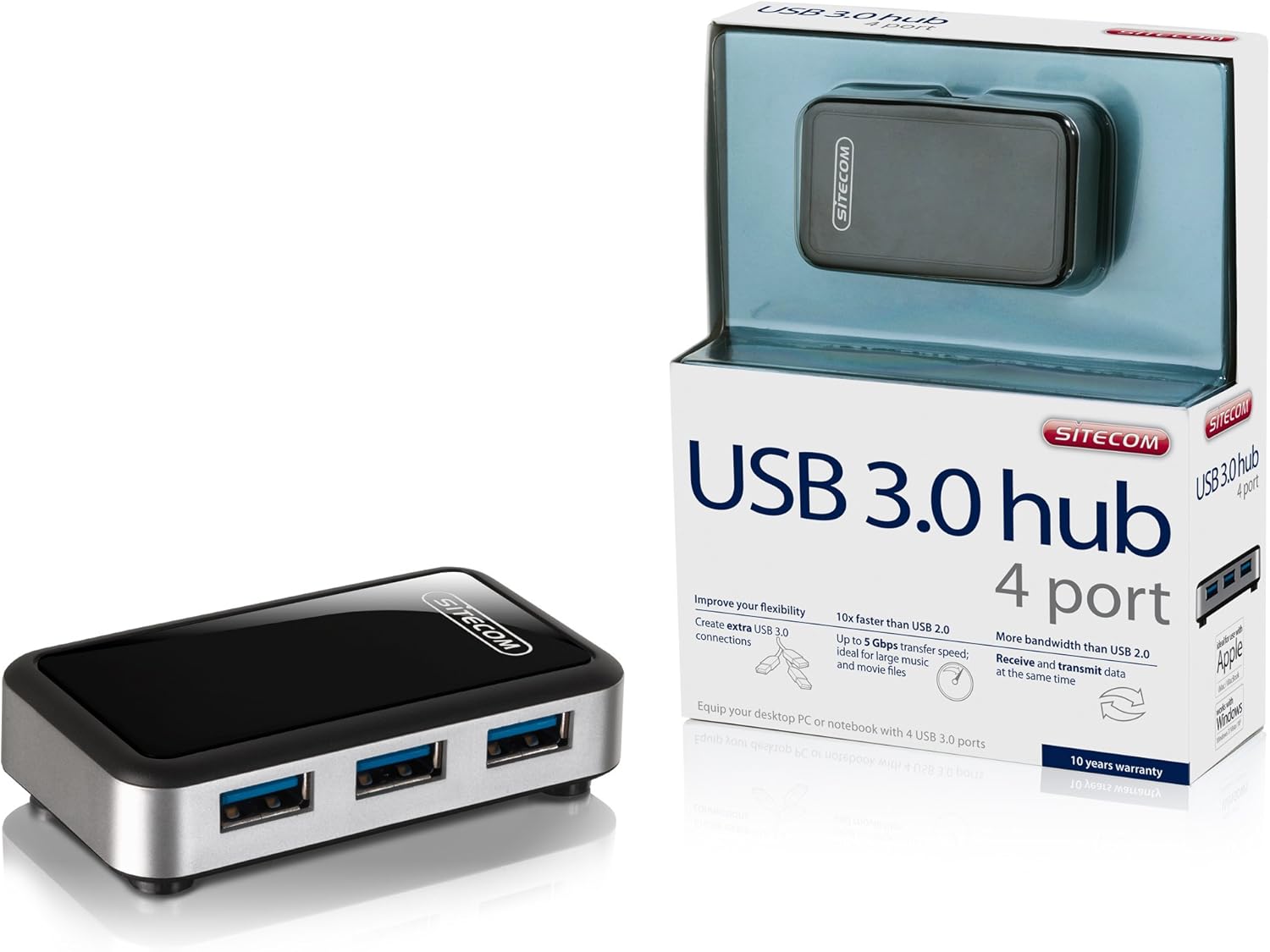
이미지 3.2: The Sitecom CN-070 USB 3.0 Hub displayed alongside its retail packaging, highlighting the product's presentation.
4. 설정 지침
Follow these steps to set up your Sitecom CN-070 USB 3.0 Hub:
- 허브 연결: Take the provided USB 3.0 connection cable. Connect one end of the cable to the USB 3.0 input port on the Sitecom CN-070 hub.
- 컴퓨터에 연결: Plug the other end of the USB 3.0 cable into an available USB 3.0 port on your desktop PC or notebook. USB 3.0 ports are typically blue internally.
- 시스템 인식: Your operating system (Windows, macOS, Linux) should automatically detect and install the necessary drivers for the hub. This process usually takes a few moments. No additional software installation is typically required.
- 사용 준비: Once the hub is recognized, it is ready to connect your USB devices.
5. 허브 운영
Using the Sitecom CN-070 USB 3.0 Hub is straightforward:
- 연결 장치: Insert your USB devices (e.g., external hard drives, USB flash drives, keyboards, mice) into any of the four available USB 3.0 ports on the hub.
- 고속 데이터 전송: When connecting USB 3.0 compatible devices to the hub, you will benefit from data transfer speeds of up to 5 Gbps. This is ideal for transferring large files such as HD movies or extensive music libraries quickly.
- Simultaneous Data Flow: The USB 3.0 standard allows for increased bandwidth, enabling the hub to send and receive data simultaneously, optimizing performance for multiple connected devices.
- 이전 버전과의 호환성: The hub is fully backward compatible with USB 2.0 and USB 1.1 devices. Older USB devices will function correctly, though at their respective maximum speeds (e.g., USB 2.0 devices will operate at USB 2.0 speeds).
- 전력 소비 감소: The design of the hub incorporates reduced power consumption, making it efficient for everyday use.
6. 유지관리 및 관리
To ensure the longevity and optimal performance of your Sitecom CN-070 USB 3.0 Hub, follow these simple maintenance guidelines:
- 청소: Use a soft, dry, lint-free cloth to clean the exterior of the hub. Avoid using liquid cleaners, aerosols, or solvents, as these can damage the finish or internal components.
- 저장: 사용하지 않을 때는 허브를 직사광선과 극한의 온도를 피해 시원하고 건조한 곳에 보관하세요.
- 환경 조건: Avoid exposing the hub to moisture, dust, or corrosive environments. Do not place heavy objects on top of the hub.
- 손질: 허브를 조심스럽게 다루십시오. 떨어뜨리거나 강한 충격을 가하지 마십시오.
7. 문제 해결
If you encounter issues with your Sitecom CN-070 USB 3.0 Hub, please refer to the following troubleshooting tips:
- Hub Not Recognized by Computer:
- Ensure the USB 3.0 cable is securely connected to both the hub and a functioning USB 3.0 port on your computer.
- Try connecting the hub to a different USB 3.0 port on your computer.
- Restart your computer and try connecting the hub again.
- Verify that your computer's USB 3.0 drivers are up to date. Most operating systems handle this automatically, but manual updates may be necessary in some cases.
- Connected Devices Not Working or Recognized:
- Ensure the device is properly inserted into one of the hub's ports.
- Try connecting the device to a different port on the hub.
- Connect the device directly to your computer's USB port to confirm it is functioning independently.
- If the device requires significant power, ensure your computer's USB port can supply sufficient power to the hub and connected devices.
- 데이터 전송 속도가 느림:
- Confirm that both the connected device and the computer's port are USB 3.0 compatible. If either is USB 2.0, speeds will be limited to USB 2.0 rates.
- 속도 저하가 발생하는 경우, 여러 고대역폭 장치를 동시에 연결하지 마십시오.
8. 사양
| 특징 | 설명 |
|---|---|
| 상표 | 사이트컴 |
| 모델 번호 | CN-070 |
| 인터페이스 | USB 3.0 |
| 총 USB 포트 | 4(USB 3.0) |
| 데이터 전송 속도 | 최대 5Gbps |
| 이전 버전과의 호환성 | USB2.0, USB1.1 |
| 색상 | 블랙/실버 |
| 호환 장치 | Desktop computers, external hard drives, and other USB devices |
9. 보증 정보
The Sitecom CN-070 USB 3.0 Hub comes with an extended 10년 보증. To activate this extended warranty, you must register your product within a few weeks of purchase. Please refer to the official Sitecom website or the product packaging for specific registration instructions and terms.
10. 지원
For further assistance, updated drivers, or additional product information, please visit the official Sitecom website. You can typically find support resources, FAQs, and contact information there.
Web대지: www.sitecom.com (Please note: This is a generic placeholder. Refer to your product packaging or official documentation for the exact support URL.)