
소개
This manual provides essential instructions for the proper installation, operation, and maintenance of your KYOCERA TASKALFA 300Ci toner cartridge. Please read this manual thoroughly before using the product to ensure optimal performance and longevity.
설정 및 설치
Follow these steps to correctly install the KYOCERA TASKALFA 300Ci toner cartridge into your compatible printer.
- 카트리지를 개봉하세요: Carefully remove the new toner cartridge from its packaging. Avoid touching the drum surface or electrical contacts.
- 카트리지를 흔들어주세요: 카트리지를 수평으로 여러 번 가볍게 흔들어 토너가 내부에 고르게 분포되도록 합니다.
- 프린터 덮개를 여세요: Refer to your printer's manual to locate and open the toner compartment cover.
- 기존 카트리지를 제거하세요: Press the release lever (if present) and pull the used toner cartridge straight out of the printer. Place it in a protective bag for recycling.
- 새 카트리지를 삽입하세요: Align the new toner cartridge with the guides in the printer and push it firmly until it clicks into place. Ensure it is securely seated.
- 프린터 덮개를 닫습니다. Close the toner compartment cover. The printer should automatically detect the new cartridge.
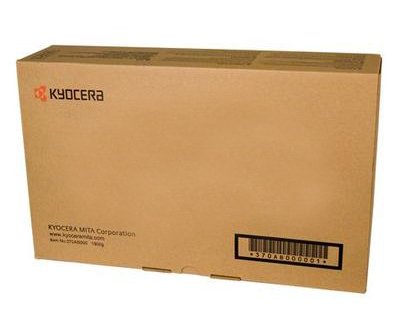
Image: KYOCERA TASKALFA 300Ci Toner Cartridge. This image shows the toner cartridge in its packaging, ready for installation.
작동 지침
Once installed, the KYOCERA TASKALFA 300Ci toner cartridge operates automatically with your printer. Here are some operational considerations:
- 토너 잔량 모니터링: Your printer's control panel or software utility will typically display the current toner level. Monitor this to anticipate when a replacement cartridge will be needed.
- 인쇄 품질: If print quality degrades (e.g., faded prints, streaks), it may indicate low toner or a need for maintenance. Refer to the troubleshooting section.
- 교체 알림: The printer will usually display a message or indicator when the toner cartridge is nearing empty or requires replacement.
유지
Proper handling and storage can extend the life and performance of your toner cartridge.
- 저장: 새 토너 카트리지는 개봉하지 않은 원래 포장 상태로 직사광선과 극한 온도 변화를 피해 서늘하고 건조한 곳에 보관하십시오.
- 손질: Always handle the cartridge by its designated grips. Avoid touching the drum or electrical contacts.
- 재활용: Dispose of used toner cartridges responsibly. Many manufacturers and retailers offer recycling programs.
문제 해결
If you encounter issues, consult the following common troubleshooting tips:
| 문제 | 가능한 원인 | 해결책 |
|---|---|---|
| 흐릿하거나 옅은 인쇄물 | 토너 부족; 토너 분포 불균일. | Gently rock the cartridge to redistribute toner. If problem persists, replace the cartridge. |
| 인쇄물에 줄무늬 또는 선이 나타남 | Toner residue; damaged drum. | Perform a printer cleaning cycle. If the issue continues, the cartridge may be faulty or the drum damaged, requiring replacement. |
| 프린터가 카트리지를 인식하지 못합니다 | Cartridge not seated correctly; dirty electrical contacts. | Remove and reinsert the cartridge firmly. Clean electrical contacts on both the cartridge and printer with a lint-free cloth. |
명세서
- 상표: 교세라
- 모델: TASKALFA 300Ci
- 품목 무게: 2.48파운드
- ASIN: B008N4AX3Y
- 제조업체: 교세라
- 첫 이용 가능 날짜: 15년 2012월 XNUMX일
보증 및 지원
For specific warranty information regarding your KYOCERA TASKALFA 300Ci toner cartridge, please refer to the documentation provided with your original printer or contact KYOCERA customer support directly. KYOCERA provides support for its products to ensure customer satisfaction.
KYOCERA Customer Support: Please visit the official KYOCERA website or refer to your printer's user manual for contact details and support resources.


