
1. 서론
Thank you for choosing the Coby LEDTV3216 32-Inch 720p 60Hz Slim-Bezel LED HDTV. This manual provides essential information for the safe and efficient operation of your television. Please read these instructions thoroughly before use and retain them for future reference.
The Coby LEDTV3216 offers a 32-inch widescreen display, a built-in digital TV tuner (ATSC/NTSC/QAM), and multiple connectivity options including HDMI and VGA. It features energy-efficient technology, digital noise reduction, and V-chip parental control.
2. 안전 정보
안전한 작동을 보장하고 손상을 방지하려면 다음 예방 조치를 준수하세요.
- 전원: TV는 AC 100-240V, 50/60Hz 전원에만 연결하십시오.
- 통풍: 통풍구를 막지 마세요. TV 주변에 충분한 공간을 확보하여 공기가 원활하게 흐르도록 하세요.
- 물과 습기: Do not expose the TV to rain, moisture, or place objects filled with liquids on or near it.
- 열원: 텔레비전을 라디에이터, 난방기, 스토브 또는 기타 열 발생 기기에서 멀리 두십시오.
- 청소: 청소하기 전에 벽면 콘센트에서 TV 플러그를 뽑으세요. 부드럽고 마른 천을 사용하세요. 액체 또는 에어로졸 세척제는 사용하지 마세요.
- 서비스: 이 제품을 직접 수리하려고 하지 마십시오. 모든 서비스는 자격을 갖춘 서비스 담당자에게 문의하십시오.
- 벽면 장착: If wall-mounting, ensure the mount is VESA 200mm x 200mm compatible and installed by qualified personnel.
3. 패키지 내용
패키지에 모든 품목이 들어 있는지 확인하세요.
- Coby LEDTV3216 32-Inch LED HDTV
- TV 스탠드
- 리모컨 (AAA 배터리 2개 필요, 포함)
- 전원 코드
- 사용 설명서 (본 문서)
4. 설정
4.1 스탠드 부착하기
동봉된 스탠드를 부착하려면 다음 단계를 따르세요.
- 화면 손상을 방지하려면 부드럽고 깨끗한 표면에 TV를 뒤집어서 놓으세요.
- 스탠드 베이스를 TV 바닥의 장착 구멍에 맞춥니다.
- 제공된 나사를 사용하여 스탠드를 고정하세요. 모든 나사가 단단히 조여졌는지 확인하세요.
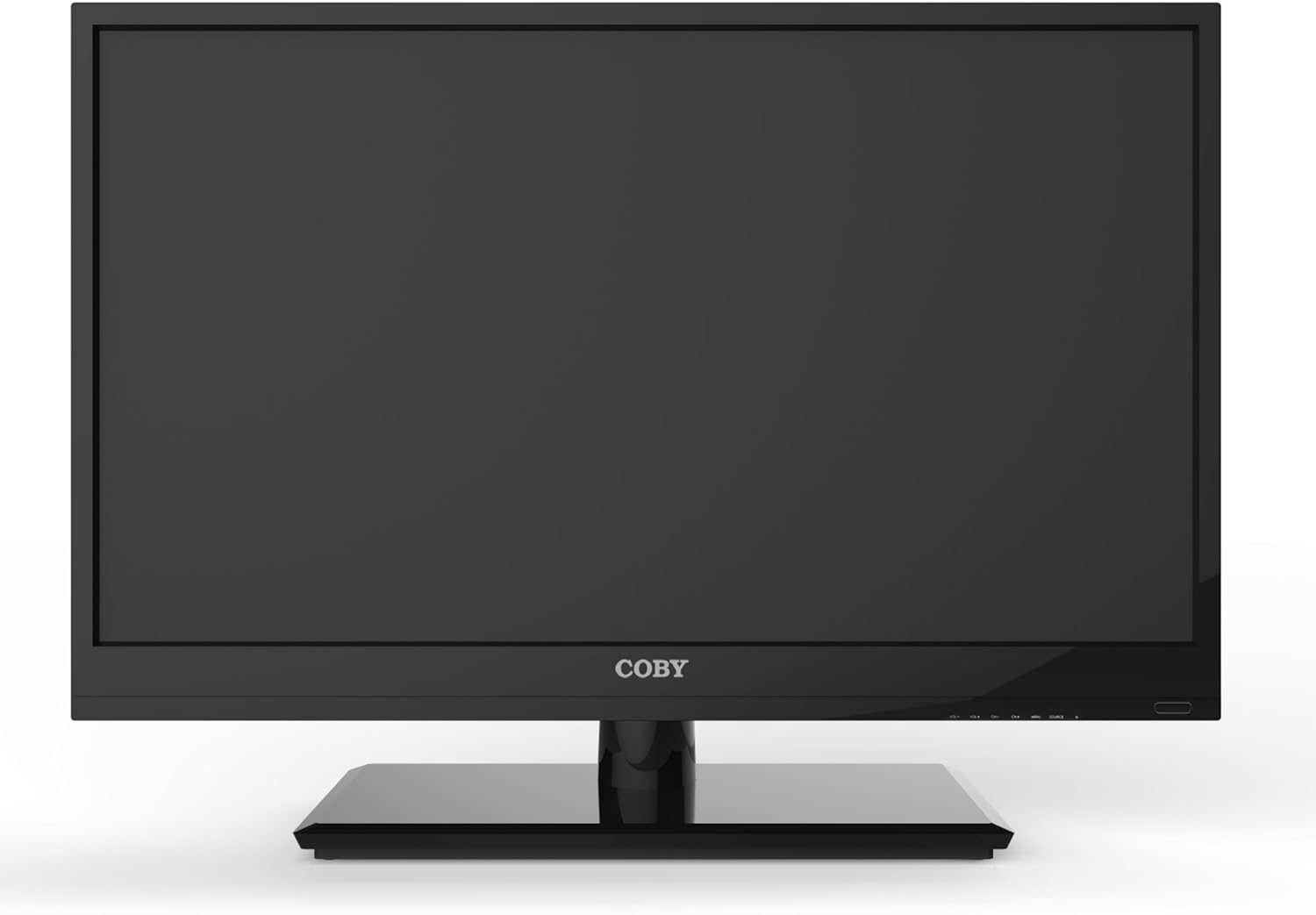
그림 4.1: 전면 view of the Coby LEDTV3216 with stand.
4.2 벽면 장착(선택 사항)
The TV supports VESA 200mm x 200mm wall mounts. Wall mount hardware is not included. For safe installation, it is recommended to have the TV wall-mounted by a professional.
4.3 장치 연결
The Coby LEDTV3216 offers various input ports on the rear panel for connecting external devices.
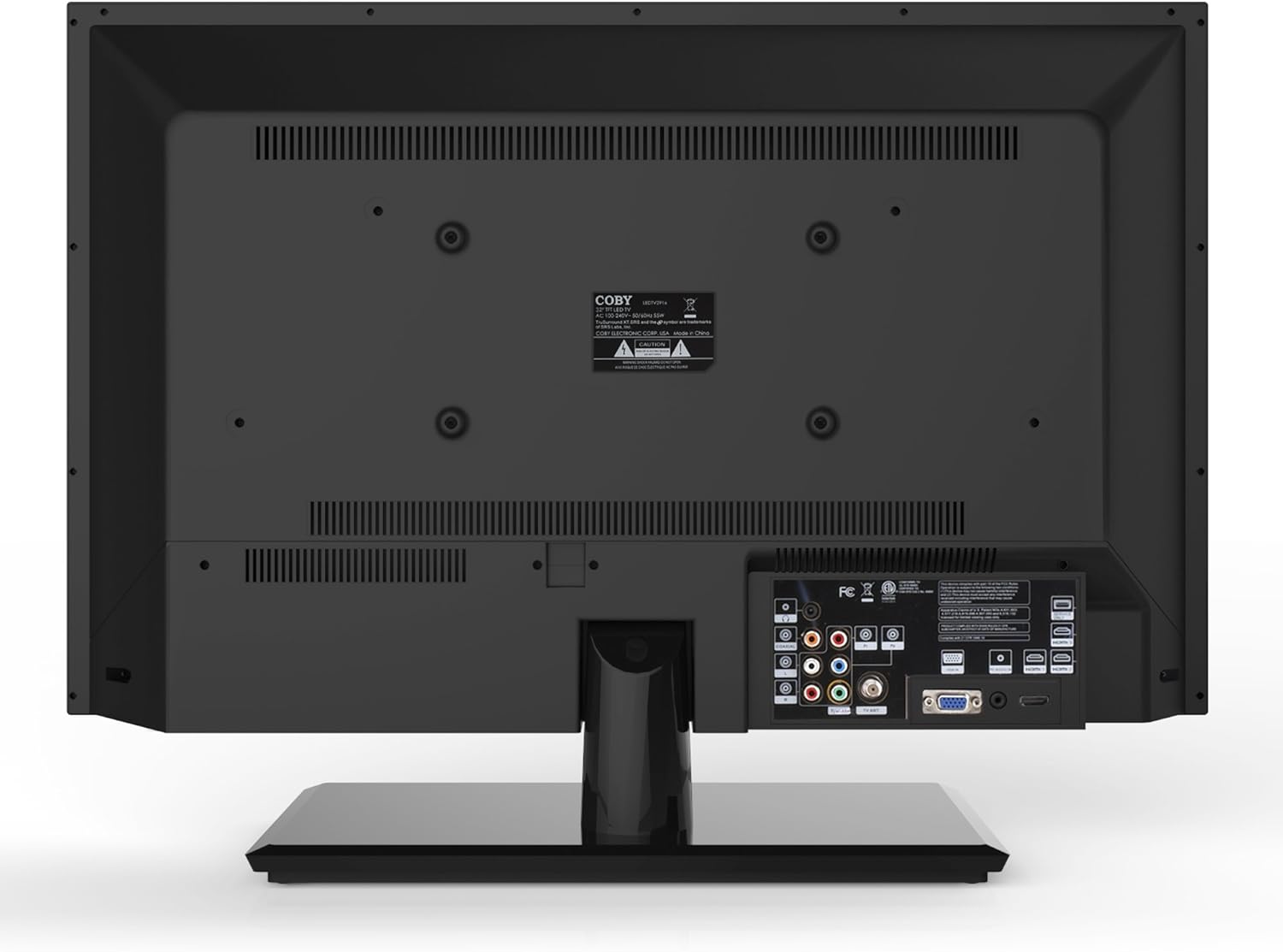
그림 4.2: 후면 view 입력 포트가 있습니다.
- HDMI : Connect high-definition devices such as Blu-ray players, game consoles, or cable/satellite boxes using an HDMI cable. The TV has 1 HDMI port.
- VGA (PC Input): Connect a computer to use the TV as a monitor. Use a VGA cable for video and a 3.5mm audio cable for audio input.
- 안테나/케이블: Connect an antenna or cable TV feed to the RF input for receiving broadcast channels.
- Component Video (YPbPr): Connect devices using component video cables (red, green, blue) and corresponding audio cables (red, white).
- Composite Video (AV): Connect older devices using composite video (yellow) and stereo audio (red, white) cables.
4.4 초기 전원 켜기
After connecting all desired devices and the power cord, press the Power button on the TV or remote control. Follow the on-screen prompts for initial setup, including language selection and channel scanning.
5. TV 작동
5.1 리모콘 기능
The remote control allows you to access all TV functions. Insert the two included AAA batteries into the remote control, observing polarity.
- 힘: TV를 켜거나 끕니다.
- 입력/소스: Selects the input source (HDMI, VGA, TV, AV, Component).
- 볼륨 (+/-): 볼륨 레벨을 조절합니다.
- 채널(CH +/-): TV 채널을 변경합니다.
- 메뉴: OSD(화면 디스플레이) 메뉴를 엽니다.
- 탐색 버튼(위/아래/왼쪽/오른쪽): 메뉴 옵션을 탐색합니다.
- 확인/입력: 선택 사항을 확인합니다.
- 출구: 메뉴를 닫습니다.
- 무음: 사운드를 음소거하거나 음소거 해제합니다.
- 정보: Displays channel or program information.
5.2 메뉴 탐색
를 누르세요 메뉴 button on the remote to access the main menu. Use the navigation buttons to select categories such as Picture, Sound, Channel, Time, and Setup. Press OK to enter a sub-menu and adjust settings. Press 출구 메뉴를 종료합니다.
5.3 영상 설정
Adjust settings like Brightness, Contrast, Color, Tint, and Sharpness to optimize your viewing experience. Picture modes (e.g., Standard, Dynamic, Movie, User) are available for quick adjustments.

Figure 5.1: Coby LEDTV3216 displaying an image.
5.4 사운드 설정
Adjust Bass, Treble, and Balance. Sound modes (e.g., Standard, Music, Movie, User) are available. The TV features premium sound powered by SRS Labs.
5.5 채널 설정
Perform auto-scan or manual scan to find available channels. The built-in digital TV tuner supports ATSC, NTSC, and QAM standards.
5.6 Parental Control (V-Chip)
The V-chip parental control feature allows you to block programs based on their rating. Access this setting through the menu and follow the on-screen instructions to set up a password and content restrictions.
6. 특징
Key features of the Coby LEDTV3216 include:
- Energy efficient technology (standby power less than 0.5W).
- Extended backlight life expectancy (30,000 hours).
- Built-in digital TV tuner (ATSC/NTSC/QAM).
- HDMI digital connection for perfect signal transmission.
- PC VGA connection for use as a computer monitor.
- Premium sound powered by SRS Labs.
- 디지털 노이즈 감소.
- V-chip parental control, Closed-Caption, and Electronic Program Guide support.
- Energy Star 5.3 compliant.
- Multi-language on-screen display.
- Wall-Mountable design (200mm x 200mm VESA Mount).
7. 사양
| 특징 | 사양 |
|---|---|
| 모델명 | LEDTV3216 |
| 화면 크기 | 32 인치 |
| 디스플레이 기술 | 주도의 |
| 해결 | 720p |
| 새로 고침 빈도 | 60Hz |
| 대비율 | 3,000시 1분 |
| 응답 시간 | 6밀리초 |
| 연결 기술 | HDMI, VGA |
| HDMI 포트 총 개수 | 1 |
| 튜너 유형 | ATSC, NTSC, QAM |
| 보호자 통제 | V 칩 |
| VESA 마운트 표준 | 200 x 200mm |
| 품목 무게 | 18.08 파운드 |
| 색상 | 검은색 |

Figure 7.1: Estimated Yearly Energy Cost for LEDTV3216.
8. 유지관리
8.1 화면 청소
부드럽고 보풀이 없는 천으로 화면을 부드럽게 닦으세요. 잘 지워지지 않는 얼룩은 가볍게 닦아주세요.amp천에 물이나 특수 화면 세척제를 묻혀 닦으세요. 화면에 세척제를 직접 뿌리지 마세요.
8.2 캐비닛 청소
TV 장식장을 부드럽고 마른 천으로 닦으십시오. 마감재를 손상시킬 수 있는 연마성 세제나 용제 사용은 피하십시오.
9. 문제 해결
TV에 문제가 발생하면 다음의 일반적인 문제와 해결 방법을 참조하세요.
| 문제 | 가능한 원인 / 해결책 |
|---|---|
| 전원이 없습니다 | 전원 코드가 TV와 작동하는 콘센트에 제대로 꽂혀 있는지 확인하십시오. 전원 표시등이 켜지는지 확인하십시오. |
| 화면은 나오지 않지만 소리는 나옵니다 | 올바른 입력 소스가 선택되었는지 확인하세요. 외부 장치와의 케이블 연결을 확인하세요. |
| 소리는 나지 않지만 화면은 나옵니다 | 볼륨 레벨을 확인하고 TV가 음소거되어 있지 않은지 확인하세요. 외부 장치의 오디오 케이블 연결을 확인하세요. |
| 화질이 좋지 않음 | Adjust picture settings (brightness, contrast, sharpness). Ensure the antenna or cable connection is secure. For digital channels, perform a channel scan. |
| 리모컨이 작동하지 않습니다 | 배터리를 확인하고 필요하면 교체하십시오. 리모컨과 TV의 적외선 센서 사이에 장애물이 없는지 확인하십시오. |
10. 보증 및 지원
The Coby LEDTV3216 comes with a limited warranty. Please refer to the warranty card included with your product for specific terms and conditions. For technical support or service inquiries, please contact Coby customer service through their official web사이트 또는 보증서에 제공된 연락처 정보를 참조하세요.