
ASUS TF700T-B1-GR
사용자 설명서
ASUS Transformer Pad Infinity TF700T-B1-GR
Model: TF700T-B1-GR
1. 서론
The ASUS Transformer Pad Infinity TF700T-B1-GR is a high-performance 10.1-inch tablet designed for mobile entertainment and productivity. It features a Full HD 1920 x 1200 Super IPS+ display with Corning Gorilla Glass 2, a powerful NVIDIA Tegra 3 processor, and versatile connectivity options, making it suitable for a wide range of applications from media consumption to document editing.
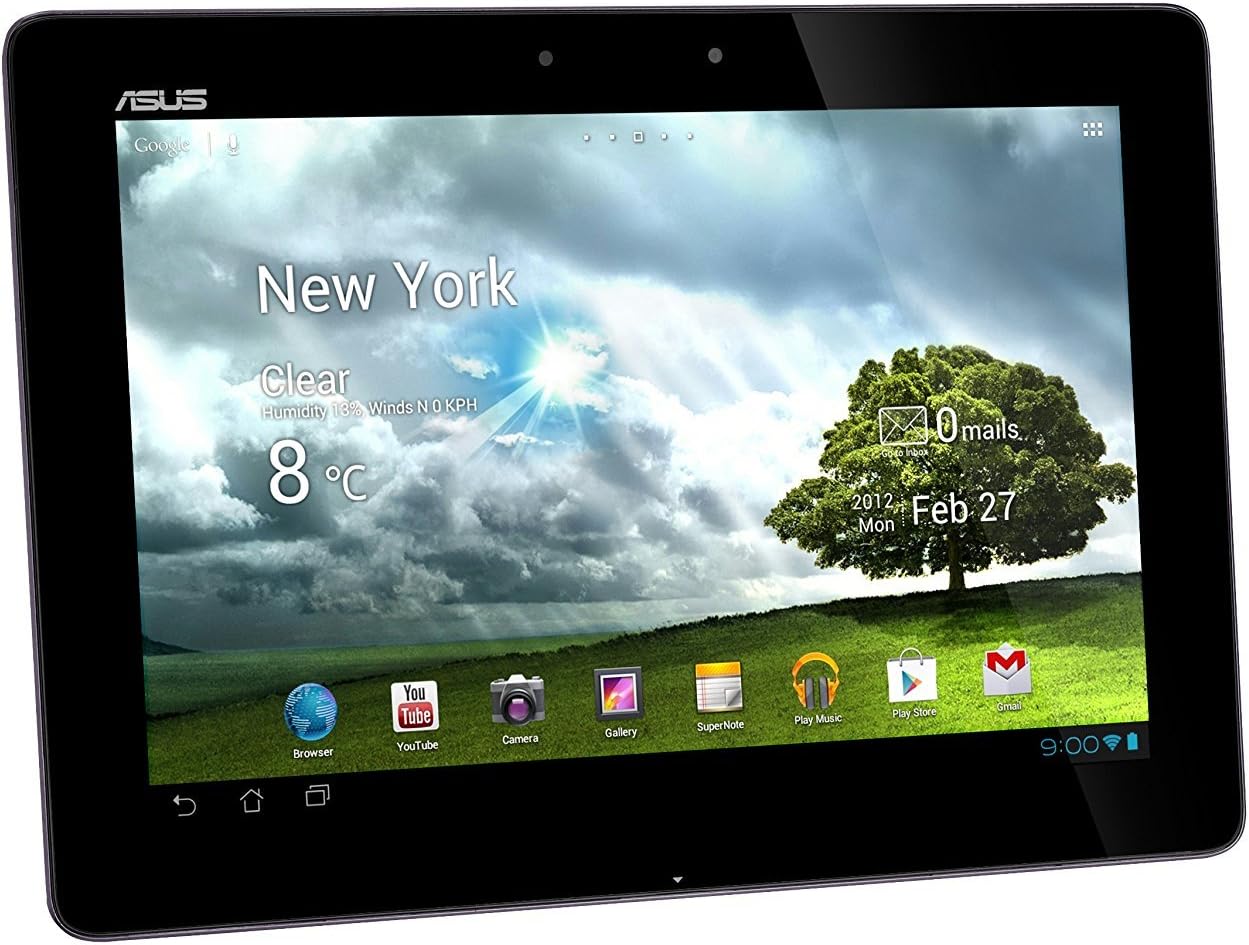
그림 1.1: 전면 view of the ASUS Transformer Pad Infinity TF700T-B1-GR, showcasing its vibrant 10.1-inch Full HD display.
2. 상자 안에 무엇이 들어있나요?
패키지에 모든 품목이 들어 있는지 확인하세요.
- ASUS Transformer Pad Infinity TF700T-B1-GR Tablet
- 사용자 설명서
- Power adaptor with USB to 40-pin connector
- 보증 정보 카드
Note: The package contents may vary slightly depending on the region or specific bundle purchased.
3. 설정
3.1 태블릿 충전
Before first use, fully charge the tablet. Connect the power adaptor to the tablet's charging port and plug it into a power outlet. The charging indicator will illuminate.
3.2 초기 전원 켜기 및 설정
Press and hold the power button located on the top edge of the tablet until the ASUS logo appears. Follow the on-screen prompts to complete the initial setup, including language selection, Wi-Fi connection, and Google account setup.

그림 3.1: 측면 view illustrating the audio jack, microphone, and charging/data port for connectivity.
4. 태블릿 작동
4.1 기본 탐색
The tablet operates on Android 4.0 Ice Cream Sandwich. Use touch gestures such as tap, swipe, pinch-to-zoom, and long-press to navigate the interface, open applications, and interact with content.
4.2 Wi-Fi에 연결하기
이동하다 설정 > 무선 및 네트워크 > 와이파이와이파이를 켜고 목록에서 원하는 네트워크를 선택하세요. 암호를 입력하라는 메시지가 나타나면 암호를 입력하세요.
4.3 카메라 사용
The tablet features a 2MP front camera and an 8MP rear camera. Open the Camera application to capture photos and videos. The rear camera includes an LED flash for low-light conditions.

그림 4.1: 후면 view of the tablet, highlighting the distinctive metallic spun finish and the placement of the 8MP rear camera.
4.4 스토리지 확장
The tablet supports microSD cards for expanded storage. Insert a microSD card into the designated slot to store additional file사진, 비디오.

Figure 4.2: Top edge view, detailing the power button, volume controls, and the microSD card slot for expandable storage.
5. 유지관리
5.1 태블릿 청소
부드럽고 보풀이 없는 천을 사용하여 태블릿 화면과 본체를 닦으세요. 잘 지워지지 않는 얼룩은 가볍게 닦아주세요.amp천에 물을 묻혀 닦으세요. 강한 화학 물질이나 연마재는 사용하지 마세요.
5.2 배터리 관리
To prolong battery life, avoid exposing the tablet to extreme temperatures. It is recommended to fully discharge and recharge the battery periodically.
5.3 소프트웨어 업데이트
최적의 성능과 보안을 유지하려면 정기적으로 시스템 업데이트를 확인하십시오. 다음 링크로 이동하세요. 설정 > 태블릿에 대하여 > 시스템 업데이트.
6. 문제 해결
6.1 태블릿 전원이 켜지지 않음
Ensure the tablet is sufficiently charged. Connect the power adaptor and allow it to charge for at least 30 minutes before attempting to power it on again.
6.2 Wi-Fi 연결 문제
Check if Wi-Fi is enabled in settings. Restart your Wi-Fi router. If the issue persists, try forgetting the network and reconnecting.
6.3 애플리케이션 충돌 또는 멈춤 현상
Close background applications. Clear the cache of the problematic app (설정 > 앱 > [앱 이름] > 저장 > 캐시 지우기). If the issue continues, consider reinstalling the app or performing a factory reset (backup data first).
7. 사양
| 특징 | 사양 |
|---|---|
| 운영 체제 | Android 4.0 (Ice Cream Sandwich) |
| 표시하다 | 10.1-inch WUXGA IPS capacitive multi-touch (1920 x 1200), Corning Gorilla Glass 2 |
| 프로세서 | NVIDIA Tegra 3 Quad-core T33 @ 1.6GHz |
| 숫양 | 1GB DDR3 |
| 저장 | 32GB eMMC 플래시 |
| 카메라 | Front: 2MP, Rear: 8MP with LED Flash |
| 무선 전화 | 802.11 b/g/n, Bluetooth 3.0 |
| 포트 | 1 x Micro HDMI, 2-in-1 audio jack, Micro SD Card Reader |
| 배터리 | 25 W/h Li-polymer (up to 9.5 hours) |
| 치수(폭x높이x깊이) | 10.35인치 x 7.12인치 x 0.33인치 |
| 무게 | 1.32파운드 |
8. 보증 및 지원
8.1 보증 정보
이 제품에는 다음이 포함되어 있습니다. 1 Year North America Warranty. Please refer to the included Warranty Information Card for full terms and conditions. Keep your proof of purchase for warranty claims.
8.2 고객 지원
For technical assistance, troubleshooting, or service inquiries, please visit the official ASUS support website or contact their customer service hotline. Contact details can be found on the ASUS web사이트 또는 보증 문서에서 확인하세요.
Legal Disclaimer: Product is sold as is. All specifications and terms are subject to change without notice. Please check with your supplier for exact offers on selected models. Products may not be available in all markets. Product may not be exactly as shown in photos. Actual colors may differ from their appearance due to variation of monitor restrictions and color processing. All trademarks are registered to their respective companies. ASUS shall not be liable for technical or editorial errors or omissions contained herein.
Ask a question about this manual
Ask about setup, troubleshooting, compatibility, parts, safety, or missing instructions. Manuals+ will review the question and use this page’s manual context to help answer it.