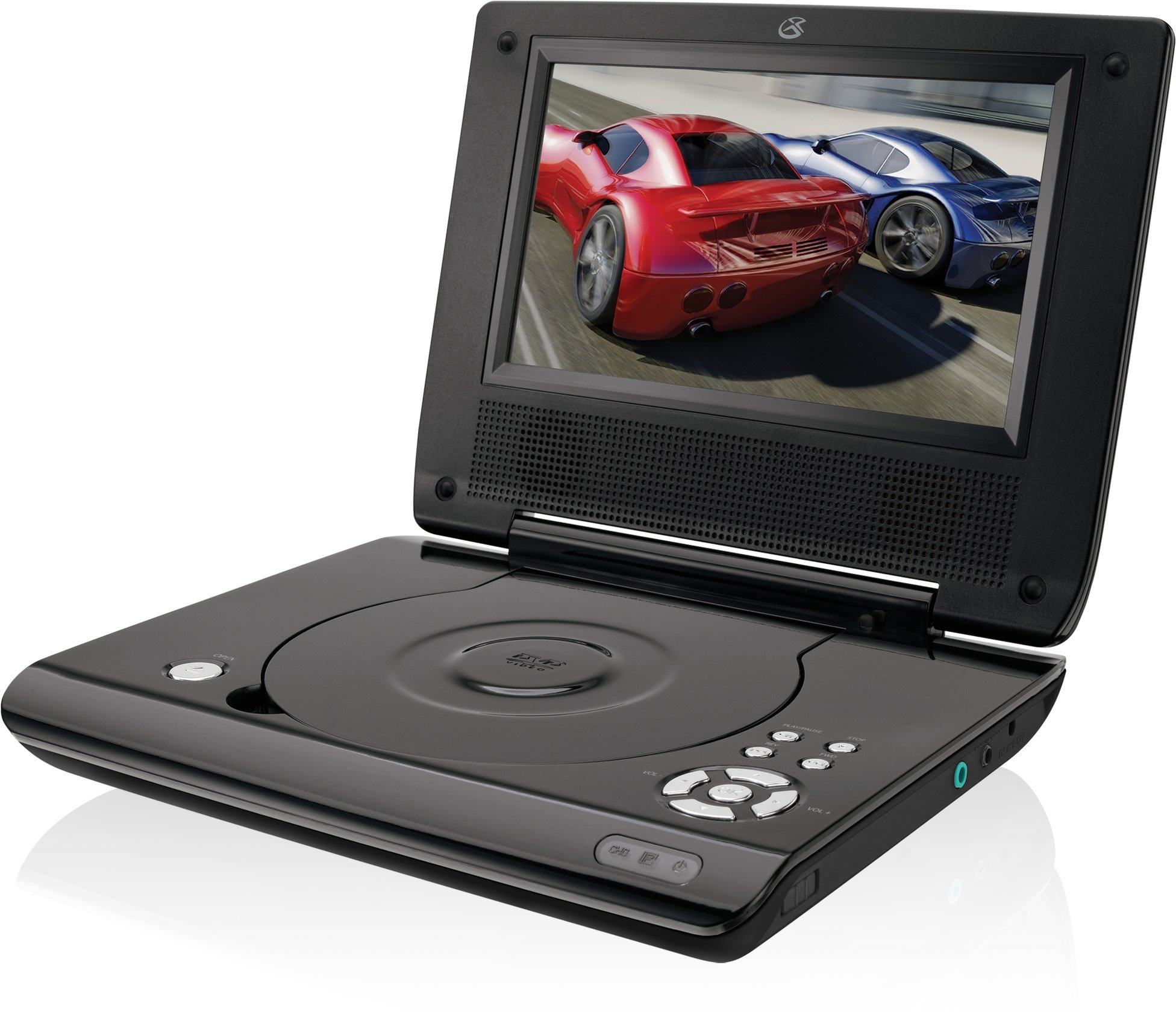
This manual provides essential instructions for the safe and efficient operation of your GPX PD730B 7-inch Portable DVD Player. Please read this manual thoroughly before using the device and retain it for future reference. The GPX PD730B is designed for portable entertainment, allowing you to enjoy DVDs, CDs, and JPEG files on its 7-inch TFT LCD screen.
패키지 내용
아래 나열된 모든 품목이 패키지에 포함되어 있는지 확인하세요.
GPX PD730B Portable DVD Player
AC/DC 전원 어댑터
DC 차량용 어댑터(12V)
스테레오 이어 버드
리모컨(AAA 배터리 2개 포함)
사용 설명서 (본 문서)
제품 끝view
Figure 1: GPX PD730B Portable DVD Player (Closed)
This image shows the GPX PD730B portable DVD player in its closed position, highlighting its compact and sleek design. The top surface is smooth and black, with control buttons visible on the right edge.
제어 및 연결
Familiarize yourself with the various controls and connection ports on your portable DVD player.
전원 버튼: 장치를 켜거나 끕니다.
재생/일시 정지 버튼: 재생을 시작하거나 일시 중지합니다.
중지 버튼 : 재생을 중지합니다.
건너뛰기/검색 버튼: Navigates tracks or chapters, or fast-forwards/rewinds.
볼륨 조절: 오디오 출력 레벨을 조정합니다.
헤드폰 잭: For private listening with stereo earbuds or headphones.
DC 입항: Connects to the AC/DC or car power adapter for charging and power.
설정
1. 배터리 충전
Before initial use, fully charge the built-in rechargeable battery. A full charge provides approximately 2 hours of playback time.
Connect the AC/DC power adapter to the DC In port on the DVD player.
AC/DC 전원 어댑터를 표준 벽면 콘센트에 꽂습니다.
The charging indicator light (if present) will illuminate. Charging is complete when the light changes color or turns off (refer to device for specific indicator behavior).
Alternatively, use the 12V DC car adapter to charge the player in a vehicle.
2. 전원 켜기 / 끄기
를 누르고 계세요 힘 button on the unit to turn the player on or off. The screen will illuminate when powered on.
작동 지침
1. 디스크 삽입 및 제거
Gently open the disc compartment lid.
Place a DVD or CD onto the spindle with the label side facing up. Press down gently on the center of the disc until it clicks into place.
Close the disc compartment lid firmly.
To remove a disc, open the lid, gently press the spindle button (if present) or lift the disc from the edges, avoiding touching the data surface.
2. 기본 재생
After inserting a disc, the player will typically begin playback automatically.
사용하세요 재생/일시정지 버튼을 눌러 재생을 일시 중지하거나 다시 시작합니다.
를 누르세요 멈추다 버튼을 눌러 재생을 중지합니다.
사용하세요 건너뛰다 buttons (usually labeled with arrows) to navigate between chapters or tracks.
사용하세요 검색 buttons (often combined with Skip) to fast-forward or rewind.
3. 리모컨 사용
The included remote control provides convenient access to all player functions from a distance. Ensure the 2 AAA batteries are correctly installed. Point the remote control directly at the player's remote sensor.
4. 헤드폰 연결하기
For private listening, plug the stereo earbuds (or your own headphones) into the 헤드폰 잭 on the side of the player. The built-in speakers will automatically mute when headphones are connected.
Figure 2: Portable DVD Player in use (Bedroom)
This image illustrates the portable DVD player being used by a girl in a bedroom setting, demonstrating its suitability for personal entertainment at home.
Figure 3: Portable DVD Player in use (Vehicle)
This image shows a boy watching the portable DVD player in the back seat of a car, highlighting its utility for entertainment during travel.
Figure 4: Portable DVD Player in use (Airplane)
This image depicts a woman using the portable DVD player with headphones on an airplane, showcasing its versatility for quiet, personal entertainment during flights.
유지
플레이어 청소
Disconnect the player from all power sources before cleaning.
부드럽고 마른 천으로 외부 표면을 닦으십시오. 연마성 세척제, 왁스 또는 용제를 사용하지 마십시오.
For the screen, use a soft, lint-free cloth specifically designed for LCD screens. Avoid excessive pressure.
디스크 삽입구에 먼지와 이물질이 들어가지 않도록 하십시오.
배터리 관리
배터리 수명을 연장하려면 배터리를 자주 완전히 방전하지 마세요.
If the player will not be used for an extended period, charge the battery to about 50% before storing.
Store the player in a cool, dry place.
문제 해결
If you encounter issues with your GPX PD730B, refer to the following common problems and solutions:
문제
가능한 원인
해결책
플레이어가 켜지지 않습니다.
배터리가 방전되었습니다. 전원 어댑터가 제대로 연결되지 않았습니다.
Charge the battery; Ensure power adapter is securely connected to both the player and power source.
디스크 재생이 안 됩니다.
Disc inserted incorrectly; Disc is dirty or scratched; Incorrect disc format.
Reinsert disc correctly (label side up); Clean disc with a soft cloth; Ensure disc is DVD, CD, or JPEG CD format.
스피커/헤드폰에서 소리가 나지 않습니다.
Volume too low; Headphones not fully plugged in; Mute function active.
Increase volume; Ensure headphones are fully inserted; Check if mute is active on remote or player.
리모컨이 작동하지 않습니다.
배터리가 소진되었거나 잘못 삽입되었습니다. 리모컨과 플레이어 사이에 장애물이 있습니다.
Replace remote batteries; Ensure correct polarity; Remove any obstructions and point remote directly at sensor.
명세서
모델 번호
PD730B
화면 크기
7 인치
디스플레이 유형
TFT LCD
네이티브 해상도
480x234
종횡비
16시 9분
호환 가능한 미디어
DVD, DVD+R/RW, CD, CD-R/RW, JPEG CD
배터리 수명(평균)
2시간
전원 입력
AC/DC Adapter, 12V DC Car Adapter
연결성
보조 단자 (헤드폰 잭)
품목 무게
1.72 파운드
한국어:
047323007309
보증 및 지원
For warranty information, technical support, or service inquiries, please refer to the warranty card included with your product or visit the official GPX web사이트. 보증 청구를 위해 구매 증빙 자료로 구매 영수증을 보관하세요.
Ask about setup, troubleshooting, compatibility, parts, safety, or missing instructions. Manuals+ will review the question and use this page’s manual context to help answer it.