
Cloud b CB7423-PK
Cloud b Tranquil Turtle Nightlight Instruction Manual
Model: CB7423-PK

Image: Cloud b brand logo with product features like gentle light, calming sounds, and auto shutoff.
1. 소개 및 이상view
The Cloud b Tranquil Turtle is an innovative nightlight and sound machine designed to create a peaceful and soothing environment for children. It projects moving ocean waves onto the ceiling and plays calming sounds, aiding in relaxation and sleep.

Image: The pink Cloud b Tranquil Turtle, a plush turtle with a clear shell that projects light, shown next to its product packaging.
This manual provides detailed instructions for setting up, operating, maintaining, and troubleshooting your Tranquil Turtle to ensure optimal performance and a tranquil experience for your child.
2. 주요 특징
- 바다 물결 투영: Projects a dynamic underwater light effect with gently undulating waves onto the ceiling and walls, creating a serene aquatic ambiance.
- Two Calming Sounds: Offers a choice between a tranquil ocean melody and soothing wave sounds, designed to promote relaxation.
- 조정 가능한 설정: Features adjustable brightness and movement settings for the light projection, allowing customization to suit different environments and preferences.
- 자동 차단 : Equipped with a 23-minute timer that automatically turns off the light and sound to conserve battery life and ensure a quiet environment for deep sleep.
- Soft and Tactile Design: Made with super soft plush material, making it a comforting companion for children.
- 장수명 LED: Utilizes LED lights that do not heat up, ensuring safety.

Image: Diagram illustrating the Tranquil Turtle's features: patented technology, 23-minute auto-shutoff, underwater projections, and two sound options (waves and underwater melody).
3. 설정
3.1 배터리 설치
The Tranquil Turtle requires 3 AA batteries (included). To install or replace batteries:
- Locate the battery compartment on the underside of the turtle. It is typically secured by a fabric flap with Velcro or a small screw.
- If secured by a screw, use a small Phillips head screwdriver to open the compartment.
- 올바른 극성(+/-)을 확인하여 새 AA 배터리 3개를 삽입합니다.
- 배터리 칸을 단단히 닫으세요.
Note: For optimal performance and to avoid frequent battery replacement, consider using high-quality alkaline or rechargeable batteries.
4. 사용 설명서
4.1 전원 켜기/끄기
- To turn the Tranquil Turtle ON, locate the power switch on the control panel (usually on the underside or within the shell) and slide it to the 'ON' position.
- To turn the Tranquil Turtle OFF, slide the power switch to the 'OFF' position.
- The unit will automatically shut off after 23 minutes of operation.
4.2 Light Projection Control
- The Tranquil Turtle projects a calming ocean wave effect.
- 밝기 조정: Use the dedicated light intensity slider or button (if present) to adjust the brightness of the projected waves.
- 움직임 제어: Some models allow you to choose between static waves or gently moving waves. Refer to the control panel for a switch or button to toggle this feature.

Image: The Tranquil Turtle projecting blue ocean waves onto a surface, with product dimensions (11 inches, 10 inches, 4 inches) indicated.
4.3 사운드 제어
- Press the sound selection button to cycle through the available sounds: ocean melody and wave sounds.
- Use the volume control buttons (usually '+' and '-') to adjust the sound level to your desired comfort.
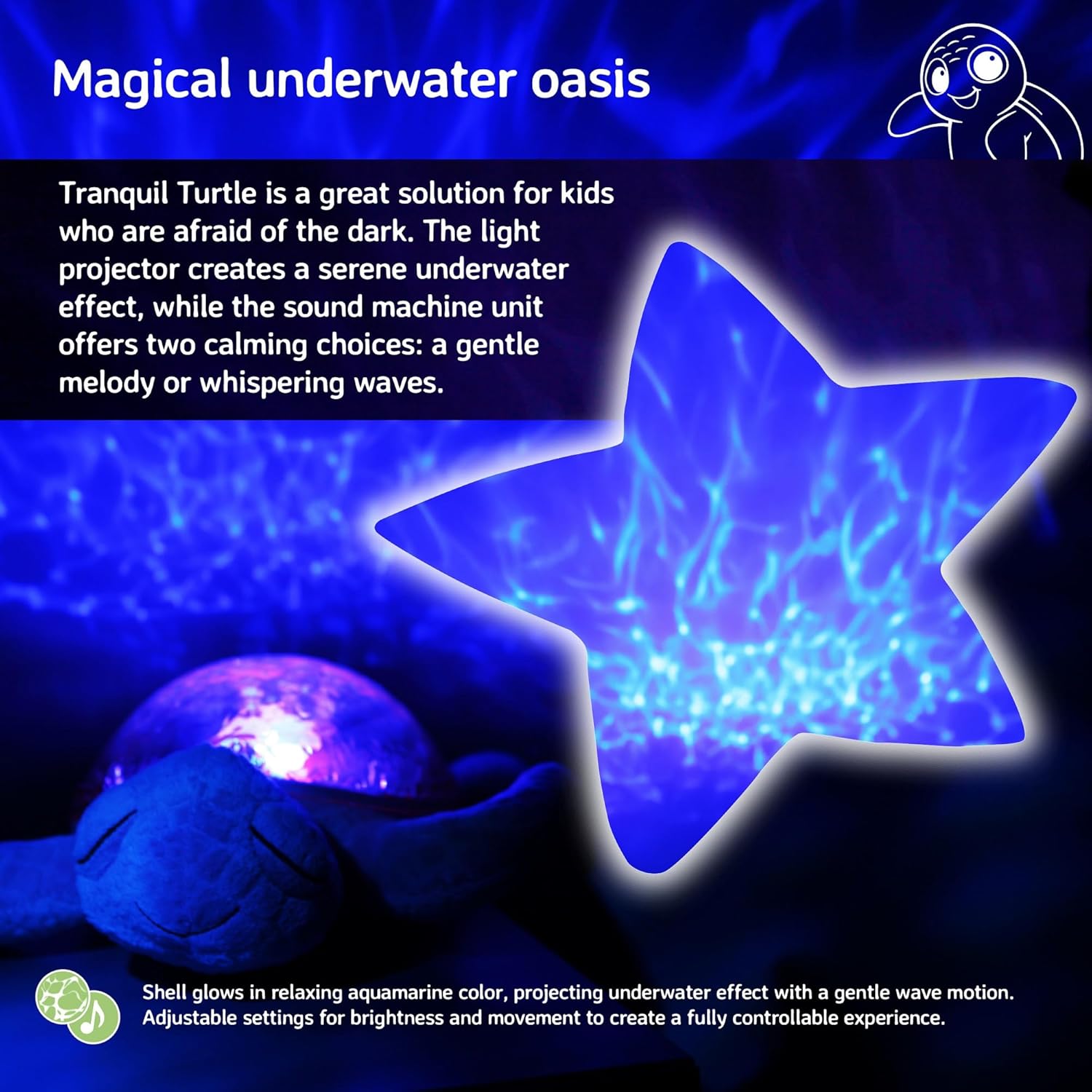
Image: The Tranquil Turtle creating a magical underwater oasis effect, with a star-shaped projection of rippling water.
4.4 Sound Sensor (if applicable)
- Some models feature a sound sensor that can activate the unit when it detects noise, such as a baby crying.
- To enable or disable this feature, locate the 'SOUND SENSOR' switch (often with 'HI', 'LO', 'OFF' settings) and select your preferred mode.
5. 유지관리
5.1 청소 지침
- 플러시 소재의 외부를 청소하려면 부드러운 천으로 가볍게 닦아주세요.amp cloth and mild soap. Do not immerse the entire unit in water.
- For the plastic shell, wipe with a soft, dry cloth. Avoid abrasive cleaners that may scratch the surface.
- Ensure the unit is completely dry before storing or using.
5.2 보관
- When not in use for extended periods, remove the batteries to prevent leakage and damage to the unit.
- Store the Tranquil Turtle in a cool, dry place away from direct sunlight.
6. 문제 해결
| 문제 | 가능한 원인 | 해결책 |
|---|---|---|
| 기기가 켜지지 않습니다. | 배터리가 방전되었거나 잘못 설치되었습니다. | 배터리 극성을 확인하세요. 새 AA 배터리로 교체하세요. |
| 조명이 어둡거나 깜빡입니다. | 배터리 전원이 부족합니다. | Replace batteries. Ensure the light intensity slider is set to a higher level. |
| 소리가 나지 않거나 왜곡 된 소리가납니다. | Volume too low or batteries low. | Increase volume. Replace batteries. |
| 예측이 명확하지 않습니다. | Room is too bright or unit is too far from surface. | Ensure the room is dark. Place the turtle closer to the projection surface (ceiling/wall). |
| Unit turns off too quickly. | 자동 종료 타이머가 활성화되었습니다. | The unit is designed to turn off after 23 minutes to conserve battery life and promote deep sleep. This is normal operation. |
7. 사양
| 사양 | 세부 사항 |
|---|---|
| 제품 치수 | 11.02 x 9.84 x 4 인치 |
| 품목 모델 번호 | CB7423-PK |
| 필요한 배터리 | AA 배터리 3개 (포함) |
| 재료 유형 | Plastic, Plush Fabric |
| 품목 무게 | 1.21파운드 |
| 전원 | 배터리 구동 |
| 자동 종료 타이머 | 23 분 |
8. 보증 및 지원
For warranty information or technical support, please refer to the product packaging or visit the official Cloud b website. You may also contact Cloud b customer service directly for assistance with your Tranquil Turtle.
추가 정보 및 제품 등록은 다음 웹사이트를 방문하십시오. Cloud b Official Store
Ask a question about this manual
Ask about setup, troubleshooting, compatibility, parts, safety, or missing instructions. Manuals+ will review the question and use this page’s manual context to help answer it.