
소개
This manual provides essential information for the safe and efficient operation of your Samsung HT-E6500W 5.1 Channel 3D Blu-Ray Home Theater System. Please read this manual thoroughly before using the product and retain it for future reference. This system integrates a 3D Blu-ray player with a 5.1 channel audio system, offering a comprehensive home entertainment solution.
중요한 안전 정보
Always follow basic safety precautions when using this product to reduce the risk of fire, electric shock, and injury to persons. Keep this manual in a safe place for future reference.
- 이 기기를 비나 습기에 노출시키지 마십시오.
- 환기구를 막지 마십시오. 제조업체의 지침에 따라 설치하십시오.
- 라디에이터, 난방 조절기, 스토브 또는 기타 장치(다음을 포함)와 같은 열원 근처에 설치하지 마십시오. amp열을 생성하는 발전기.
- 전원 코드가 밟히거나 끼지 않도록 보호하세요. 특히 플러그, 편의용 콘센트 및 기기에서 나오는 부분은 보호하세요.
- 제조사가 지정한 부속품/액세서리만 사용하세요.
- 모든 서비스는 자격을 갖춘 서비스 담당자에게 문의하십시오. 장비가 어떤 식으로든 손상된 경우 서비스가 필요합니다.
패키지 내용
패키지에 모든 구성 요소가 들어 있는지 확인하세요.
- 본체 (블루레이 플레이어/리시버)
- 서브우퍼
- 센터 스피커
- 전면 스피커(2개)
- 서라운드 스피커(2)
- 배터리를 사용한 원격 제어
- iPod Cradle
- 스피커 케이블
- FM 안테나
- 사용 설명서 (본 문서)
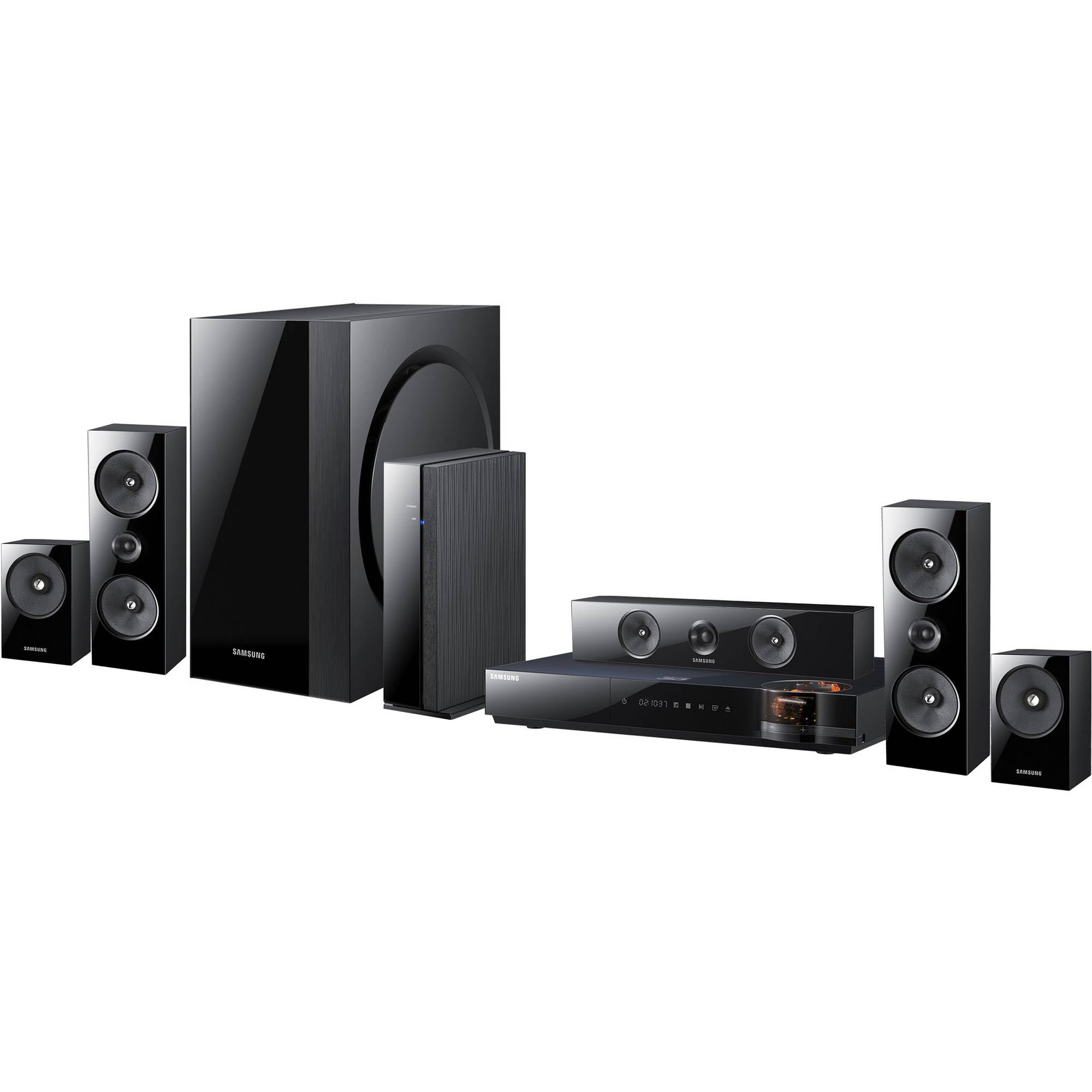
이미지: 이상view of the Samsung HT-E6500W 5.1 Channel Home Theater System components.
설정
1. 스피커 배치
Proper speaker placement is crucial for optimal surround sound experience. Position speakers as follows:
- 전면 스피커: Place to the left and right of your television, equidistant from the view위치입니다.
- 센터 스피커: 텔레비전 중앙 바로 위 또는 아래에 위치시키세요.
- 서라운드 스피커: Place to the sides or slightly behind the main listening area, at ear level when seated. The HT-E6500W features wireless rear speakers for easier setup.
- 서브 우퍼 : Can be placed anywhere in the room, preferably near a wall or corner for enhanced bass response.
2. 스피커 연결
Connect the speaker cables from each speaker to the corresponding terminals on the main unit. Ensure correct polarity (positive to positive, negative to negative) for each connection. The wireless rear speakers connect to a separate wireless receiver module, which then communicates with the main unit.
3. TV 및 기타 기기 연결
Use an HDMI cable to connect the HDMI OUT port on the home theater system to an HDMI IN port on your television. For other devices like gaming consoles or set-top boxes, connect them to the HDMI IN ports on the home theater system.
4. 전원 연결
Plug the power cord into the main unit and then into a wall outlet. Ensure all connections are secure before powering on the system.
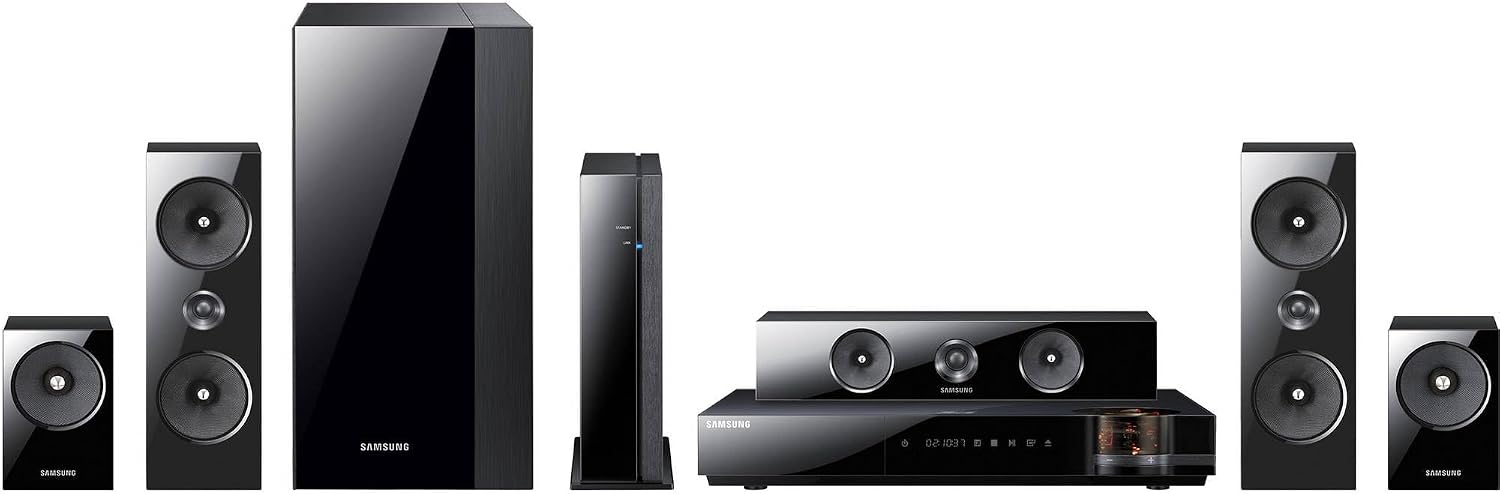
이미지: 상세 view of the main unit and center speaker, illustrating connectivity points.
작동 지침
1. 기본 기능
- 전원 켜기/끄기: 리모컨이나 본체의 전원 버튼을 누르세요.
- 볼륨 조절: 리모컨의 볼륨 높이기/낮추기 버튼을 사용하세요.
- 입력 선택: Press the Function button on the remote to cycle through available inputs (e.g., Blu-ray, HDMI 1, HDMI 2, AUX, Digital In).
2. 3D 블루레이 재생
Insert a 3D Blu-ray disc into the disc tray. The system will automatically detect the disc and begin playback. Ensure your television is 3D compatible and 3D glasses are worn for the 3D effect.
3. Smart Hub and Network Features
The system features built-in Wi-Fi for network connectivity. Connect to your home network to access Smart Hub, which provides various online services and applications. Navigate Smart Hub using the remote control.
4. iPod Cradle Usage
Connect your iPod to the provided iPod cradle. The system will detect the device, allowing you to play audio through the home theater speakers. Control playback using the system's remote or the iPod itself.
5. 사운드 모드
Select various sound modes (e.g., Stereo, Surround Sound, Dolby Digital) to optimize audio for different content types. Refer to the remote control for specific sound mode buttons or menu options.
유지
- 청소: 본체와 스피커의 외부 표면은 부드럽고 마른 천으로 닦아주십시오. 액체 세척제나 연마성 재질은 사용하지 마십시오.
- 통풍: 본체의 통풍구가 막히지 않도록 하여 과열을 방지하십시오.
- 디스크 관리: Handle Blu-ray discs by their edges. Store discs in their cases to prevent scratches and dust accumulation.
문제 해결
| 문제 | 가능한 해결책 |
|---|---|
| 전원이 없습니다 | Check if the power cord is securely connected to the unit and the wall outlet. Ensure the outlet is functional. |
| 소리가 나지 않습니다 | Verify speaker connections. Check the volume level and mute status. Ensure the correct input source is selected. |
| No picture from Blu-ray | Check the HDMI cable connection between the system and the TV. Ensure the TV is set to the correct HDMI input. Try a different disc. |
| 리모컨이 작동하지 않습니다 | Replace the batteries in the remote control. Ensure there are no obstructions between the remote and the main unit's sensor. |
| Wireless rear speakers not connecting | Ensure the wireless receiver module is powered on and within range of the main unit. Refer to the wireless module's specific pairing instructions. |
명세서
- 모델 이름: HT-E6500W
- 오디오 채널: 5.1채널
- 총 전력 출력: 1000 와트
- 디스크 호환성: 3D Blu-ray, Blu-ray, DVD, CD
- 연결성: HDMI (Input/Output), Built-in Wi-Fi, USB, Optical Digital Audio In
- 특별 기능: Smart Hub, iPod Cradle, Wireless Rear Speakers
- 색상: 검은색
- 품목 무게: 본체 무게는 약 8.5파운드입니다.
보증 정보
This product is covered by a limited warranty. For specific terms and conditions, please refer to the warranty card included with your product or visit the official Samsung web사이트. 보증 청구를 위해 구매 증빙 자료로 구매 영수증을 보관하세요.
고객 지원
For technical assistance, service, or product inquiries, please contact Samsung Customer Service. Contact information can be found on the official Samsung web사이트 또는 제품과 함께 제공된 설명서를 참조하세요.
온라인 지원: www.samsung.com/us/support/


