
1. 제품 오버view
The Cloud b Tranquil Turtle Ocean Night Light is designed to create a calming and soothing environment for children, aiding in relaxation and sleep. It projects gentle underwater light effects and plays two soothing sound options: ocean waves or a tranquil melody. The brightness and movement speed of the projection are adjustable, and the device features an automatic shut-off timer.

Image 1: The Cloud b Tranquil Turtle Ocean Night Light in purple, ready to create a calming atmosphere.
2. 안전 경고
- 외부에서만 사용하세요.
- 눈과의 접촉을 피하세요.
- 화염이나 열원으로부터 멀리하십시오.
- Ensure battery compartment is securely closed to prevent access by children.
3. 패키지 내용
- 1 x Cloud b Tranquil Turtle Ocean Night Light (Model: CB-7423PR)
- 사용 설명서
4. 설정
4.1 배터리 설치
The Tranquil Turtle requires 3 Lithium metal batteries (not included).
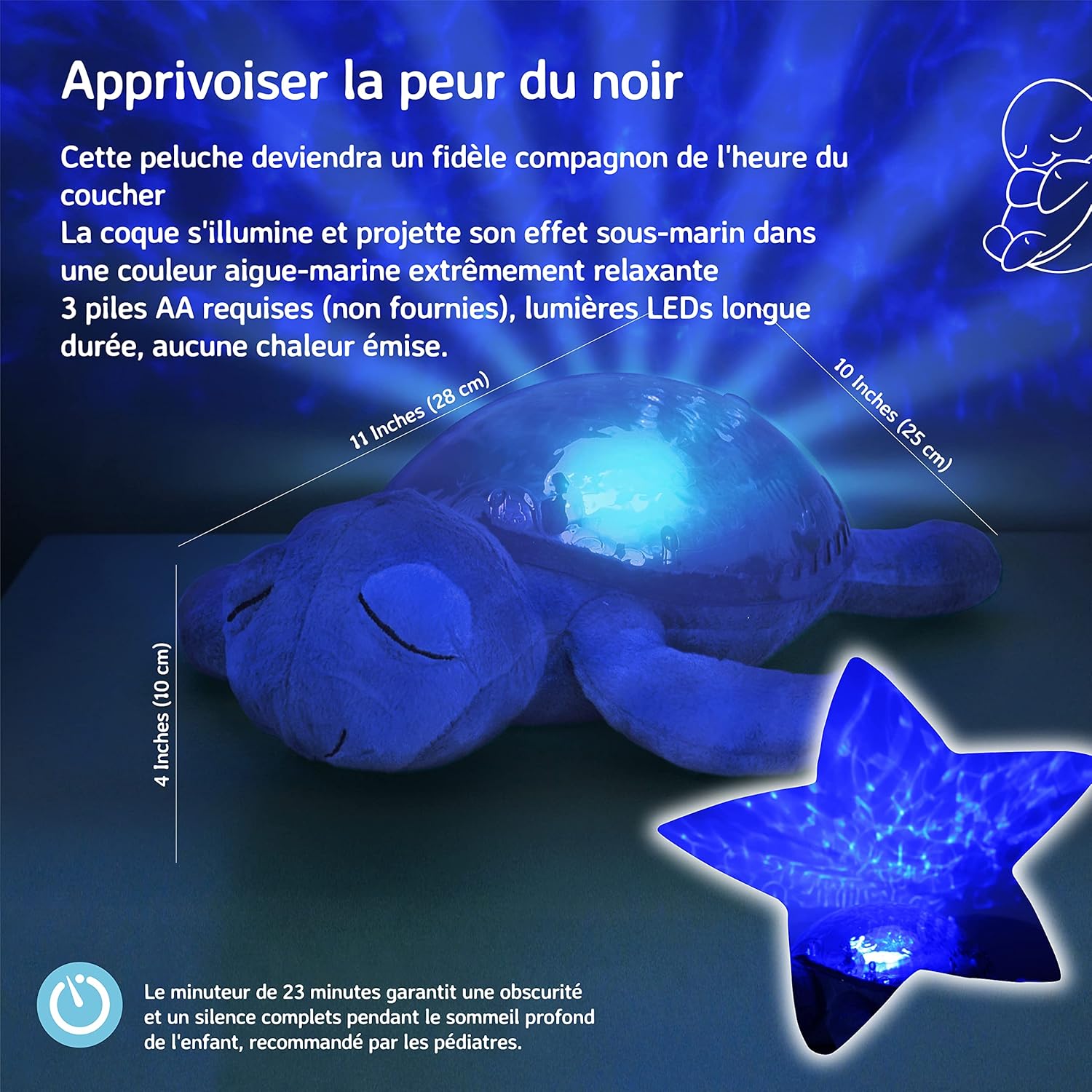
Image 2: The underside of the Tranquil Turtle, illustrating the battery compartment and product dimensions.
- Locate the battery compartment on the underside of the turtle's shell.
- Open the fabric flap and unscrew the battery compartment cover using a small Phillips head screwdriver.
- Insert 3 new Lithium metal batteries, ensuring correct polarity (+/-).
- 배터리실 커버를 교체하고 나사를 조입니다.
- 원단 덮개를 닫습니다.
5. 사용 설명서
The control buttons are located on the turtle's shell.

Image 3: Detail of the control buttons on the turtle's shell.
5.1 전원 켜기/끄기
- Press the main power button (usually the largest button) to turn the unit on or off.
5.2 Light Projection
The Tranquil Turtle projects a soothing underwater light effect onto the ceiling and walls.

Image 4: The Tranquil Turtle projecting calming underwater light effects.
5.3가지 사운드 모드
Select between two calming sound options:
- Ocean Waves: Recreates the gentle sound of ocean waves.
- Tranquil Melody: A soft, soothing musical tune.
- Use the dedicated sound selection button to switch between modes.
5.4 Adjusting Brightness and Movement Speed
The light projection's brightness and the speed of the wave movement can be adjusted to create a personalized experience.
- Use the brightness control button to cycle through different brightness levels.
- Use the movement speed button to adjust how quickly the underwater effects move.
5.5 Automatic Shut-Off Timer
The Tranquil Turtle features an automatic shut-off timer set for 23 minutes. This ensures complete darkness and silence during a child's deep sleep, as recommended by pediatricians. The unit will automatically turn off after this period.
6. 유지관리
6.1 청소
- Wipe the surface of the turtle with a soft, damp 옷감.
- Do not immerse the unit in water or use harsh cleaning agents.
6.2 배터리 교체
Refer to section 4.1 for detailed instructions on battery installation and replacement.
7. 문제 해결
- No Light/Sound: 배터리가 올바르게 설치되었고 방전되지 않았는지 확인하세요. 필요한 경우 새 배터리로 교체하세요.
- Dim Light/Weak Sound: 이는 배터리 잔량이 부족함을 나타내는 경우가 많습니다. 배터리를 교체하십시오.
- Light/Sound Not Changing: Check if buttons are pressed firmly. If issues persist after battery replacement, contact customer support.
8. 사양
| 모델 번호 | CB-7423PR |
| 치수(길이 x 너비 x 높이) | 26.67 x 19.05 x 10.16cm |
| 무게 | 498.95그램 |
| 재료 | Plastic, Plush Fabric |
| 전원 | 3 x Lithium Metal Batteries (not included) |
| 배터리 수명 | 약 60시간 |
| 자동 종료 | 23 분 |
9. 보증 및 지원
For warranty information or customer support, please refer to the contact details provided on the product packaging or visit the official Cloud b web대지. 보증 청구를 위해 구매 영수증을 보관하십시오.