
1. 서론
This manual provides detailed instructions for the installation, operation, and maintenance of the Siemon MX-FP-S-04-02 Single Gang Max Modular Faceplate. This product is designed to provide a clean and organized interface for up to four Siemon MAX modules in a standard single-gang electrical box. Please read these instructions carefully before proceeding with installation.
2. 제품 오버view
The Siemon MX-FP-S-04-02 is a white, single-gang faceplate designed to accommodate four Siemon MAX modules. It provides a professional and secure mounting solution for various data, voice, and video connectivity applications within a wall outlet.

그림 1: 앞쪽 view of the Siemon MX-FP-S-04-02 faceplate. This image shows the white faceplate with four rectangular openings designed for modular jacks, and the Siemon logo subtly embossed.
3. 설정 및 설치
Before beginning installation, ensure that all power to the electrical box is turned off at the circuit breaker. It is recommended to have a qualified electrician perform the installation if you are unfamiliar with electrical wiring procedures.
3.1 필요한 도구
- 십자 드라이버
- 전선 피복 벗기기/절단기 (새 모듈을 설치하는 경우)
- 안전 안경
3.2 설치 단계
- 배전반을 준비하세요: Ensure the single-gang electrical box is properly installed and secured in the wall. Verify that any necessary cabling (e.g., Ethernet, telephone) is pulled through the box opening.
- Attach Modules (if not pre-installed):
- Orient the Siemon MAX module correctly.
- Align the module with one of the four openings on the faceplate.
- Gently push the module into the opening until it clicks securely into place. Repeat for all desired modules.
- Mount the Faceplate:
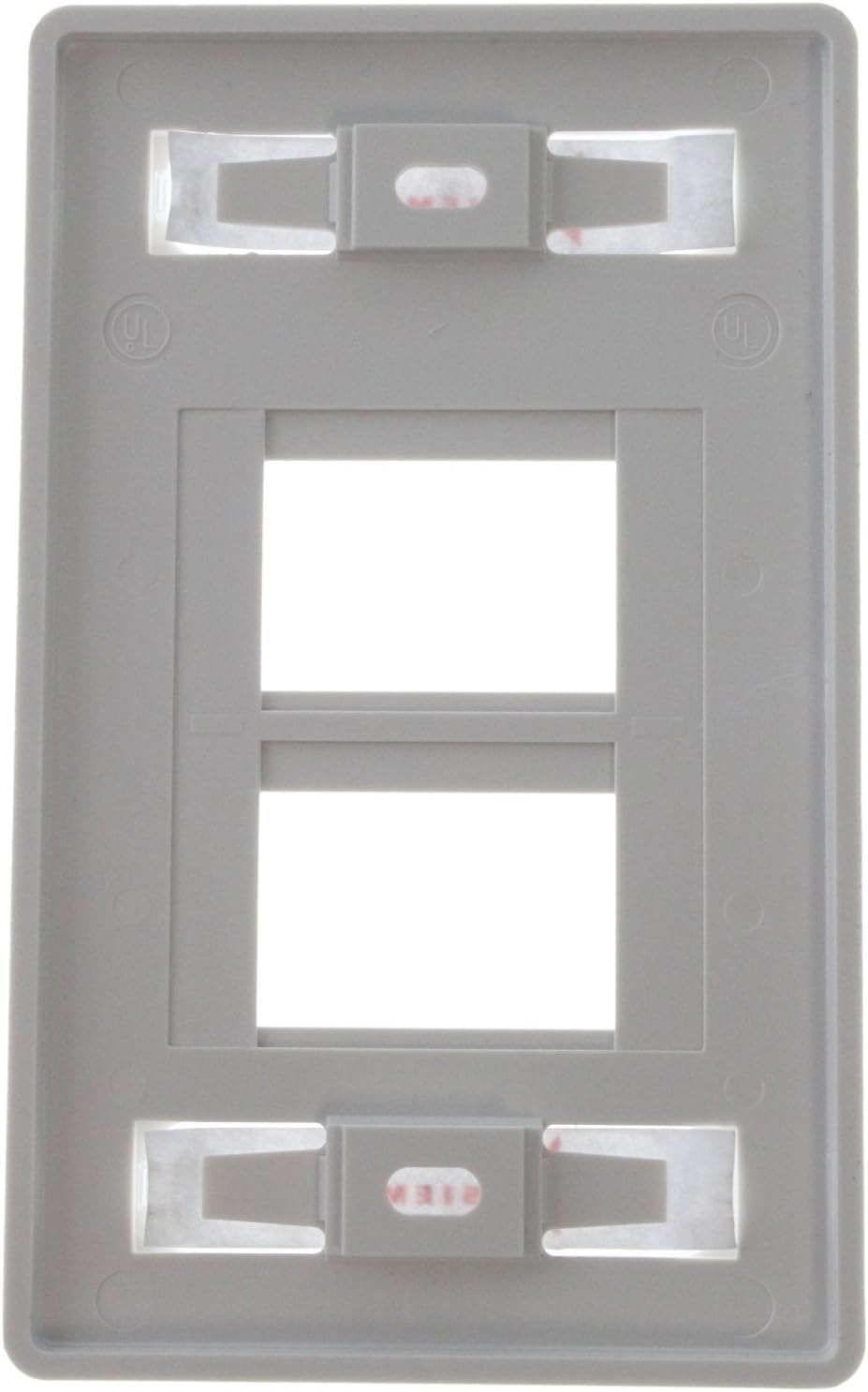
그림 2: 뒤쪽에 view of the Siemon MX-FP-S-04-02 faceplate. This image highlights the two screw holes for mounting to a standard electrical box and the retention clips for securing MAX modules.
- Carefully align the faceplate with the electrical box, ensuring the cables from the modules pass through the box opening without pinching.
- Insert the provided mounting screws (typically two) through the faceplate's screw holes and into the threaded holes of the electrical box.
- Tighten the screws with a Phillips head screwdriver until the faceplate is snug against the wall. 너무 조이지 마세요, as this can crack the faceplate or damage the electrical box.
- 최종 확인: Ensure the faceplate is flush with the wall and all modules are securely seated.
4. 운영
The Siemon MX-FP-S-04-02 faceplate serves as a passive housing for Siemon MAX modules. Once installed and populated with appropriate modules (e.g., RJ45 jacks for Ethernet, RJ11 jacks for telephone), it provides a convenient and organized access point for connecting devices to your network or communication infrastructure. To operate, simply plug your compatible cable into the installed module's port.
5. 유지관리
This faceplate requires minimal maintenance. Regular cleaning and occasional inspection are recommended.
- 청소: 부드럽고 건조하거나 약간 damp cloth to wipe the surface of the faceplate. Avoid abrasive cleaners or solvents, as these can damage the finish.
- 점검: Periodically check the faceplate for any signs of damage, cracks, or loose screws. Ensure all installed modules remain securely seated.
6. 문제 해결
Most issues related to a faceplate are minor and easily resolved.
- Loose Faceplate: If the faceplate feels loose, gently tighten the mounting screws. Do not overtighten.
- Module Not Seating Properly: Ensure the module is correctly oriented and aligned with the opening. Apply firm, even pressure until it clicks into place. If a module is difficult to insert, check for any obstructions in the faceplate opening or damage to the module itself.
- 연결 문제: If experiencing connectivity problems, the issue is likely with the installed module or the cabling connected to it, not the faceplate itself. Refer to the instruction manual for the specific MAX module for troubleshooting steps, or consult a network technician.
7. 사양
| 모델 번호 | MX-FP-S-04-02 |
| 상표 | 시몬 |
| 포트 | 4 |
| Gang Type | 싱글 갱 |
| 색상 | 하얀색 |
| 치수(폭 x 깊이 x 높이) | 3.3 x 0.3 x 5.3인치(대략) |
| 품목 무게 | 0.634 온스 |
| 설치 유형 | 나사로 고정 |
| 호환성 | Siemon MAX Modules |
8. 보증 및 지원
For information regarding product warranty, technical support, or to access additional resources, please visit the official Siemon website or contact Siemon customer service directly. Contact details can typically be found on the manufacturer's web사이트 또는 제품 포장.
Siemon Official Web대지: www.siemon.com