
1. 제품 오버view
The AmScope LED-96S is an intensity-adjustable 96-LED ring light designed to provide cool, even, intense, and shadow-free illumination for single zoom microscopes. It features variable intensity control and is compatible with power supplies ranging from 110V to 240V.
패키지 내용:
- One (1) 96-LED Ring Light
- One (1) Control Box
- 전원 케이블 1개
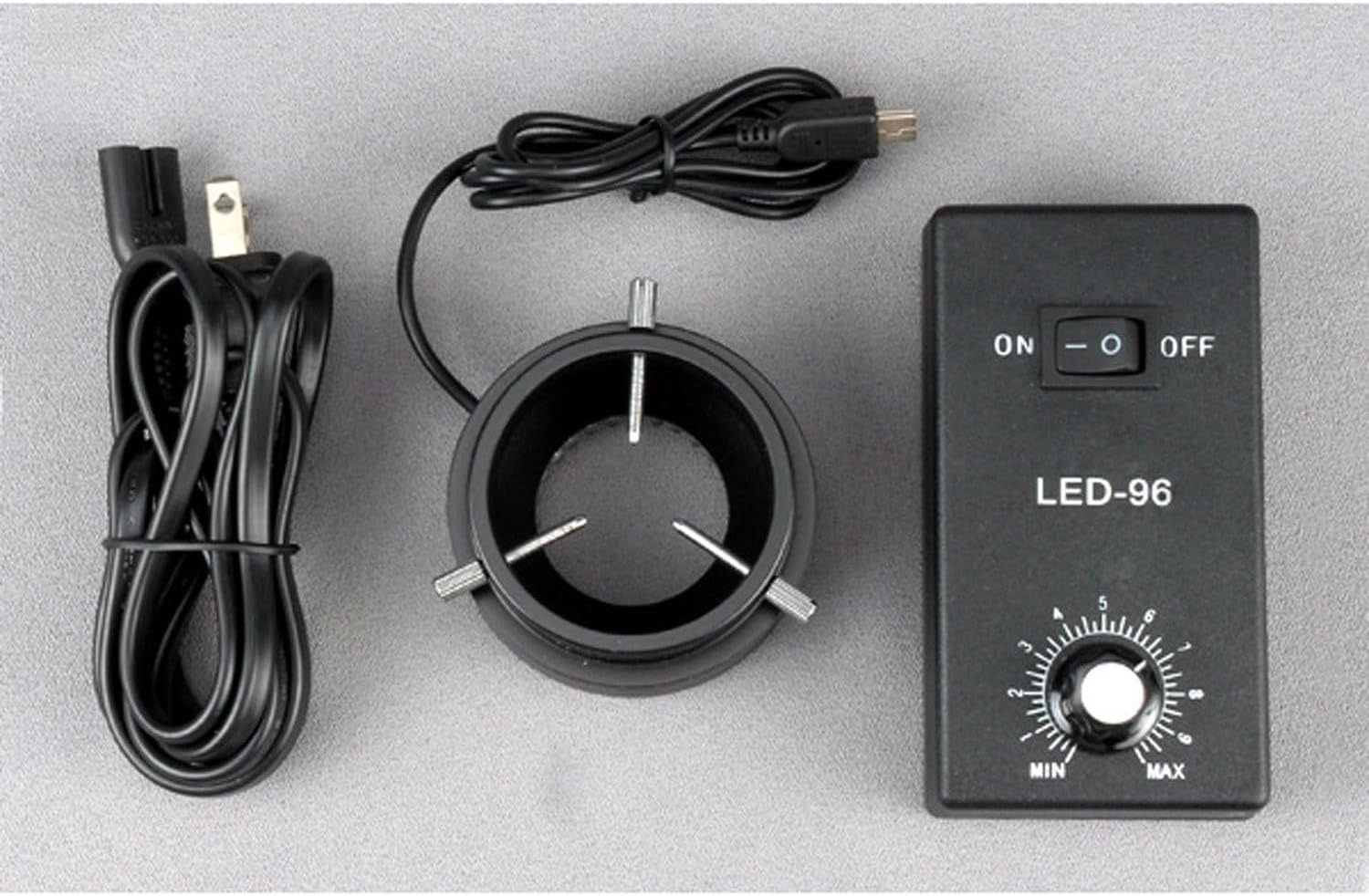
Figure 1: Included components of the AmScope LED-96S 96 LED Ring Light kit.
2. 설정 지침
- Attach the Ring Light to the Control Box: Connect the cable from the 96-LED ring light to the designated port on the control box. Ensure the connection is secure.
- 링 라이트 장착: The ring light is designed to mount onto microscope objectives or bodies with a diameter up to 2 inches (52mm). Carefully slide the ring light onto the microscope's objective housing until it is firmly in place. The inside diameter of the ring light is 1-7/16 inches (36mm).
- 전원 연결: Plug the provided power cable into the control box, then connect the other end to a standard electrical outlet (110-240V, 50-60Hz).

Figure 2: The 96-LED ring light connected to the control box.

Figure 3: The LED ring light installed on a microscope.
3. 사용 설명서
- 전원 켜기: Locate the ON/OFF switch on the control box. Flip the switch to the "ON" position to power on the ring light. The LEDs will illuminate.
- 강도 조정: Use the rotary dial labeled "MIN" to "MAX" on the control box to adjust the brightness of the LED illumination. Turn the dial clockwise to increase intensity and counter-clockwise to decrease it.
- 전원 끄기 : When finished, flip the ON/OFF switch to the "OFF" position.
The 96 bright white LED bulbs provide intense and focused shadow-free illumination, enhancing visibility for microscope observations.
4. 유지관리
- 청소: Ensure the device is powered off and unplugged before cleaning. Use a soft, dry cloth to wipe the exterior of the ring light and control box. Do not use liquid cleaners or solvents, as they may damage the components.
- 저장: Store the ring light and control box in a clean, dry environment when not in use. Avoid extreme temperatures and humidity.
- LED 수명: The LED bulbs have an estimated life of 100,000 hours, requiring minimal replacement under normal operating conditions.
5. 문제 해결
| 문제 | 가능한 원인 | 해결책 |
|---|---|---|
| 링 라이트가 켜지지 않습니다. |
|
|
| Light intensity cannot be adjusted. |
|
|
| 빛이 어둡거나 깜빡입니다. |
|
|
6. 사양
| 모델 번호 | LED-96S |
| LED 수량 | 96개의 밝은 흰색 LED 전구 |
| LED 수명 | 100,000시간 |
| 조명 유형 | Intense, focused, shadow-free |
| 강도 제어 | 변하기 쉬운 |
| 장착 크기 | Up to 2 inches (52mm) in diameter |
| 내경 | 1-7/16인치(36mm) |
| 외경 | 3인치(78mm) |
| 전원 입력 | 110-240V, 50-60Hz (auto switching) |
| 제품 치수 | 10 x 5.2 x 2.1 인치 |
| 품목 무게 | 14.4 온스 |
7. 보증 정보
The AmScope LED-96S 96 LED Ring Light comes with a 1년 보증 against manufacturing defects. Please retain your proof of purchase for warranty claims. For service under warranty, contact AmScope customer support.
8. 고객 지원
For further assistance, technical support, or warranty inquiries, please contact AmScope customer service. You can find more information and contact details by visiting the official AmScope store: