
소개
This manual provides comprehensive instructions for the Ken-A-Vision 7200HD Video Flex Digital Document Camera. It covers setup, operation, maintenance, and troubleshooting to ensure optimal performance and longevity of your device. Please read this manual thoroughly before using the product.
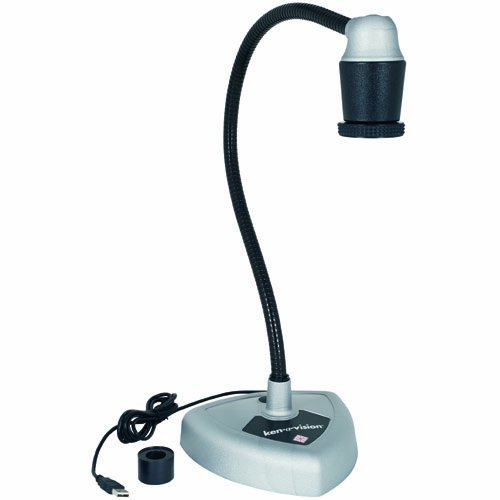
Figure 1: Ken-A-Vision 7200HD Video Flex Digital Document Camera.
This image displays the Ken-A-Vision 7200HD Video Flex Digital Document Camera from a front perspective. It features a flexible black neck extending from a grey triangular base, topped with a black and silver camera head. A USB cable is visible extending from the base.
패키지 내용
패키지에 모든 품목이 들어 있는지 확인하세요.
- Ken-A-Vision 7200HD Video Flex Digital Document Camera
- 현미경 어댑터
- 운반 케이스
- Discovery Scope Kit
- Applied Vision 4.0 Software (Windows, Mac, Linux compatible)
- USB 2.0 Cable (factory installed, 1.7 m)
설정
짐 풀기: 휴대용 케이스에서 모든 구성품을 조심스럽게 꺼내십시오.
놓기: Place the camera base on a stable, flat surface. Ensure adequate space for the flexible neck and the object being view편집.
USB 연결: Connect the integrated USB 2.0 cable from the camera base to an available USB port on your computer. The device is UVC Driverless, supporting plug-and-play functionality.
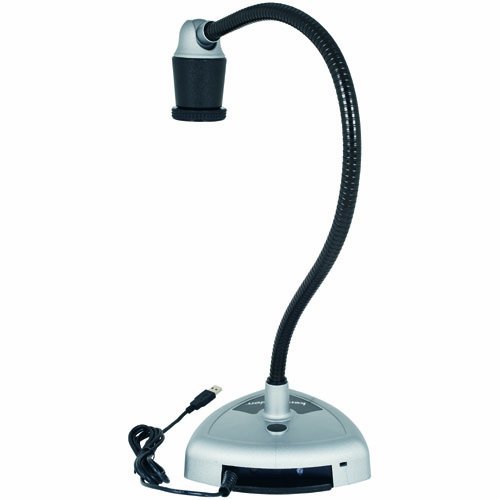
Figure 2: USB Connection Point.
This image shows the rear of the Ken-A-Vision 7200HD base, highlighting the integrated USB cable extending from the unit for connection to a computer.
소프트웨어 설치: Install the Applied Vision 4.0 software from the provided media or download the latest version from the Ken-A-Vision website. Follow the on-screen instructions for installation. The software is compatible with Windows, Mac, and Linux operating systems.
작동 지침
기본 동작
전원 켜기: The device powers on automatically when connected via USB to a powered computer.
소프트웨어 실행: Open the Applied Vision 4.0 software on your computer.
조정하다 View각도: The flexible neck allows for a 180-degree ball and socket head viewing angle. Position the camera head over the object you wish to display.
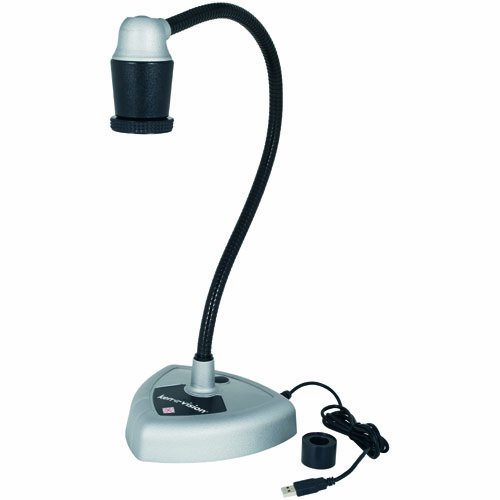
Figure 3: Flexible Neck Adjustment.
이 이미지는 측면을 보여줍니다 view of the Ken-A-Vision 7200HD, illustrating the flexibility of its neck, which allows for precise positioning of the camera head.
초점 조정: The camera features manual focus with a quick-turn focus ring located on the camera head. Rotate the ring until the image on your screen is clear.
Software Features (Applied Vision 4.0)
디지털 줌: Utilize the software buttons to digitally zoom in on your subject up to 16x magnification.
Negative/Positive: Toggle between negative and positive image modes using the dedicated software buttons.
이미지 회전: Rotate the image 360 degrees in both directions via software controls.
이미지 캡처/비디오 녹화: Refer to the Applied Vision 4.0 software manual for detailed instructions on capturing still images and recording video.
특수 응용 프로그램
현미경 어댑터: Attach the provided microscope adapter to the camera head to connect the Video Flex to a microscope eyepiece for magnified view주고받음.
인터랙티브 화이트보드: The Ken-A-Vision 7200HD is compatible with various interactive whiteboards. Connect the camera to your computer, and the image can be projected and interacted with through your whiteboard software.
유지
렌즈 청소: Use a soft, lint-free cloth specifically designed for optical lenses to gently clean the camera lens. Avoid abrasive materials or harsh chemicals.
본체 청소: Wipe the camera body and flexible neck with a soft, damp cloth. Do not immerse the device in water or use excessive moisture.
저장: When not in use, store the Ken-A-Vision 7200HD in its provided carrying case to protect it from dust and physical damage. Store in a cool, dry place.
문제 해결
| 문제 | 가능한 원인 | 해결책 |
|---|---|---|
| 소프트웨어에 이미지가 표시되지 않습니다. |
|
|
| 이미지가 흐릿합니다. |
|
|
| 소프트웨어가 충돌하거나 멈춥니다. |
|
|
명세서
| 특징 | 세부 사항 |
|---|---|
| 모델 | 7200HD |
| 이미지 센서 | CMOS |
| 픽셀 수 | 1920x1080(3.2메가픽셀) |
| 출력 해상도 | 1080P High Definition |
| 프레임 속도 | Default 13 fps at 1280 x 1024; VGA 30 fps at 640 x 480 |
| 연결성 | USB 2.0 (UVC Driverless) |
| USB 케이블 길이 | 1.7 m (factory installed) |
| View잉 각도 | 180-degree ball and socket head |
| 디지털 줌 | Up to 16x (controlled by software) |
| 집중하다 | Manual (quick turn focus) |
| 이미지 컨트롤 | Negative/Positive, 360-degree rotation (controlled by software) |
| 포함된 소프트웨어 | Applied Vision 4.0 (Windows, Mac, Linux compatible, free upgrades, unlimited site licenses) |
| 포함된 액세서리 | Microscope adapter, carrying case, discovery scope kit |
| 치수(패키지) | 18.5 x 13.4 x 8.5 인치 |
| 무게(패키지) | 12.3 파운드 |
| 색상 | Black, Off-White |
보증 및 지원
보증 정보
The Ken-A-Vision 7200HD Video Flex Digital Document Camera comes with a 5년 한정 보증. Please retain your proof of purchase for warranty claims. For detailed terms and conditions, refer to the warranty documentation included with your product or visit the official Ken-A-Vision web대지.
고객 지원
For technical assistance, software updates, or further inquiries, please contact Ken-A-Vision customer support. Contact information can typically be found on the manufacturer's official web사이트 또는 제품 포장.