
소개
This manual provides essential information for the safe and effective operation of your Laserliner SoundTest-Master 082.070A Noise Level Meter. Please read these instructions carefully before using the device and keep them for future reference. The SoundTest-Master 082.070A is designed for precise measurement of noise levels, featuring integrated long-term memory and PC connectivity for comprehensive documentation.
안전 지침
- Always operate the device within its specified environmental conditions.
- 장치를 극한의 온도, 습도 또는 직사광선에 노출시키지 마십시오.
- 장치를 떨어뜨리거나 강한 충격을 가하지 마십시오.
- 기기를 열거나 개조하지 마십시오. 수리는 반드시 공인된 담당자만 수행해야 합니다.
- 장치를 강한 자기장에서 멀리 두십시오.
- Ensure the microphone is clean and free from obstructions for accurate measurements.
제품 끝view
The Laserliner SoundTest-Master 082.070A is a handheld noise level meter equipped with a sensitive electret condenser microphone and a clear, illuminated display. It features various controls for measurement settings and data management.

그림 1: 앞쪽 view of the SoundTest-Master 082.070A, showing the display, microphone with windshield, and control buttons.
주요 구성 요소:
- Electret Condenser Microphone: For capturing sound. Includes a removable windshield.
- 조명 디스플레이: Shows measurement values, settings, and status.
- 제어 버튼: Power, Setup, Max, Record, A/C weighting, Fast/Slow time weighting, Level adjustment, Data send.
- 아날로그 출력: DC and AC outputs for external connections.
- RS232 인터페이스: Optoisolated port for PC connection and data transfer.
설정
1. 배터리 설치
The device requires batteries for operation. Ensure correct polarity when inserting batteries into the compartment, typically located on the rear of the unit.
2. 초기 전원 켜기
를 누르세요 힘 button to turn on the device. The display will illuminate and show initial readings.
3. Windshield Attachment
Attach the removable windshield to the microphone to minimize wind noise interference during outdoor measurements.
작동 지침
1. 기본 측정
- 기기를 켜려면 다음을 사용하세요. 힘 단추.
- 마이크를 소리가 나는 방향으로 향하게 하세요.
- The current noise level will be displayed in decibels (dB).
2. Frequency Weighting (dB(A), dB(C))
사용하세요 에어컨 button to switch between frequency weighting curves:
- 데시벨(A): 인간의 귀가 소리에 반응하는 방식을 모방한 것으로, 환경 소음 측정에 흔히 사용됩니다.
- dB(C): Provides a flatter response, suitable for measuring peak sound pressure levels or low-frequency noise.
3. Time Weighting (Fast/Slow)
를 누르세요 빠르다/느리다 원하는 시간 가중치를 선택하는 버튼:
- FAST (125 ms): For measuring rapidly changing noise levels.
- SLOW (1 second): For measuring average noise levels over a longer period, suitable for stable noise sources.
4. 데이터 로깅 및 PC 연결
The device features a long-term recording function with 16,000 memory points and real-time logging capabilities when connected to a PC.
- Internal Data Logging: 를 누르세요 기록 button to start/stop internal data recording. The device can store up to 16,000 measurement points.
- PC 연결 : Connect the device to a computer using the provided RS232 cable.
- 소프트웨어: Install the provided software on your PC. This software allows for real-time data display, analysis, and download of recorded data.
- 데이터 전송: 사용하세요 데이터 보내기 button to initiate data transfer to the connected PC.
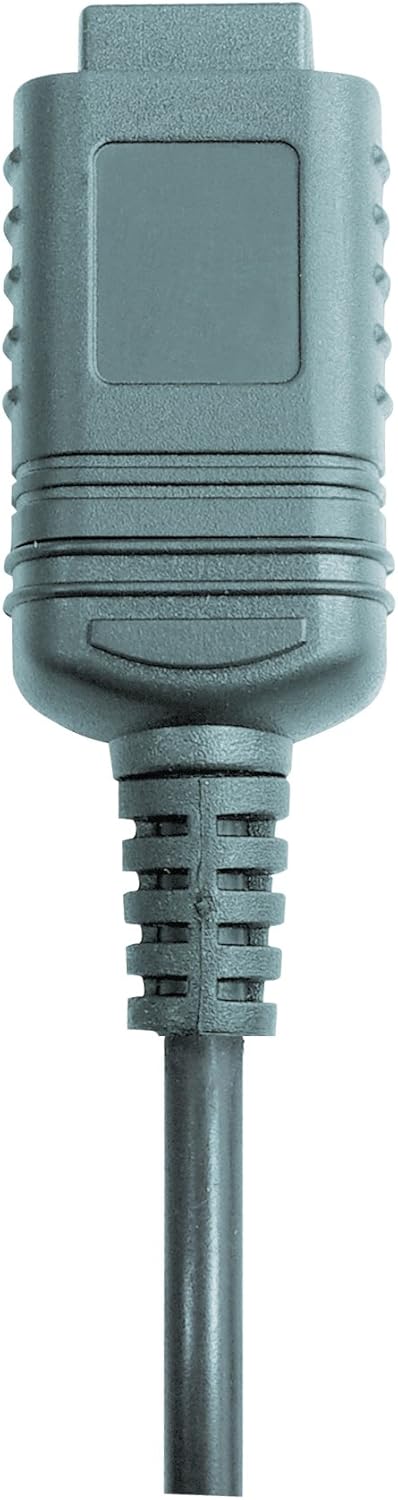

그림 2: RS232 cable connectors used for connecting the SoundTest-Master to a PC.
5. 교정
The device can be calibrated and adjusted using a standard noise level calibrator (94 dB / 1 kHz). Refer to the calibrator's instructions for the specific calibration procedure.
유지
1. 청소
- 기기를 닦으세요asin부드럽고 마른 천으로 닦으세요.
- 연마성 세척제나 용제를 사용하지 마십시오.
- Ensure the microphone is kept clean and free of dust or debris.
2. 보관
When not in use, store the SoundTest-Master in its protective case in a cool, dry place, away from direct sunlight and extreme temperatures. Remove batteries if storing for extended periods.
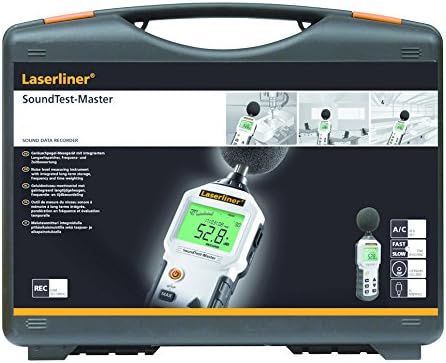
그림 3: The SoundTest-Master 082.070A stored in its protective carrying case.
문제 해결
| 문제 | 가능한 원인 | 해결책 |
|---|---|---|
| 장치의 전원이 켜지지 않습니다. | 배터리가 방전되었거나 잘못 설치되었습니다. | 배터리를 올바른 극성으로 교체하세요. |
| 부정확한 판독값. | Microphone obstructed or dirty; device needs calibration. | Clean microphone; perform calibration with a standard calibrator. |
| No data transfer to PC. | Incorrect cable connection; software not installed or configured. | Check RS232 cable connection; ensure PC software is correctly installed and running. |
| 디스플레이가 어둡거나 읽을 수 없습니다. | Low battery power; display backlight off. | Replace batteries; check device settings for backlight control. |
명세서
| 특징 | 세부 사항 |
|---|---|
| 모델명 | SoundTest-Master |
| 부품 번호 | 082.070A |
| 제조업체 | Umarex |
| 상표 | 레이저 라이너 |
| 주파수 가중치 | dB(A), dB(C) |
| 시간 가중치 | FAST (125 ms), SLOW (1 second) |
| 데이터 메모리 | 16,000개의 측정 지점 |
| 인터페이스 | Optoisolated RS232 |
| 아날로그 출력 | DC 및 AC |
| 구경 측정 | Adjustable with 94 dB / 1 kHz standard calibrator |
| 마이크로폰 | Sensitive electret condenser with removable windshield |
| 표시하다 | Illuminated, clear display |
| 품목 무게 | 1.18킬로그램(2.6파운드) |
| 제품 치수 | 10.33 x 5.51 x 13.78 인치 |
| 재료 | Metal (Frame, Barrel) |
| 색상 | 블랙 앤 그레이 |
| 필요한 배터리 | Yes (not included, type not specified in data) |
보증 및 지원
For warranty information and technical support, please refer to the documentation included with your purchase or visit the official Laserliner web대지.