
소개
The Vanco 281442 HDMI 4x2 Matrix Selector Switch is designed to connect up to four HDMI audio/video source devices to two independent HDMI displays. This device ensures high-quality, uncompressed digital video and surround sound audio transmission without signal loss. It supports 3D content when connected to compatible devices and high-definition resolutions up to 1080p. The switch is compliant with the DDWG standard for HDMI monitors and H.D.C.P. (High-Bandwidth Digital Content Protection).
주요 특징은 다음과 같습니다.
- 동영상 ampliifier 대역폭: 2.25Gbps
- Input connector type: (4) HDMI (19 pin - type A) female
- Output connector type: (2) HDMI (19 pin - type A) female
- IR remote control port
- 전원 공급 : 5V DC
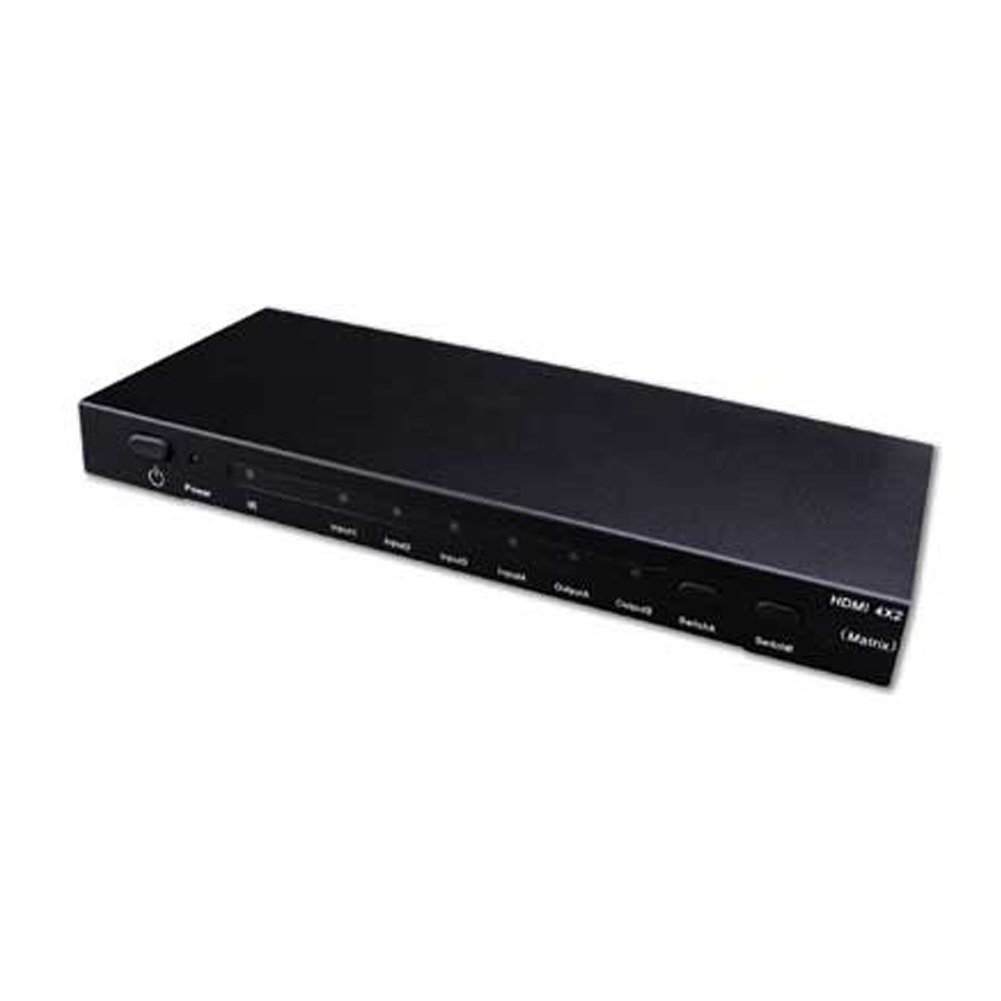
Image showing the Vanco 281442 HDMI 4x2 Matrix Selector Switch, a device designed to connect multiple HDMI sources to multiple HDMI displays.
설치 지침
- 전원 끄기 장치: Ensure all HDMI source devices (e.g., Blu-ray player, game console, cable box) and HDMI display devices (e.g., TV, projector) are powered off before making connections.
- HDMI 소스 연결: Connect up to four HDMI source devices to the HDMI input ports (labeled INPUT 1-4) on the Vanco 281442 switch using high-quality HDMI cables.
- HDMI 디스플레이 연결: Connect your two HDMI display devices to the HDMI output ports (labeled OUTPUT A and OUTPUT B) on the Vanco 281442 switch using high-quality HDMI cables.
- 전원 어댑터 연결: Plug the included 5V DC power adapter into the DC 5V port on the switch, then plug the adapter into a standard electrical outlet.
- 전원 켜기 장치: Power on your HDMI display devices first, then power on your HDMI source devices.
- 연결 확인: The switch should automatically detect the connected devices. You can now proceed to the operation section to select your desired input and output combinations.
작동 지침
The Vanco 281442 HDMI 4x2 Matrix Selector Switch can be operated using the front panel push-buttons or the included IR remote control.
전면 패널 제어:
- 입력 선택: Use the 'INPUT' buttons (1, 2, 3, 4) to select which of the four HDMI sources is routed to the active output.
- 출력 선택: Use the 'OUTPUT A' and 'OUTPUT B' buttons to independently select which input is displayed on each respective output. For example, you can select Input 1 for Output A and Input 2 for Output B simultaneously.
원격 제어 작동:
The included IR remote control provides the same functionality as the front panel buttons, allowing for convenient operation from a distance. Point the remote control towards the IR receiver window on the front panel of the switch.
- 입력 버튼(1-4): Selects the corresponding HDMI input source.
- Output A/B Buttons: Assigns the currently selected input to Output A or Output B.
명세서
| 모델 번호 | 281442 |
| 제품 치수 | 13 x 12 x 4 인치 |
| 품목 무게 | 2.5파운드 |
| 제조업체 | 반코 |
| 커넥터 유형 | HDMI |
| 호환 장치 | Monitor, Projector |
| 케이블 유형 | HDMI |
| 동영상 Ampliifier 대역폭 | 2.25Gbps |
| 입력 커넥터 | (4) HDMI (19 pin - type A) female |
| 출력 커넥터 | (2) HDMI (19 pin - type A) female |
| 전원 공급 장치 | 5V 직류 |
유지
To ensure the longevity and optimal performance of your Vanco 281442 HDMI 4x2 Matrix Selector Switch, follow these maintenance guidelines:
- 청소: Use a soft, dry cloth to clean the exterior of the unit. Avoid using abrasive cleaners, solvents, or strong detergents, as these can damage the finish or internal components.
- 통풍: 과열을 방지하려면 통풍이 잘 되는 곳에 기기를 설치하세요. 환기구를 막지 마세요.
- 케이블 관리 : Avoid excessive bending or pulling of HDMI cables, which can damage the connectors or internal wiring.
- 전원 공급 장치: Use only the provided 5V DC power adapter. Using an incorrect power supply can damage the device.
- 저장: 장기간 기기를 보관할 경우 전원을 분리하고 직사광선과 극한의 온도를 피해 서늘하고 건조한 곳에 보관하세요.
문제 해결
If you encounter issues with your Vanco 281442 HDMI 4x2 Matrix Selector Switch, refer to the following common troubleshooting steps:
- 디스플레이에 신호가 없습니다:
- Ensure all HDMI cables are securely connected to both the source devices, the switch, and the display devices.
- Verify that the correct input source is selected on the matrix switch for the desired output.
- Check that the display device is set to the correct HDMI input.
- Try bypassing the switch by connecting an HDMI source directly to a display to confirm the source and display are working correctly.
- Power cycle all devices (source, switch, display) by unplugging them from power for a few seconds and then plugging them back in.
- 깜박이거나 간헐적인 신호:
- Replace HDMI cables with higher quality or shorter cables, especially for longer runs or high-resolution signals.
- Ensure the power adapter is firmly connected and providing stable power to the switch.
- 다른 전자 장치로 인한 잠재적인 간섭이 있는지 확인하세요.
- 해상도 또는 화면비율이 잘못되었습니다:
- Ensure your source device's output resolution is compatible with your display device.
- Some display devices may require manual adjustment of aspect ratio or scaling settings.
- If using HDMI extenders, ensure they are compatible and functioning correctly, as they can sometimes interfere with EDID communication.
- 원격 제어가 작동하지 않음:
- 리모콘의 배터리를 확인하고 필요한 경우 교체하십시오.
- 리모컨과 스위치의 적외선 수신기 사이에 장애물이 없는지 확인하십시오.
- 적외선 수신기의 유효 범위 및 각도 내에 있는지 확인하십시오.
보증 및 지원
Specific warranty information for the Vanco 281442 HDMI 4x2 Matrix Selector Switch is not provided within this manual. For detailed warranty terms, technical support, or service inquiries, please refer to the documentation included with your purchase or visit the official Vanco web대지.