
소개
This manual provides essential information for the safe and efficient operation of your Brookstone iDesign Tower Stereo System. Please read this manual thoroughly before using the product and retain it for future reference.
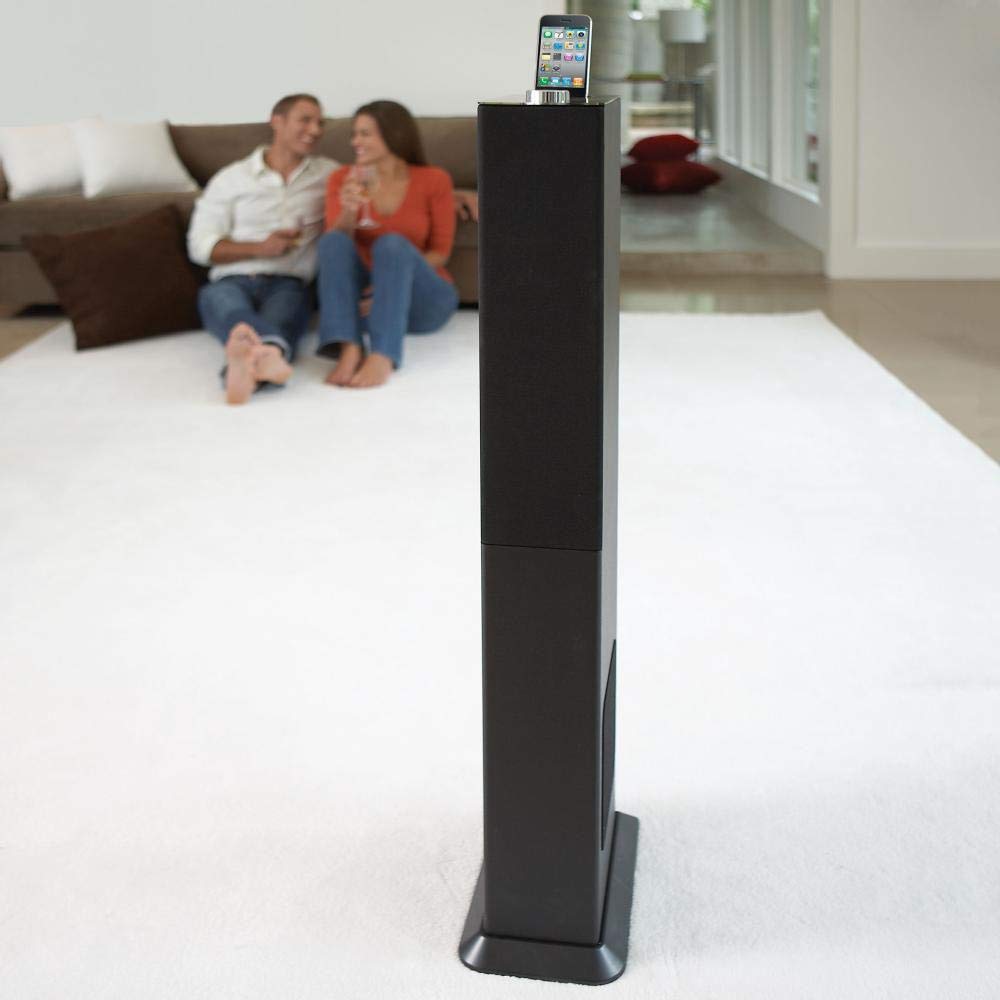
Image: The Brookstone iDesign Tower Stereo System, a tall, slender speaker unit designed for audio playback and device charging.
안전 정보
- 전원: 지정된 전원 어댑터만 사용하세요. 볼륨을 확인하세요.tage는 귀하의 지역 전원 공급 장치와 일치합니다.
- 통풍: 환기구를 막지 마십시오. 제조업체의 지침에 따라 설치하십시오.
- 물과 습기: 이 제품을 비나 습기에 노출시키지 마십시오. 꽃병 등 액체가 담긴 물건을 제품 위에 올려놓지 마십시오.
- 열: 라디에이터, 난방 조절기, 스토브 또는 기타 장치(다음을 포함)와 같은 열원 근처에 설치하지 마십시오. amp열을 생성하는 발전기.
- 청소: 마른 천으로만 닦으십시오.
- 서비스: 모든 서비스는 자격을 갖춘 서비스 담당자에게 문의하십시오. 장비가 어떤 식으로든 손상된 경우 서비스가 필요합니다.
패키지 내용
패키지에 모든 품목이 들어 있는지 확인하세요.
- iDesign Tower Stereo System
- 원격 제어
- 전원 어댑터
- 사용 설명서 (본 문서)
- Note: iPod/iPhone devices are not included.
제품 끝view
The iDesign Tower Stereo System features a sleek design with integrated speakers and a docking station for compatible Apple devices. It includes a backlit on/volume knob and a remote control for convenient operation, delivering full, deep bass, crisp, clear highs, and warm middle tones.
주요 구성 요소 :
- 스피커 그릴: Multi-angled speakers for room-filling sound.
- Docking Port: For iPod and iPhone devices (1st and 2nd generation iPod touch, iPod classic, 4th and 5th generation iPod nano, iPhone 3GS, iPhone 3G, iPhone).
- On/Volume Knob: Backlit control for power and volume adjustment.
- 보조 입력: For connecting other audio devices (cable not included).
- 전원 입력: 전원 어댑터를 연결합니다.
- 원격 제어 센서: 리모콘에서 신호를 수신합니다.
설정
1. 배치
Place the iDesign Tower Stereo System on a stable, flat surface. Ensure there is adequate space around the unit for proper ventilation. Avoid placing it in direct sunlight or near heat sources.
2. 전원 연결
- Connect the power adapter cable to the Power Input port on the back of the iDesign Tower Stereo System.
- 전원 어댑터를 표준 벽면 콘센트에 꽂습니다.
3. Device Docking (iPod/iPhone)
The system is designed for specific iPod and iPhone models:
- iPod touch (1st and 2nd generation)
- 아이팟 클래식
- iPod nano (4th and 5th generation)
- 아이폰 3GS
- 아이폰 3G
- 아이폰
Carefully align your compatible iPod or iPhone device with the docking port and gently push it down until it is securely seated. The device will begin charging automatically when docked and the system is powered on.
4. Auxiliary Input (Optional)
To connect other audio devices (e.g., MP3 players, CD players) that are not compatible with the docking port, use a 3.5mm audio cable (not included) to connect the device's headphone output to the Auxiliary Input port on the iDesign Tower Stereo System.
작동 지침
1. 전원 켜기/끄기
Press the On/Volume knob to turn the system on or off. The knob will illuminate when the system is powered on.
2. 볼륨 조절
Rotate the On/Volume knob clockwise to increase the volume and counter-clockwise to decrease it. You can also adjust the volume using the remote control.
3. 소스 선택
The system automatically detects a docked iPod or iPhone. If an auxiliary device is connected, you may need to select the input source using the remote control (if available) or by cycling through inputs with a dedicated button (refer to remote control section for details).
4. 원격 제어 사용
The included remote control allows you to manage playback functions (play, pause, skip tracks) and volume for your docked iPod or iPhone from a distance. Point the remote control towards the sensor on the front of the tower system.
5. 충전 장치
When a compatible iPod or iPhone is docked and the system is powered on, the device will charge automatically.
유지
청소
Wipe the exterior of the system with a soft, dry cloth. Do not use liquid cleaners or aerosol sprays, as these may damage the finish or internal components. Ensure the system is unplugged before cleaning.
저장
If storing the system for an extended period, unplug it from the power outlet and store it in a cool, dry place, away from direct sunlight and extreme temperatures.
문제 해결
| 문제 | 가능한 원인 | 해결책 |
|---|---|---|
| 전원이 없습니다 | 전원 어댑터가 연결되지 않았거나 콘센트가 작동하지 않습니다. | Ensure power adapter is securely connected to the system and a working wall outlet. |
| 도킹된 기기에서 소리가 나지 않습니다. | Device not properly docked; volume too low; device not playing. | Re-seat the device in the dock. Increase system volume and device volume. Ensure music is playing on the device. |
| 보조 입력에서 소리가 나지 않습니다. | Auxiliary cable not connected; incorrect source selected; volume too low. | Ensure auxiliary cable is securely connected. Select auxiliary input. Increase system and source device volume. |
| 리모컨이 작동하지 않습니다 | Batteries dead; remote not pointed at sensor; obstruction. | Replace remote control batteries. Point remote directly at the sensor. Remove any obstructions between remote and system. |
| 기기가 충전되지 않음 | Device not compatible; system not powered on; device not properly docked. | Verify device compatibility (see Setup section). Ensure system is powered on. Re-seat the device in the dock. |
명세서
- 모델: B003YB9T2C
- 상표: 브룩스톤
- 패키지 크기: 42.6 x 14 x 8.6 인치
- 품목 무게: 28.3파운드
- 첫 번째 이용 가능: 10년 2010월 XNUMX일
- 호환성: iPod touch (1st/2nd gen), iPod classic, iPod nano (4th/5th gen), iPhone 3GS, iPhone 3G, iPhone.
보증 및 지원
For warranty information and customer support, please refer to the documentation included with your purchase or visit the official Brookstone web사이트. 보증 청구를 위해 구매 증빙 자료를 보관하세요.
"Made for iPod" and "Made for iPhone" mean that an electronic accessory has been designed to connect specifically to iPod or iPhone, respectively, and has been certified by the developer to meet Apple performance standards. Apple is not responsible for the operation of this device or its compliance with safety and regulatory standards. Please note that the use of this accessory with iPod or iPhone may affect wireless performance.