
소개
The Mackie HD1221 is a 12-inch 2-way compact high-definition powered loudspeaker designed for professional audio applications. It features 1200W of Class-D Fast Recovery amplification, high-definition audio processing, and custom-designed transducers by EAW. This manual provides essential information for the safe and effective use of your HD1221 loudspeaker, including setup, operation, maintenance, and troubleshooting.
안전 정보
Before operating the Mackie HD1221 loudspeaker, please read and understand all safety instructions. Failure to do so may result in electric shock, fire, or other injuries. Keep these instructions for future reference.
- 전원: 이 장치는 작동 설명서에 설명된 유형이나 기기에 표시된 유형의 전원 공급 장치에만 연결하세요.
- 접지: Ensure the loudspeaker is properly grounded to prevent electric shock.
- 통풍: 환기구를 막지 마십시오. 제조업체의 지침에 따라 설치하십시오.
- 물과 습기: 이 기기를 물 근처에서 사용하거나 물방울이나 물이 튀는 곳에 노출시키지 마십시오.
- 청소: 마른 천으로만 닦으십시오.
- 서비스: 모든 서비스는 자격을 갖춘 서비스 담당자에게 의뢰하십시오. 전원 코드나 플러그가 손상되었거나, 액체가 쏟아졌거나, 물체가 기기에 떨어졌거나, 기기가 비나 습기에 노출되었거나, 정상적으로 작동하지 않거나, 떨어졌을 때와 같이 기기가 어떤 식으로든 손상된 경우 서비스가 필요합니다.
- 설치: 제조업체에서 지정하거나 장비와 함께 판매한 카트, 스탠드, 삼각대, 브래킷 또는 테이블과 함께만 사용하십시오. 카트를 사용하는 경우 카트/장비 조합을 이동할 때 넘어져 부상을 입지 않도록 주의하십시오.
패키지 내용
Verify that the following items are included in your Mackie HD1221 package:
- Mackie HD1221 Powered Loudspeaker
- 전원 케이블
- 빠른 시작 가이드(해당되는 경우)
- 보증 정보
누락되거나 손상된 품목이 있는 경우 즉시 대리점에 문의하십시오.
제품 끝view
The Mackie HD1221 is a versatile loudspeaker designed for various applications, including main PA, stage monitor, and flown installations. It features a robust construction and advanced audio processing.
전면 및 측면 Views
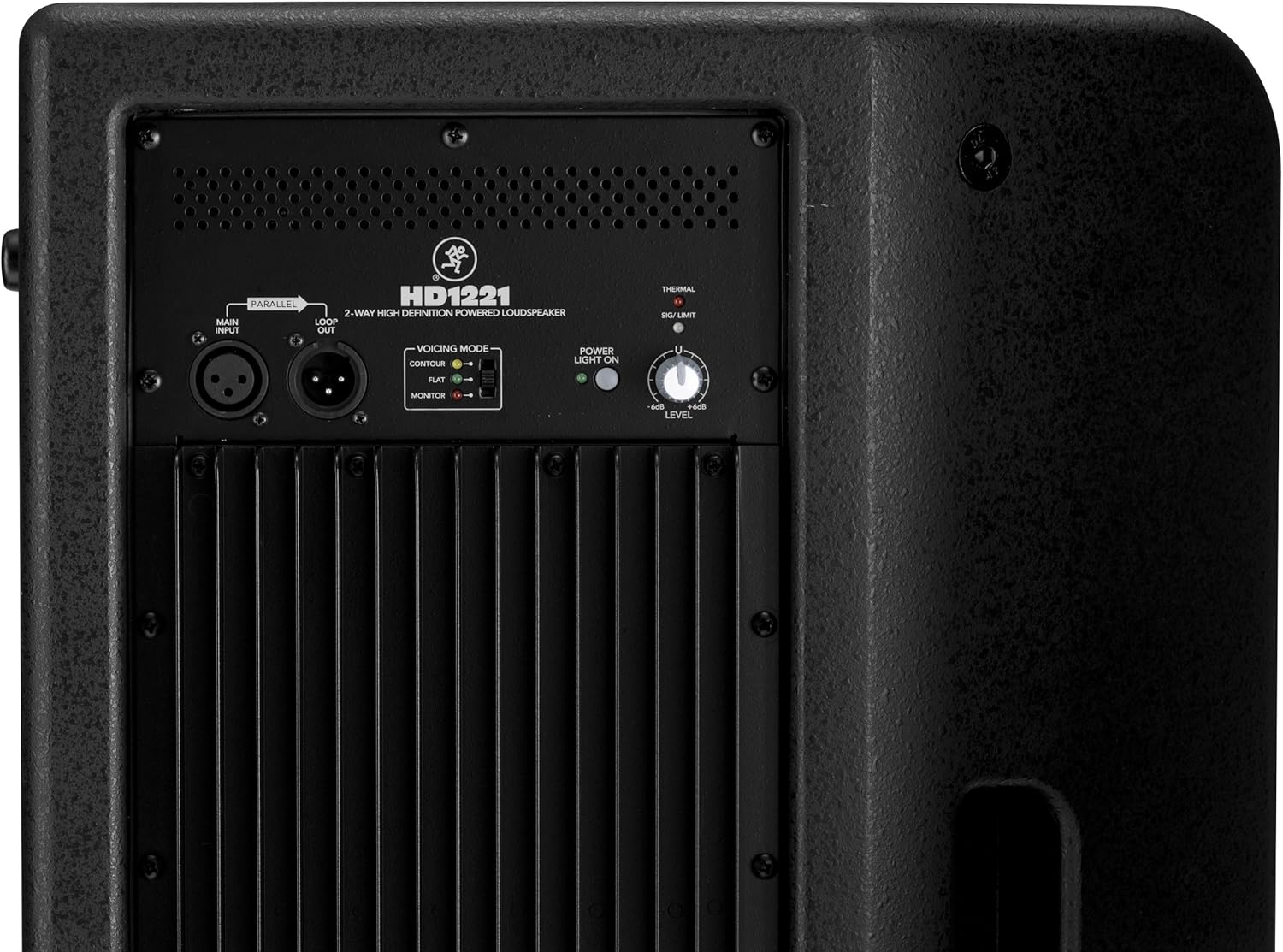
그림 1: 앞면과 측면 view of the HD1221 loudspeaker, highlighting the durable grille and integrated handles for portability.

그림 2: 왼쪽 view of the HD1221 loudspeaker.
후면 패널 컨트롤 및 연결

Figure 3: Rear panel of the HD1221, detailing the input/output section, voicing mode switch, power indicator, and level control knob.
- Main Input (XLR): Connect your audio source here.
- Loop Out (XLR): Provides a parallel output of the main input signal for connecting to additional loudspeakers or other audio equipment.
- Voicing Mode Switch: Selects between Contour, Flat, and Monitor modes to optimize the loudspeaker's frequency response for different applications.
- 전원 표시등 켜짐: 장치의 전원 상태를 나타냅니다.
- Thermal/Sig/Limit Indicators: Provide visual feedback on the loudspeaker's operational status, including thermal protection, signal presence, and limiting.
- 레벨 제어: Adjusts the overall output volume of the loudspeaker.
- AC 전원 입력: 전원 케이블을 콘센트에 연결합니다.
내부 구성 요소
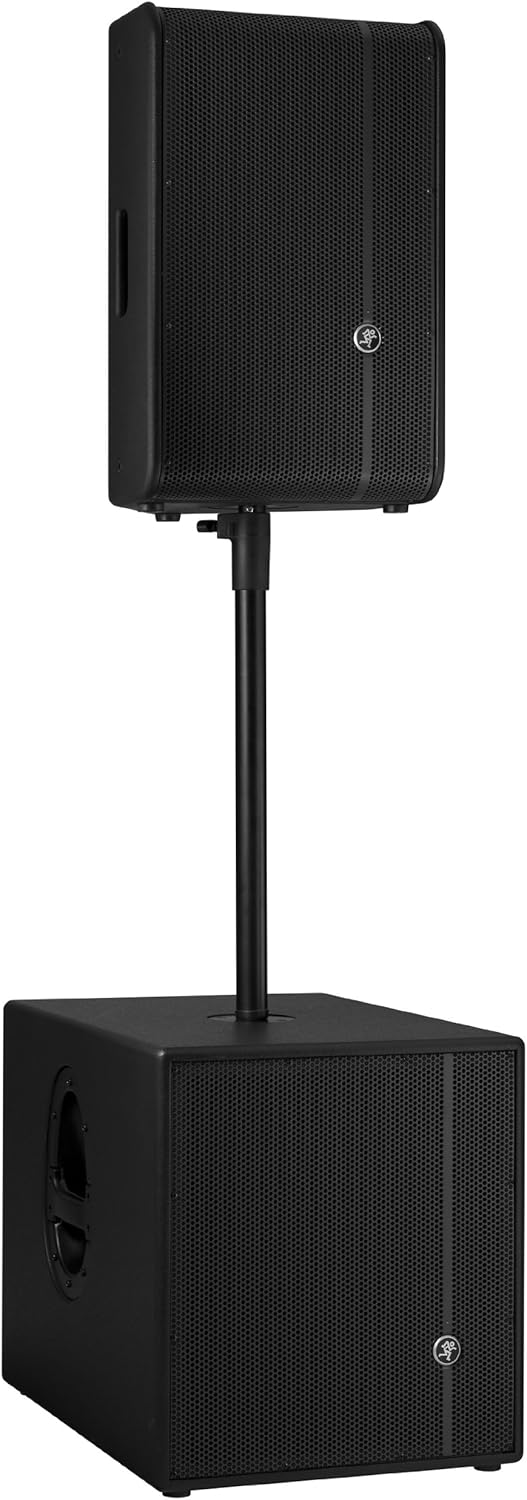
그림 4: 내부 view of the HD1221, showcasing the 12-inch neodymium woofer and 1.75-inch titanium compression driver, designed by EAW.
설정
Proper setup ensures optimal performance and safety. Follow these steps for initial setup:
전원 연결
- Ensure the Level control on the rear panel is set to its minimum position.
- Connect the supplied AC power cable to the AC Power Input on the rear panel of the HD1221.
- 전원 케이블의 다른 쪽 끝을 접지된 전기 콘센트에 꽂습니다.
오디오 연결
- Connect your audio source (e.g., mixer, instrument) to the Main Input (XLR) on the rear panel.
- If connecting multiple loudspeakers, use the Loop Out (XLR) to send the signal to the next loudspeaker.
장착 옵션
The HD1221 offers several mounting options for flexibility:
극 장착

Figure 5: The HD1221 mounted on a pole, typically above a subwoofer like the HD1501 for a full-range PA system.
The HD1221 can be mounted on a standard speaker pole stand. Ensure the stand is stable and rated for the weight of the loudspeaker (approximately 58 lbs).
Stage Monitor Placement
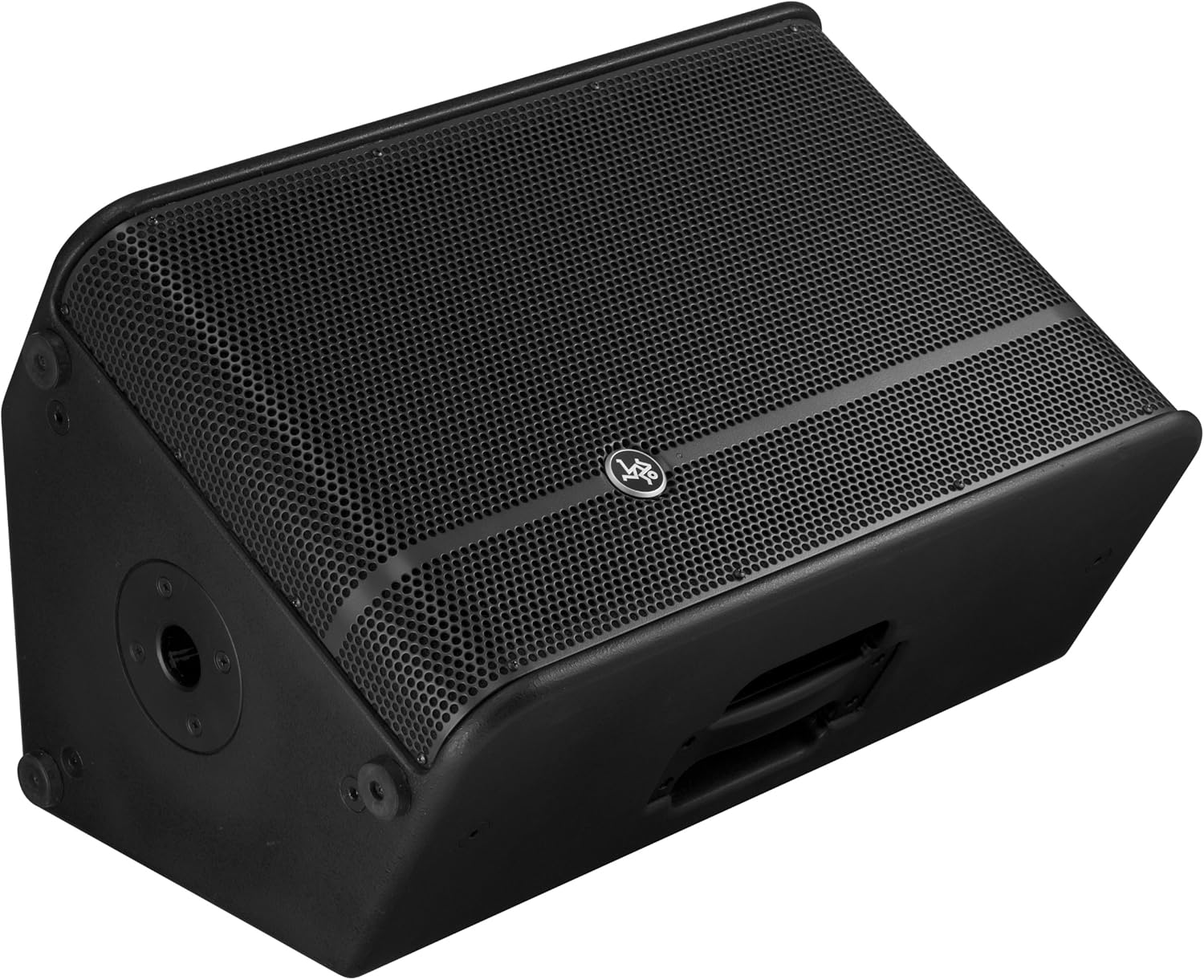
Figure 6: The HD1221 configured as a stage monitor, utilizing its 60-degree angle for optimal sound projection towards the performer.
캐비닛 디자인은 다음과 같은 용도로 사용할 수 있도록 설계되었습니다.tage monitor with a 60-degree angle. Place the loudspeaker directly on the stage floor, angled towards the performer.
Flying/Suspension

Figure 7: The HD1221 suspended vertically using appropriate rigging hardware.

Figure 8: The HD1221 suspended horizontally using appropriate rigging hardware.
The HD1221 can be flown both vertically and horizontally. Always use certified rigging hardware and consult with a qualified professional for safe installation. The user-rotatable horn allows for precise sound placement in either orientation.
작동 지침
라우드스피커를 설치한 후 다음 단계에 따라 작동하세요.
- 전원 켜기: Turn on your audio source (mixer, etc.) first, then turn on the HD1221 loudspeaker. The 'Power Light On' indicator should illuminate.
- Set Voicing Mode: Use the Voicing Mode switch on the rear panel to select the appropriate setting for your application:
- 윤곽: Provides a sculpted frequency response, often suitable for music playback.
- 플랫: Offers a neutral frequency response, ideal for critical listening or when external EQ is used.
- 감시 장치: Optimizes the frequency response for use as a stage monitor, reducing low-end rumble and enhancing clarity.
- 레벨 조정: Slowly increase the Level control on the rear panel to achieve the desired volume. Monitor the 'Sig/Limit' indicator; if it flashes frequently or stays lit, reduce the input level from your source or the HD1221's level to prevent distortion and potential damage.
- 전원 끄기 : When finished, turn off the HD1221 loudspeaker first, then turn off your audio source.
공식 제품 영상
비디오 1: 오버view of the Mackie HD1221 12-inch 2-Way High-Definition Powered Loudspeaker, demonstrating its features and applications.
유지
Regular maintenance helps prolong the life and performance of your HD1221 loudspeaker.
- 청소: Use a dry, lint-free cloth to clean the exterior of the loudspeaker. Do not use liquid cleaners or solvents.
- 그릴: Periodically check the steel grille for any damage or debris. Clean gently if necessary.
- 사이: 모든 케이블이 안전하게 연결되었고 손상이 없는지 확인하세요.
- 저장: 사용하지 않을 때는 스피커를 건조하고 온화한 환경에 보관하고 먼지와 극한 온도 변화를 피하십시오.
문제 해결
If you encounter issues with your HD1221, refer to the following common problems and solutions:
| 문제 | 가능한 원인 | 해결책 |
|---|---|---|
| 사운드 출력이 없습니다 | No power; incorrect connections; low level setting; faulty cable. | Check power cable and outlet. Verify audio cable connections. Increase Level control. Test with a different cable. |
| 왜곡된 소리 | Input level too high; faulty cable; damaged speaker component. | Reduce input level from source or HD1221. Check 'Sig/Limit' indicator. Test with a different cable. If distortion persists, contact support. |
| 전원 표시등이 없음 | No power; power switch off; internal fuse blown. | Ensure power cable is connected and outlet is active. Check power switch. If still no light, contact support. |
| Overheating (Thermal indicator lit) | Insufficient ventilation; prolonged high-volume operation. | Ensure adequate airflow around the unit. Reduce volume. Allow unit to cool down. |
명세서
Detailed technical specifications for the Mackie HD1221 powered loudspeaker:
- 전력 출력: 1200W 피크
- 스피커 유형: 2-Way High-Definition Powered Loudspeaker
- 우퍼 : 12-inch Neodymium Woofer
- 압축 드라이버: 1.75인치 티타늄 컴프레션 드라이버
- 뿔: 사용자가 회전할 수 있는 90° x 50° 호른
- 캐비닛 소재: 15mm 자작나무 합판
- 그릴: 냉간압연강
- 모니터 각도: 60도
- 음성 모드: Contour, Flat, Monitor
- Amp합리화: Class-D Fast Recovery
- 임피던스: 8옴
- 품목 무게: 58 파운드
- 연결 프로토콜: Wi-Fi (Note: This specification might refer to internal processing or future features, as direct Wi-Fi audio input is not typical for this type of speaker.)
- 모델 번호: HD1221
- 한국어: 663961030495
보증
The Mackie HD1221 loudspeaker comes with a comprehensive warranty:
- 전자제품: 3년 보증
- 운전자: 2년 보증
Please retain your proof of purchase for warranty claims. For full terms and conditions, refer to the warranty card included with your product or visit the official Mackie web대지.
지원하다
For additional assistance, technical support, or service inquiries, please contact Mackie Customer Support. You can find contact information and frequently asked questions on the official Mackie web대지.
온라인 리소스: 방문하세요 아마존에서 Mackie Store를 만나보세요 제품 정보 및 업데이트를 확인하세요.


