
소개
This manual provides essential information for the safe and efficient operation of your Severin BM3990 Bread Maker. Please read these instructions carefully before first use and keep them for future reference. The Severin BM3990 is designed to simplify the bread-making process, offering fully automatic kneading and baking for a variety of bread types, pizza dough, and cakes.
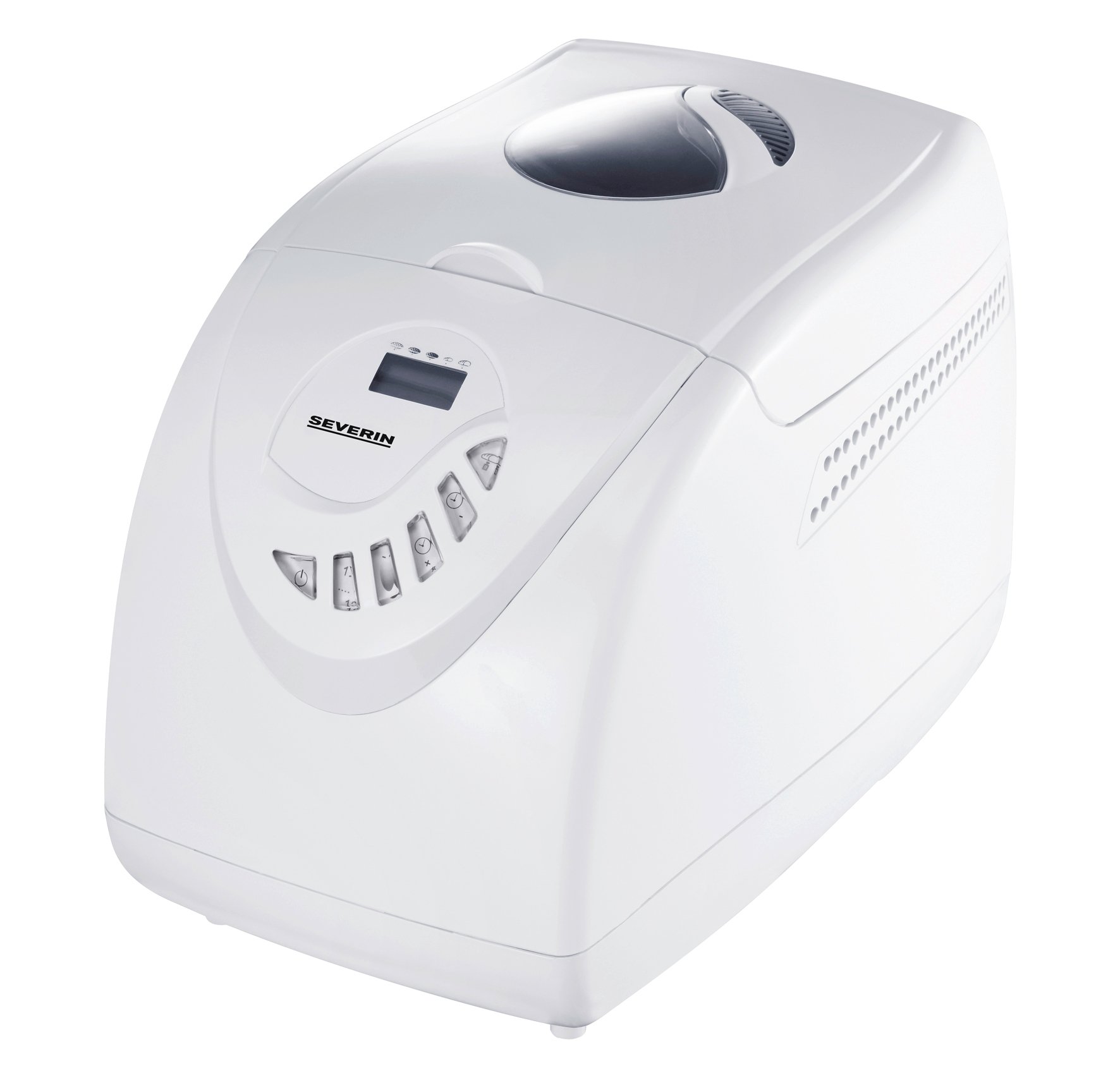
Image: The Severin BM3990 Bread Maker, a compact appliance designed for automatic bread preparation.
안전 지침
부상이나 손상을 방지하려면 항상 다음 안전 예방 조치를 준수하세요.
- 기기를 작동하기 전에 모든 지침을 읽으십시오.
- 제품, 코드, 플러그를 물이나 기타 액체에 담그지 마십시오.
- 어린이의 손이 닿지 않는 곳에 보관하세요.
- 사용하지 않을 때와 청소하기 전에 콘센트에서 기기의 플러그를 뽑으십시오.
- 코드나 플러그가 손상된 제품은 작동하지 마세요.
- 움직이는 부품과의 접촉을 피하세요.
- 본 제품을 뜨거운 가스나 전기 버너 위나 근처, 또는 가열된 오븐에 두지 마십시오.
- 작동 중에는 기기 주변에 적절한 환기가 이루어지도록 하세요.
- The appliance housing is designed with cool-touch technology, but caution should still be exercised around the lid and viewing window during and immediately after baking.
제품 끝view
The Severin BM3990 Bread Maker features a user-friendly design with multiple functions to assist in baking. Key components and features include:
- 제어판: An intuitive LED display and baking cycle selector for easy program selection.
- 베이킹팬: A detachable non-stick baking pan for easy removal of bread and cleaning.
- 뚜껑 View창: 뚜껑을 열지 않고도 베이킹 과정을 모니터링할 수 있습니다.
- 반죽 블레이드: Located inside the baking pan for automatic dough preparation.
- 쿨터치 하우징: 작동 중에도 만졌을 때 시원한 느낌을 유지하도록 설계되었습니다.
- 메모리 기능: Retains program settings for up to 5 minutes in case of a power failure.
- 음향 신호: Notifies the user when to add complementary ingredients.

이미지: 측면 view of the Severin BM3990 Bread Maker, highlighting its compact design.
설정
- 짐 풀기: Carefully remove the bread maker and all accessories from the packaging. Retain packaging for future transport or storage.
- 초기 청소: Before first use, wash the detachable baking pan and kneading blade with warm, soapy water. Rinse thoroughly and dry completely. Wipe the exterior of the appliance with a damp 옷감.
- 놓기: Place the bread maker on a stable, flat, heat-resistant surface, away from direct sunlight and heat sources. Ensure there is adequate space around the appliance for ventilation.
- Inserting the Baking Pan: Place the kneading blade onto the shaft inside the baking pan. Insert the baking pan into the bread maker, ensuring it is securely locked in place.
작동 지침
Follow these steps for baking bread with your Severin BM3990:
- 재료 추가: Add ingredients to the baking pan in the order specified by your recipe (typically liquids first, then dry ingredients, with yeast last). Ensure the kneading blade is in place.
- 뚜껑 닫기: 뚜껑을 단단히 닫으세요.
- 플러그인: 제빵기를 접지된 콘센트에 꽂으세요.
- 프로그램 선택: Use the control panel to select one of the 12 available programs. The LED display will show the selected program and remaining time.
- Select Crust Setting: Choose from 3 crust settings (light, medium, dark) using the appropriate button.
- 베이킹 시작하기: Press the Start/Stop button to begin the baking cycle. The bread maker will automatically knead, rise, and bake.
- 재료 추가: An acoustic signal will sound during certain programs, indicating the time to add additional ingredients like fruits, nuts, or seeds.
- 보온 기능: After baking is complete, the bread maker will automatically switch to a keep-warm function for up to one hour.
- 빵을 제거하세요: Once the cycle is complete and the bread has cooled slightly, carefully remove the baking pan using oven mitts. Invert the pan to release the bread.
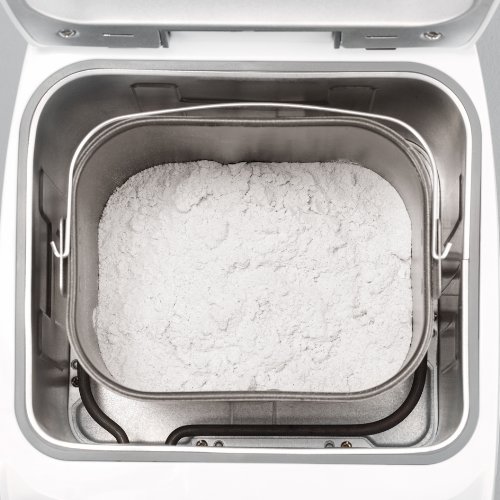
Image: The detachable baking pan with flour, ready for other ingredients.
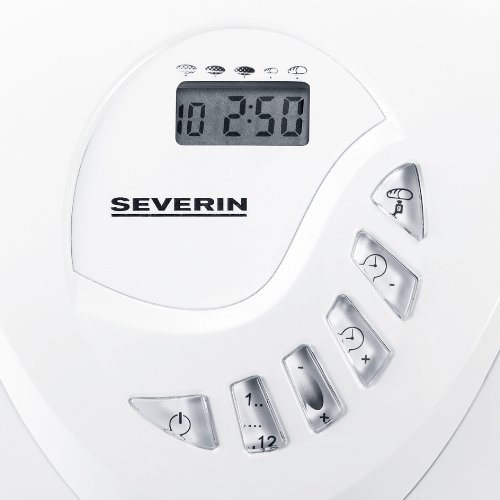
Image: The control panel with LED display and buttons for program selection and timer adjustment.
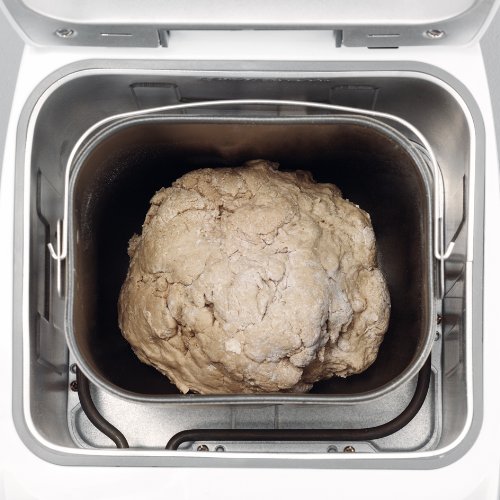
Image: Dough inside the baking pan during the kneading or rising phase.
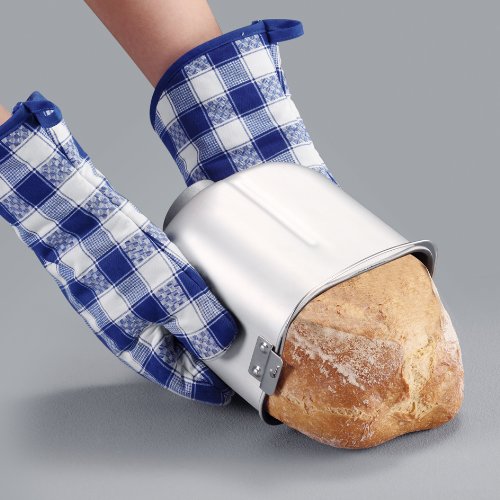
Image: A user carefully removing a freshly baked loaf of bread from the non-stick baking pan using oven mitts.
유지관리 및 청소
정기적으로 청소하면 빵 제조기의 수명과 최적의 성능을 보장할 수 있습니다.
- 청소하기 전에 항상 제품의 플러그를 뽑고 완전히 식히십시오.
- The detachable non-stick baking pan and kneading blade should be washed with warm, soapy water. Avoid abrasive cleaners or scouring pads that could damage the non-stick coating.
- Wipe the exterior of the bread maker with a dry cloth. Do not use harsh chemicals or immerse the main unit in water.
- The detachable lid can be wiped clean with a damp 옷감.
- 기기를 다시 조립하거나 보관하기 전에 모든 부품이 완전히 건조되었는지 확인하세요.
문제 해결
If you encounter issues with your bread maker, refer to the following common solutions:
- 기기가 켜지지 않습니다: 전원 코드가 작동하는 콘센트에 단단히 꽂혀 있는지 확인하세요.
- 빵이 부풀어 오르지 않습니다. Ensure yeast is fresh and active. Verify ingredient measurements are accurate. Check that the correct program was selected.
- Bread is too dense or crumbly: Adjust liquid-to-flour ratio. Ensure ingredients are at room temperature.
- Kneading blade stuck in bread: Allow bread to cool slightly before removal. If the blade remains, carefully extract it using a non-metallic utensil.
- 고르지 않게 구워짐: Ensure the bread maker is placed on a level surface.
문제가 지속되는 경우 고객 지원팀에 문의하세요.
명세서
| 특징 | 사양 |
|---|---|
| 모델 번호 | BM3990 |
| 용량 | 3.5 litres (approx. 750g to 1000g bread) |
| 전력 출력 | 600 와트 |
| 운영 볼륨tage | 220-230 볼트 |
| 치수(길이x너비x높이) | 27.5 x 41 x 31 센티미터 |
| 품목 무게 | 6.42 킬로그램 |
| 프로그램 수 | 12 |
| 크러스트 설정 | 3단계 (밝음, 중간, 어두움) |
| 색상 | 하얀색 |
보증 및 지원
Your Severin BM3990 Bread Maker comes with a 1년 보증 구매일로부터, 정상적인 사용 중 발생한 제조상의 결함에 한해 보증이 제공됩니다. 보증 청구를 위해 구매 증빙 서류를 보관해 주십시오.
For technical assistance, troubleshooting beyond this manual, or warranty service, please contact Severin customer support. Contact details can typically be found on the manufacturer's official web사이트 또는 제품 포장.