
1. 서론
This manual provides instructions for the Verbatim 47418 4GB Micro USB Drive. This compact and lightweight USB flash drive is designed for portable data storage and transfer. It features a 4GB capacity, suitable for documents, photos, and other digital files.
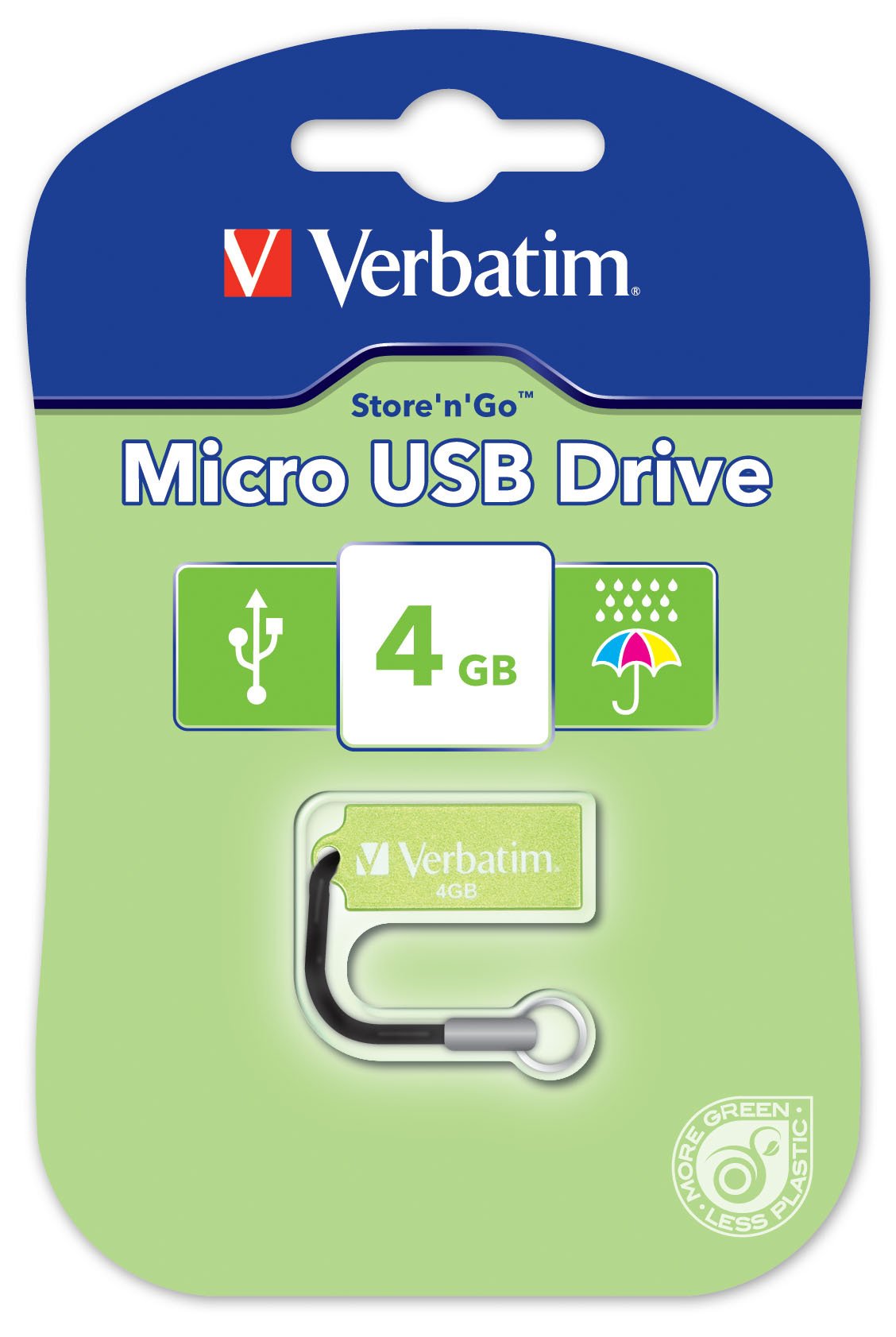
Image 1.1: The Verbatim 47418 4GB Micro USB Drive, shown in its green color.
The drive is equipped with a small loop for attaching a lanyard, enhancing portability and reducing the risk of loss. A lanyard is included with the product.

Image 1.2: The Verbatim 4GB Micro USB Drive with its included lanyard, ready for attachment to keychains or bags.
2. 설정
The Verbatim 47418 Micro USB Drive is designed for plug-and-play functionality with most operating systems. No special drivers are typically required for basic operation.
2.1 드라이브 연결
- 컴퓨터에서 사용 가능한 USB 포트를 찾습니다.
- Insert the Verbatim Micro USB Drive firmly into the USB port.
- Your operating system should automatically detect the new hardware and install any necessary generic drivers. A notification may appear indicating the drive is ready for use.

Image 2.1: The Verbatim Micro USB Drive correctly inserted into a laptop's USB port, ready for data transfer.
2.2 Password Protection Software
This product includes free password protection software. For instructions on how to download, install, and use this software, please refer to the Verbatim official website or the documentation provided with the software itself. This software allows you to secure your data on the drive.
3. 운영
Once the drive is connected and recognized by your computer, it will appear as a removable storage device (e.g., "Removable Disk" or "Verbatim USB Drive") in your file 탐색기나 데스크톱.
3.1 전송 Files
- 복사하려면 files to the drive: 가 들어 있는 폴더를 엽니다. files you wish to transfer. Drag and drop the files or folders into the Verbatim USB Drive window. Alternatively, right-click the files, select "Copy," then navigate to the USB drive, right-click, and select "Paste."
- 복사하려면 files from the drive: Open the Verbatim USB Drive. Drag and drop the files or folders from the drive to your desired location on your computer. Alternatively, right-click the files on the drive, select "Copy," then navigate to your desired location, right-click, and select "Paste."
3.2 안전한 제거
To prevent data corruption, always safely remove the USB drive before physically disconnecting it from your computer.
- 윈도우: Click the "Safely Remove Hardware and Eject Media" icon in the system tray (usually near the clock). Select the Verbatim USB Drive from the list and wait for the "Safe to Remove Hardware" message.
- 맥 OS : Drag the USB drive icon from your desktop to the Trash icon, or right-click the drive icon and select "Eject."
- Once the safe removal notification appears, you can safely unplug the drive.
4. 유지관리
Proper care of your Verbatim Micro USB Drive ensures its longevity and the safety of your data.
4.1 신체적 관리
- 청소: Use a soft, dry, lint-free cloth to clean the exterior of the drive. Avoid liquid cleaners or solvents.
- 보호: While the drive is designed to be durable, avoid exposing it to extreme temperatures, direct sunlight, or strong magnetic fields. Keep the USB connector free from dust and debris.
- 방수 기능: The Verbatim Micro USB Drive is designed with some resistance to water splashes, as shown in Image 4.1. However, it is not fully waterproof. Avoid submerging the drive in liquids. If it gets wet, ensure it is completely dry before connecting it to a computer.
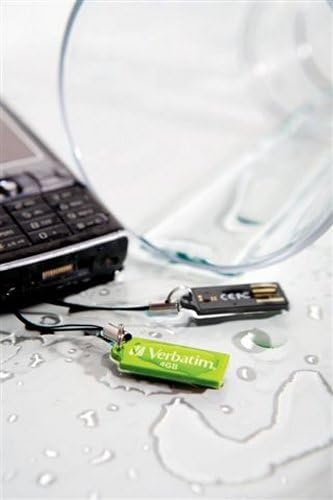
Image 4.1: The Verbatim Micro USB Drive positioned near spilled water, illustrating its design for splash resistance. It is important to note that the drive is not fully waterproof and should not be submerged.
4.2 데이터 관리
- Regularly back up important data stored on the USB drive to another storage medium (e.g., your computer's hard drive, cloud storage) to prevent data loss in case of drive malfunction or damage.
- Periodically check the drive for errors using your operating system's disk utility tools.
5. 문제 해결
If you encounter issues with your Verbatim Micro USB Drive, try the following solutions:
5.1 드라이브가 인식되지 않음
- USB 포트 확인: Try plugging the drive into a different USB port on your computer. Ensure the port is functioning correctly by testing it with another USB device.
- 컴퓨터를 다시 시작합니다. 때로는 간단한 재시작만으로 감지 문제를 해결할 수 있습니다.
- Windows에서는 장치 관리자, macOS에서는 시스템 정보를 확인하세요. Verify if the drive is listed, even if it doesn't appear in File Explorer/Finder. This can indicate a driver issue or a problem with drive letter assignment.
- 드라이버 업데이트: Although typically plug-and-play, ensure your computer's USB drivers are up to date.
5.2 느린 전송 속도
- USB 포트 유형: Ensure you are using a USB 2.0 port for optimal performance, as this drive is a USB 2.0 device. Using older USB 1.1 ports will result in slower speeds.
- File Size/Quantity: 많은 작은 것을 전송합니다 file소량의 데이터를 전송하는 것보다 소량의 데이터를 전송하는 것이 더 느릴 수 있습니다. file총 크기가 같은 s들.
- 백그라운드 프로세스: 시스템 리소스를 소모할 수 있는 불필요한 애플리케이션이나 백그라운드 프로세스를 모두 종료하십시오.
- 드라이브 조각화: While less common for flash drives, defragmenting the drive (Windows) or ensuring it's not excessively full can sometimes help.
5.3 데이터 손상
- 안전한 제거: Always use the "Safely Remove Hardware" option before unplugging the drive to prevent data corruption.
- Disk Check: Run a disk check utility (e.g., "Error Checking" in Windows properties for the drive) to scan for and attempt to repair bad sectors.
- 재포맷: As a last resort, if data is not critical or has been backed up, reformatting the drive can resolve persistent corruption issues. 경고: 이 작업을 수행하면 드라이브의 모든 데이터가 삭제됩니다.
6. 사양
The following are the technical specifications for the Verbatim 47418 4GB Micro USB Drive:
| 특징 | 세부 사항 |
|---|---|
| 상표 | 그대로 |
| 모델 번호 | 47418 |
| 메모리 저장 용량 | 4GB (XNUMX기가바이트) |
| 하드웨어 인터페이스 | USB 2.0 |
| 연결 기술 | USB |
| 특징 | 콤팩트 |
| 플래시 메모리 유형 | 낸드 |
| 색상 | 녹색 |
| 품목 무게 | 0.01 파운드 |
| 한국어: | 023942474180 |
7. 보증 및 지원
7.1 제한 보증
The Verbatim 47418 4GB Micro USB Drive is covered by a Verbatim 2년 제한 보증. This warranty covers defects in materials and workmanship under normal use. For full details regarding warranty terms, conditions, and limitations, please refer to the official warranty statement available on the Verbatim web웹사이트 또는 제품 포장에 포함되어 있습니다.
7.2 기술 지원
For technical assistance, product inquiries, or warranty claims, please contact Verbatim customer support. Support contact information, including phone numbers and online resources, can typically be found on the official Verbatim web사이트 (www.verbatim.com) or in the product packaging.
지원팀에 문의할 때는 제품 모델 번호(47418)와 관련 구매 정보를 준비해 주세요.