
1. 서론
This manual provides essential information for the safe and efficient operation of your Sharp AQUOS LC-52E77U LCD HDTV. Please read these instructions thoroughly before using the television and retain them for future reference.
The Sharp AQUOS LC-52E77U features a 52-inch Full HD 1080p display with 120Hz Fine Motion Enhanced technology for smooth motion. It incorporates a 10-Bit AVS Superlucent LCD Panel and Spectral Contrast Engine XD to deliver deep black levels and vibrant, accurate colors. This model includes built-in ATSC/QAM/NTSC tuners and a variety of connectivity options to integrate with your home entertainment system.
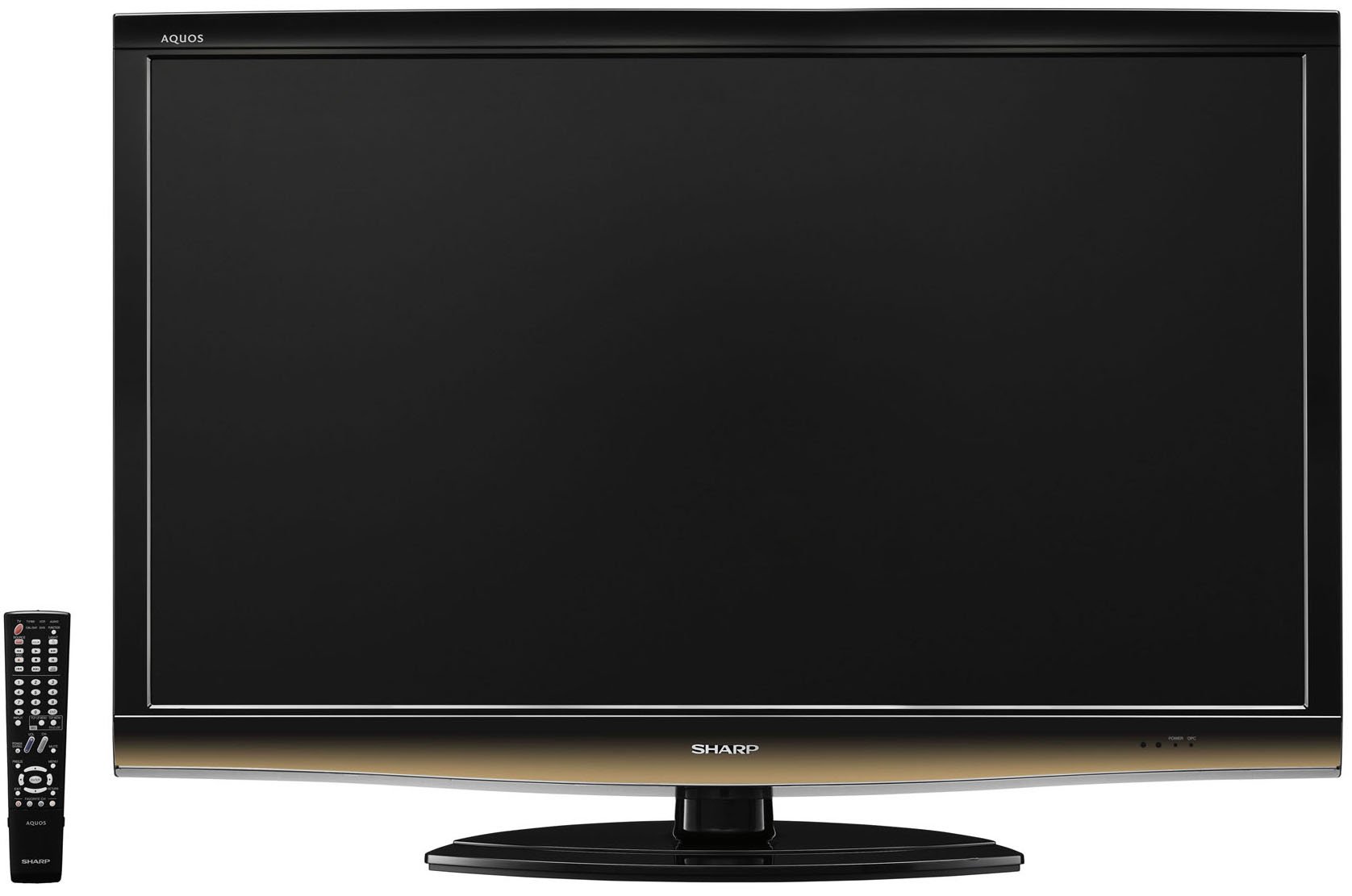
앞쪽 view of the Sharp LC-52E77U AQUOS LCD HDTV, showcasing its slim bezel and screen.
2. 안전 정보
화재, 감전 및 부상 위험을 줄이기 위해 이 텔레비전을 사용할 때는 항상 기본적인 안전 수칙을 준수하십시오.
- 통풍구를 막지 마십시오. 적절한 공기 흐름을 위해 텔레비전 주변에 충분한 공간을 확보하십시오.
- 텔레비전을 불안정한 카트, 스탠드, 삼각대, 브래킷 또는 테이블 위에 올려놓지 마십시오.
- 전원 코드가 밟히거나 끼지 않도록 보호하세요. 특히 플러그, 편의용 콘센트 및 기기에서 나오는 부분은 보호하세요.
- 번개 폭풍 시 또는 장기간 사용하지 않을 때는 기기의 플러그를 뽑아두세요.
- 모든 서비스는 자격을 갖춘 서비스 담당자에게 의뢰하십시오. 전원 코드나 플러그가 손상되었거나, 액체가 쏟아졌거나, 물체가 기기에 떨어졌거나, 기기가 비나 습기에 노출되었거나, 정상적으로 작동하지 않거나, 떨어졌을 때와 같이 기기가 어떤 식으로든 손상된 경우 서비스가 필요합니다.
3. 패키지 내용
패키지에 모든 품목이 들어 있는지 확인하세요.
- Sharp AQUOS LC-52E77U LCD HDTV
- 배터리를 사용한 원격 제어
- Detachable Table Stand
- 전원 코드
- 사용 설명서 (본 문서)
- 보증 카드(해당되는 경우)
4. 설정
4.1 물리적 설치
Your television can be installed on its included table stand or mounted on a wall using a compatible VESA wall mount (sold separately).
테이블 스탠드 설치:
- Carefully place the television screen-down on a soft, flat surface to prevent damage.
- Attach the stand base to the television using the provided screws. Ensure all screws are tightened securely.
- The table stand features swivel capability for adjusting the view잉 각도.
벽면 장착:
If wall-mounting, remove the table stand. Consult the instructions provided with your wall mount bracket for proper installation. Ensure the wall mount is rated for the weight and size of this television (approximately 59.5 pounds).
4.2 장치 연결
The LC-52E77U offers various input terminals for connecting external devices.
- HDMI 입력(5개): Connect Blu-ray players, game consoles, cable/satellite boxes, and other HDMI-compatible devices. These inputs are compatible with 1080p signals.
- Component Video Inputs (x2): Connect devices using component video cables (YPbPr) for high-definition signals up to 1080p.
- PC 입력: Connect a computer to use the television as a monitor.
- RS-232C 입력: For advanced control systems.
- 안테나/케이블 입력: Connect an antenna or cable TV feed for accessing built-in tuners.
Ensure all cables are securely connected to the correct ports on both the television and your external devices.
4.3 초기 전원 켜기
- Plug the power cord into the television and then into a wall outlet.
- Press the Power button on the television or the remote control.
- Follow the on-screen prompts for initial setup, including language selection, channel scanning (for antenna/cable), and time zone settings.
5. 사용 설명서
5.1 기본 컨트롤
- 힘: TV를 켜거나 끕니다.
- 볼륨 (+/-): 사운드 레벨을 조정합니다.
- 채널(위/아래): Changes the television channel when using the built-in tuners.
- 입력/소스: Cycles through available input sources (HDMI 1, Component 1, PC, etc.).
- 메뉴: 화면 표시(OSD) 메뉴에 접근하여 설정을 조정할 수 있습니다.
5.2 영상 설정
Access the Picture menu to customize your view경험. 주요 기능은 다음과 같습니다.
- 사진 모드: Select from preset modes (e.g., Standard, Movie, Game) or customize your own.
- 차이: Adjusts the difference between light and dark areas of the picture. The Spectral Contrast Engine XD enhances deep black levels.
- 명도: 화면의 전반적인 휘도를 제어합니다.
- Color/Saturation: 색상의 강도를 조절합니다.
- 색조: Adjusts the green-to-red balance (primarily for NTSC signals).
- 날카로움: Enhances or softens the edges of objects in the picture.
- 120Hz Fine Motion Enhanced: This feature processes fast-moving images to reduce motion blur, providing a smoother viewing experience. It can be adjusted or disabled in the picture settings.
- OPC (Optical Picture Control): This feature senses ambient room light and automatically adjusts the screen brightness. While designed for power saving and backlight longevity, some users may prefer to disable it for consistent brightness.
For optimal picture quality, consider calibrating your television using a calibration disc or professional service.
5.3 사운드 설정
The LC-52E77U features built-in speakers. Access the Audio menu to adjust settings such as:
- 사운드 모드 : Select from preset audio modes (e.g., Standard, Music, Movie).
- 저음/고음: Adjust low and high-frequency audio levels.
- 균형: 좌우 스피커 간의 음량 균형을 조절하세요.
- 서라운드 사운드: Enable or disable virtual surround sound effects.
For enhanced audio, connect the television to an external audio system (e.g., soundbar, AV receiver) via the available audio output ports.
5.4 입력 선택
To switch between connected devices, press the 'Input' or 'Source' button on your remote control. A list of available inputs will appear on the screen. Navigate using the arrow keys and press 'Enter' or 'OK' to select the desired input.
5.5 튜너 작동
The television includes built-in ATSC (digital terrestrial), QAM (digital cable), and NTSC (analog terrestrial) tuners. After connecting an antenna or cable feed and performing a channel scan during initial setup, you can use the Channel Up/Down buttons to browse available channels.
6. 유지관리
6.1 화면 청소
화면을 청소하려면 부드럽고 보풀이 없는 천으로 조심스럽게 닦으세요. 잘 지워지지 않는 얼룩은 가볍게 닦아주세요.amp천에 물이나 특수 화면 세척제를 묻혀 닦으세요. 화면에 세척제를 직접 뿌리지 마세요.
6.2 캐비닛 청소
Wipe the television cabinet with a soft, dry cloth. Do not use abrasive cleaners, waxes, or solvents as they may damage the finish.
6.3 일반 관리
- Avoid exposing the television to direct sunlight or extreme temperatures.
- 텔레비전 위에 무거운 물건을 올려놓지 마십시오.
- Keep the television away from sources of strong magnetic fields.
7. 문제 해결
If you experience issues with your television, refer to the following common troubleshooting steps before contacting customer support.
| 문제 | 가능한 원인 / 해결책 |
|---|---|
| 전원이 없습니다 | 전원 코드가 TV와 작동하는 콘센트에 제대로 꽂혀 있는지 확인하십시오. 콘센트에 전원이 들어오는지 확인하십시오. |
| 화면은 나오지 않지만 소리는 나옵니다 | 올바른 입력 소스가 선택되었는지 확인하세요. 외부 장치와의 케이블 연결을 확인하세요. |
| 소리는 나지 않지만 화면은 나옵니다 | Check the volume level and ensure the TV is not muted. If using external speakers, check their connections and power. |
| 리모컨이 작동하지 않습니다 | 리모컨의 배터리를 교체하세요. 리모컨과 TV IR 센서 사이에 장애물이 없는지 확인하세요. |
| 사진이 왜곡되었거나 흐릿합니다. | Check cable connections for looseness or damage. Adjust picture settings (e.g., sharpness, picture mode). If using an antenna, check its position and signal strength. |
8. 사양
- 모델: LC-52E77U
- 화면 크기: 52인치(대각선)
- 디스플레이 기술: LCD (10-Bit AVS Superlucent LCD Panel)
- 해결: 1920 x 1080(풀 HD 1080p)
- 새로 고침 빈도: 120 Hz (with Fine Motion Enhanced)
- 응답 시간: 4ms
- View각도: 176°H x 176°V
- 차이: Spectral Contrast Engine XD
- 튜너: Built-in ATSC / QAM / NTSC
- 연결성:
- HDMI Inputs: 5 (compatible with 1080p signals)
- Component Video Inputs: 2 (HD 1080p compatible)
- PC Input: 1
- RS-232C 입력: 1
- 스피커 유형: Built-In, bottom-mounted
- 품목 무게: Approximately 59.5 Pounds (without stand)
- 제품 치수(W x H x D): 크기는 스탠드 포함 약 49.38 x 33.94 x 12.78인치입니다.
- 에너지 효율성: Energy Star 준수
9. 보증 및 지원
This product typically comes with a 15-month warranty from the date of purchase. For specific warranty terms and conditions, please refer to the warranty card included with your product or visit the official Sharp web대지.
As part of the AQUOS Advantage Program, Sharp provides customer support for its AQUOS televisions. If you require technical assistance, service, or have questions regarding your LC-52E77U, please contact Sharp customer support through their official channels.
더 자세한 정보와 지원이 필요하시면 다음 웹사이트를 방문하세요. 아마존의 샤프 스토어 또는 공식 Sharp web대지.