
1. 제품 오버view
The Schellenberg 20059 Radio Code Security Device is a wireless keypad designed for convenient and secure operation of garage door and gate operators. It allows you to control up to three different receivers using a personalized numerical code, eliminating the need for physical keys or remote controls.
주요 특징:
- Wireless radio code control for garage and gate operators.
- Operating range of approximately 10-12 meters.
- Simple operation and programming.
- High security through numerical code entry.
- Keypad illumination for use in low light conditions.
- No complex wiring required for the keypad unit.
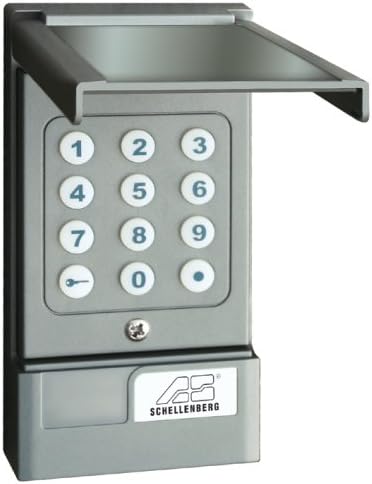
Image 1.1: The Schellenberg 20059 Radio Code Security Device, showing the numerical keypad and protective cover.
2. 안전 정보
Please read and understand all safety instructions before installing and operating this device. Failure to follow these instructions may result in property damage or injury.
- 배터리 안전: The keypad requires a 9V battery. Ensure correct polarity when inserting the battery. Do not mix old and new batteries, or different types of batteries. Dispose of used batteries responsibly.
- 설치: Mount the device in a location that is protected from direct heavy rain and extreme weather conditions to ensure longevity. Ensure the mounting surface is stable.
- 작업: Keep hands and objects clear of moving garage doors or gates during operation. Do not allow children to play with the device.
- 호환성: This device is designed for use with Schellenberg garage and gate operators. While it may be compatible with other systems, verify compatibility before installation. The receiver operates with 12-24V AC/DC.
3. 설정 및 설치
This section guides you through the installation and initial setup of your radio code security device.
3.1 포장 풀기 및 구성품
Carefully unpack the device and ensure all components are present. The package typically includes the keypad unit and mounting hardware.

Image 3.1: The Schellenberg 20059 device shown in its retail packaging.
3.2 배터리 설치
- Open the battery compartment located at the bottom of the keypad unit.
- 새로운 9V 배터리를 넣을 때, 극성(+/-)을 반드시 확인하십시오.
- 배터리 칸을 단단히 닫으세요.
3.3 키패드 장착
The keypad is designed for surface mounting. Choose a suitable location near your garage or gate, ensuring it is within the operating range of your receiver and protected from direct weather exposure.
- 키패드를 본떠서 벽에 드릴로 뚫을 위치를 표시하세요.
- 구멍을 뚫고 적절한 벽 플러그를 삽입하십시오(필요한 경우).
- 제공된 나사를 사용하여 키패드를 벽에 고정하십시오.

이미지 3.2: Example installation of the Schellenberg 20059 keypad next to a garage door.
3.4 장치 프로그래밍
The programming process involves setting an activation code on the keypad (transmitter) and then teaching this code to your receiver unit. Refer to your receiver's manual for specific instructions on entering 'learning mode'.
- Set Keypad Code: Follow the keypad's specific instructions to program your desired numerical access code. This typically involves entering a master code (often a factory default) to enter programming mode, then inputting your new code.
- Teach Receiver: Once the keypad is programmed, activate the 'learning mode' on your garage door or gate operator's receiver unit.
- 전송 코드: While the receiver is in learning mode, press the designated key (e.g., the 'key' symbol or a specific number) on the Schellenberg keypad to transmit the code. The receiver should confirm successful learning (e.g., by flashing an LED or making a sound).
- 테스트 기능: After successful programming, test the keypad by entering your code and observing if the garage door or gate operates correctly.
4. 사용 설명서
To operate your garage door or gate using the Schellenberg 20059 device:
- Lift the protective cover of the keypad.
- Enter your programmed numerical access code. The keys will illuminate during entry.
- Press the designated activation key (e.g., the 'key' symbol or a specific number) to send the signal to the receiver.
- The garage door or gate will activate.
The device can control up to three different receivers. Ensure each receiver is programmed to respond to a unique code or channel if using multiple operators.
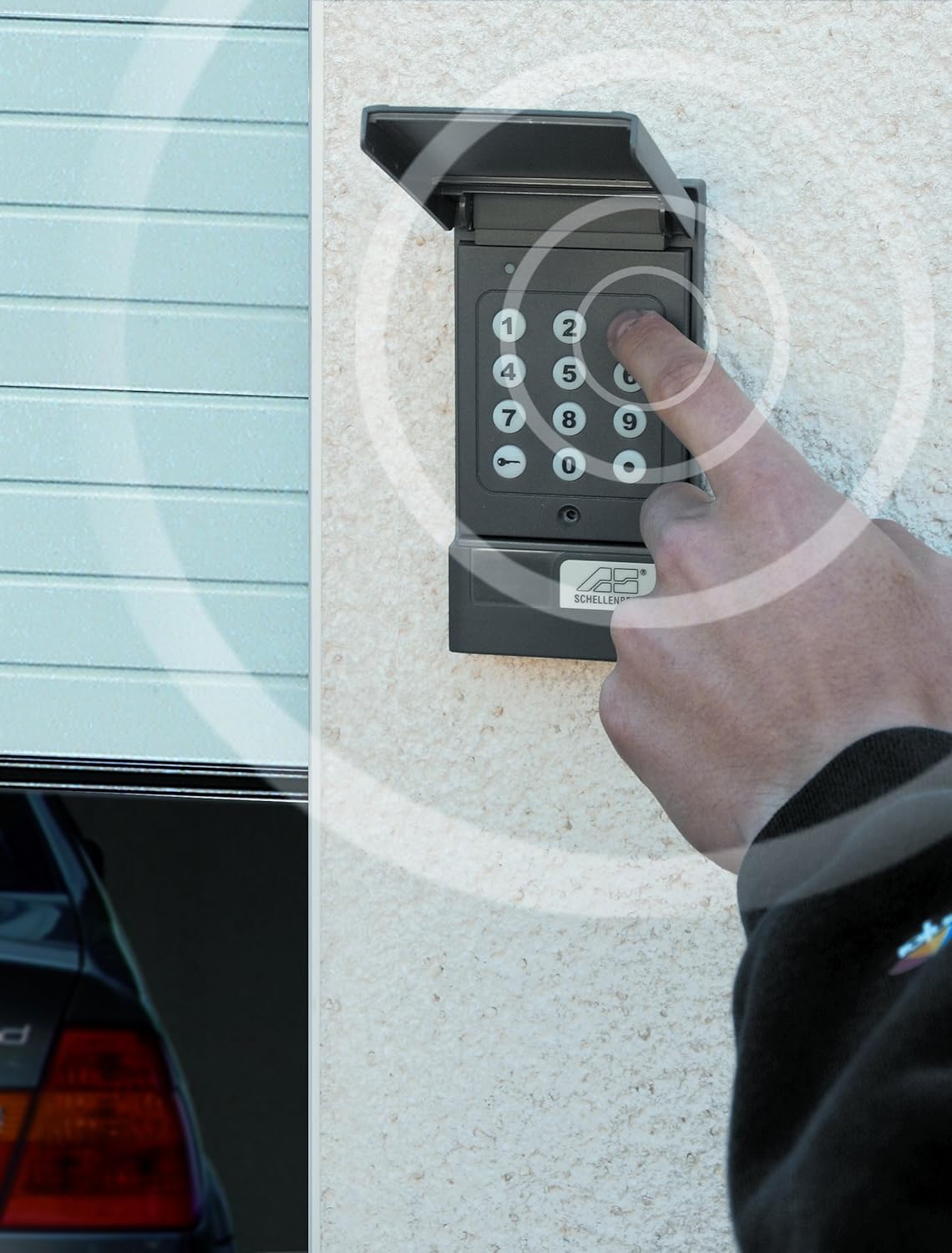
Image 4.1: A hand entering a code on the illuminated keypad, illustrating the wireless signal transmission.
5. 유지관리
Regular maintenance ensures the longevity and reliable operation of your device.
- 배터리 교체: When the keypad's illumination dims or operation becomes unreliable, replace the 9V battery. Follow the steps in Section 3.2.
- 청소: 부드러운 천으로 키패드 표면을 닦으세요.amp 천을 사용하십시오. 연마성 세제나 용제는 플라스틱을 손상시킬 수 있으므로 사용하지 마십시오.
- 점검: Periodically check the mounting screws to ensure the keypad remains securely attached to the wall.
6. 문제 해결
If you encounter issues with your Schellenberg 20059 device, refer to the following troubleshooting tips:
- 장치가 응답하지 않음:
- Check the 9V battery in the keypad and replace if necessary.
- Ensure the keypad is within the operating range of the receiver (approx. 10-12 meters).
- Verify that the correct code is being entered.
- Confirm that the receiver is powered and functioning correctly.
- 프로그래밍의 어려움:
- If the keypad does not enter programming mode with the factory master code, it's possible the master code has been changed. Contact Schellenberg support if you do not have the new master code.
- Ensure you are following the programming steps precisely for both the keypad and the receiver. Sometimes, pressing the activation key for a longer duration can reset the keypad's programming state.
- The LED blink intervals during programming can be long; allow sufficient time for the device to respond.
- 제한된 범위:
- Obstructions like thick walls, metal structures (e.g., aluminum garage doors), or other radio interference can reduce the operating range. Try repositioning the keypad or receiver.
- 배터리가 완전히 충전되었는지 확인하십시오.
- 수신기 호환성: The receiver provides a 1-second pulse (potential-free relay contact, closer only) and works with 12-24V AC/DC. The pulse time is fixed. If your system requires a continuous pulse or separate open/close inputs, additional modifications or an adapter may be necessary.
7. 사양
| 제조업체 | 알프레드 셸렌베르크 GmbH |
| 모델 번호 | 20059 |
| 색상 | 무연탄 |
| Keypad Power Supply | 9 Volt battery (not included) |
| 수신기 Voltage | 12 - 24 Volts AC/DC |
| 고주파 | 433MHz |
| 작동 범위 | 약 10~12미터(시야) |
| 치수(패키지) | 22.4 x 10.8 x 4.2cm |
| 제품 무게 | 259g |
8. 보증 및 지원
For warranty information or technical support, please refer to the documentation included with your purchase or contact Alfred Schellenberg GmbH directly. Keep your proof of purchase for warranty claims.
제조사 연락처:
- 알프레드 셸렌베르크 GmbH
- Refer to official Schellenberg web최신 연락처 정보는 사이트에서 확인하세요.