
소개
구매해주셔서 감사합니다asing the Optimus F-1230 12-Inch Oscillating 3-Speed Table Fan. This manual provides essential information for the safe and efficient operation, maintenance, and care of your new fan. Please read these instructions thoroughly before use and retain them for future reference.

Figure 1: Optimus F-1230 12-Inch Oscillating 3-Speed Table Fan, White.
중요 안전 지침
- 이 팬을 사용하기 전에 모든 지침을 읽으십시오.
- 손상된 코드나 플러그가 있는 팬은 작동하지 마십시오. 팬을 폐기하거나 공인 서비스 시설로 돌려보내 검사 및/또는 수리하십시오.
- 카펫 아래로 코드를 놓지 마십시오. 코드를 러그, 러너 또는 이와 유사한 덮개로 덮지 마십시오. 코드를 교통 구역에서 멀리하고 걸려 넘어지지 않는 곳에 정리하십시오.
- 선풍기를 이동하거나 청소할 때, 또는 사용하지 않을 때는 항상 전원 플러그를 뽑으십시오.
- Do not insert fingers or any foreign objects into the grille openings.
- Do not use this fan near windows, in wet areas, or where it may come into contact with water.
- 선풍기가 넘어지지 않도록 안정적이고 평평한 표면에 놓으세요.
패키지 내용
Upon opening the package, ensure all components are present and undamaged. The Optimus F-1230 fan typically includes the following parts:
- Fan Motor Unit with Base and Control Panel
- 프론트 그릴
- 후면 그릴
- 팬 블레이드
- Grille Retaining Nut
- 블레이드 고정 캡

Figure 2: Components of the Optimus F-1230 Table Fan.
조립 설명서
The Optimus F-1230 fan is designed for no-tool assembly. Follow these steps to set up your fan:
- Attach Rear Grille: Align the rear grille with the motor housing, ensuring the alignment pins on the motor housing fit into the corresponding holes on the rear grille. Secure it with the grille retaining nut by turning clockwise.
- 팬 블레이드 설치: Slide the fan blade onto the motor shaft, making sure the notch on the blade aligns with the pin on the shaft. Secure it with the blade retaining cap by turning counter-clockwise.
- Attach Front Grille: Place the front grille over the rear grille, aligning the clips. Snap the front grille into place, ensuring it is securely fastened around the entire circumference.
- 팬 위치: 조립된 선풍기를 안정적이고 평평한 표면에 놓으십시오.
작동 지침
Once assembled, your Optimus F-1230 fan is ready for use. Ensure the fan is plugged into a standard 120V AC electrical outlet.
전원 및 속도 설정
The fan features a 4-position push button switch located on the base for controlling power and speed:
- Press the appropriate button to select one of the 3단계 속도 설정 (Low, Medium, High).
- 선풍기를 끄려면 'OFF' 버튼을 누르세요.
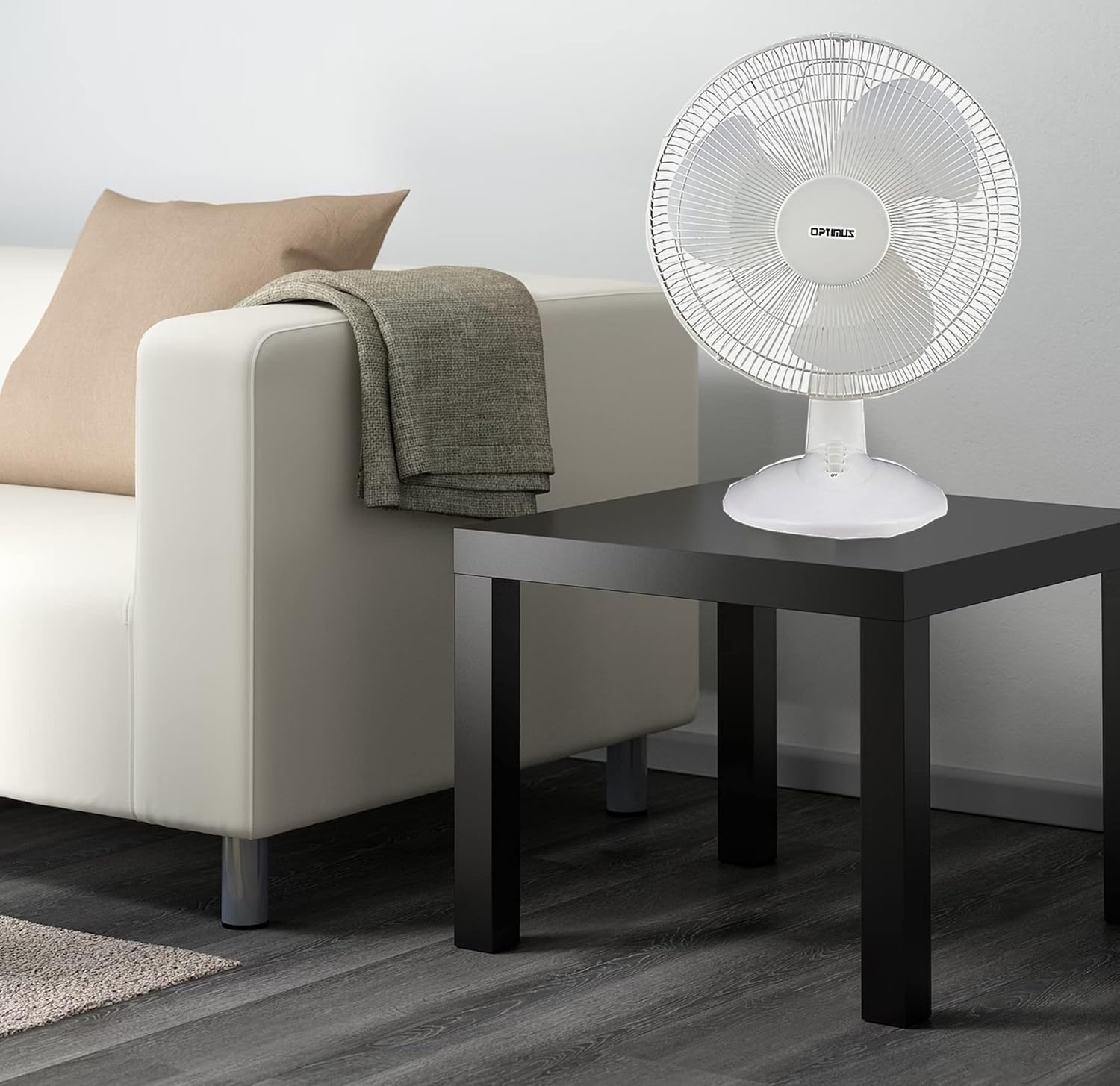
Figure 3: 4-Position Push Button Switch for speed control.
진동 기능
The fan offers a full room of directional 90-degree oscillation to distribute air across a wider area:
- To start oscillation, push down the oscillation knob located on top of the motor housing.
- To stop oscillation and direct airflow in a fixed position, pull up the oscillation knob.
Adjustable Tilt/Angle Head
The fan head can be adjusted vertically to direct airflow precisely where needed:
- To adjust the tilt, gently push the fan head up or down to the desired angle. The fan head will remain in the selected position.

Figure 4: Adjustable tilt/angle head for vertical airflow adjustment.
유지관리 및 청소
Regular cleaning and maintenance will ensure optimal performance and extend the life of your fan.
청소
- 청소하기 전에 항상 팬의 플러그를 전원 콘센트에서 뽑으세요.
- 부드러운 d를 사용하세요amp 팬 외부 표면을 닦을 때는 천을 사용하세요. 연마성 세제나 용제는 사용하지 마세요.
- To clean the fan blades, you may need to carefully remove the front grille. Refer to the assembly instructions in reverse order for safe removal and reattachment.
- 팬을 다시 연결하기 전에 모든 부품이 완전히 마르는지 확인하세요.
저장
장기간 사용하지 않을 경우 선풍기를 시원하고 건조한 곳에 보관하세요. 원래 포장 상태로 보관하면 먼지와 손상으로부터 보호할 수 있습니다.
문제 해결
선풍기가 제대로 작동하지 않으면 다음의 일반적인 문제 및 해결 방법을 참조하십시오.
- 팬이 켜지지 않음:
- 전원 코드가 작동하는 콘센트에 단단히 꽂혀 있는지 확인하세요.
- Check if the outlet is receiving power by plugging in another appliance.
- Verify that the speed control button is pressed to an 'ON' setting (1, 2, or 3).
- 팬 소음:
- 선풍기를 안정적이고 평평한 곳에 놓으십시오.
- Check for any loose parts or obstructions within the fan grilles or around the blades.
- Clean the fan blades and grilles to remove any dust buildup that might cause imbalance.
- 선풍기가 회전하지 않습니다.
- Ensure the oscillation knob on top of the motor housing is pushed down.
이러한 해결 방법을 시도한 후에도 문제가 지속되면 고객 지원팀에 문의하세요.
명세서
| 상표 | 옵티머스 |
| 모델 번호 | F-1230 |
| 선풍기 디자인 | 테이블 선풍기 |
| 색상 | 하얀색 |
| 전원 | 코드식 전기 |
| 속도의 수 | 3 |
| 특징 | 진동 |
| 장착 유형 | 탁상 마운트 |
| 컨트롤러 유형 | 버튼 제어 |
| 왓tage | 50 와트 |
| 권tage | 120 볼트 |
| 품목 무게 | 4.95 파운드 |
| 재료 유형 | 플라스틱 |
| 실내/실외 사용 | 실내 |
보증 및 고객 지원
보증 정보
This Optimus F-1230 fan comes with a 1년 부품 및 노동 warranty. Please retain your proof of purchase for any warranty claims.
고객 지원
For technical assistance, troubleshooting not covered in this manual, or warranty service, please contact Optimus Enterprises. The manufacturer's contact information is: SEATTLE, WA, 98109 US.
You may also visit the official Optimus web추가 지원 리소스를 보려면 사이트를 방문하세요.