
소개
This manual provides essential instructions for the safe and efficient operation of your NEC VT670 Value LCD Video Projector. Please read this manual thoroughly before using the projector and keep it for future reference. The NEC VT670 is designed for clear image projection with a native resolution of 1024 x 768 and a brightness of up to 2,100 ANSI lumens.
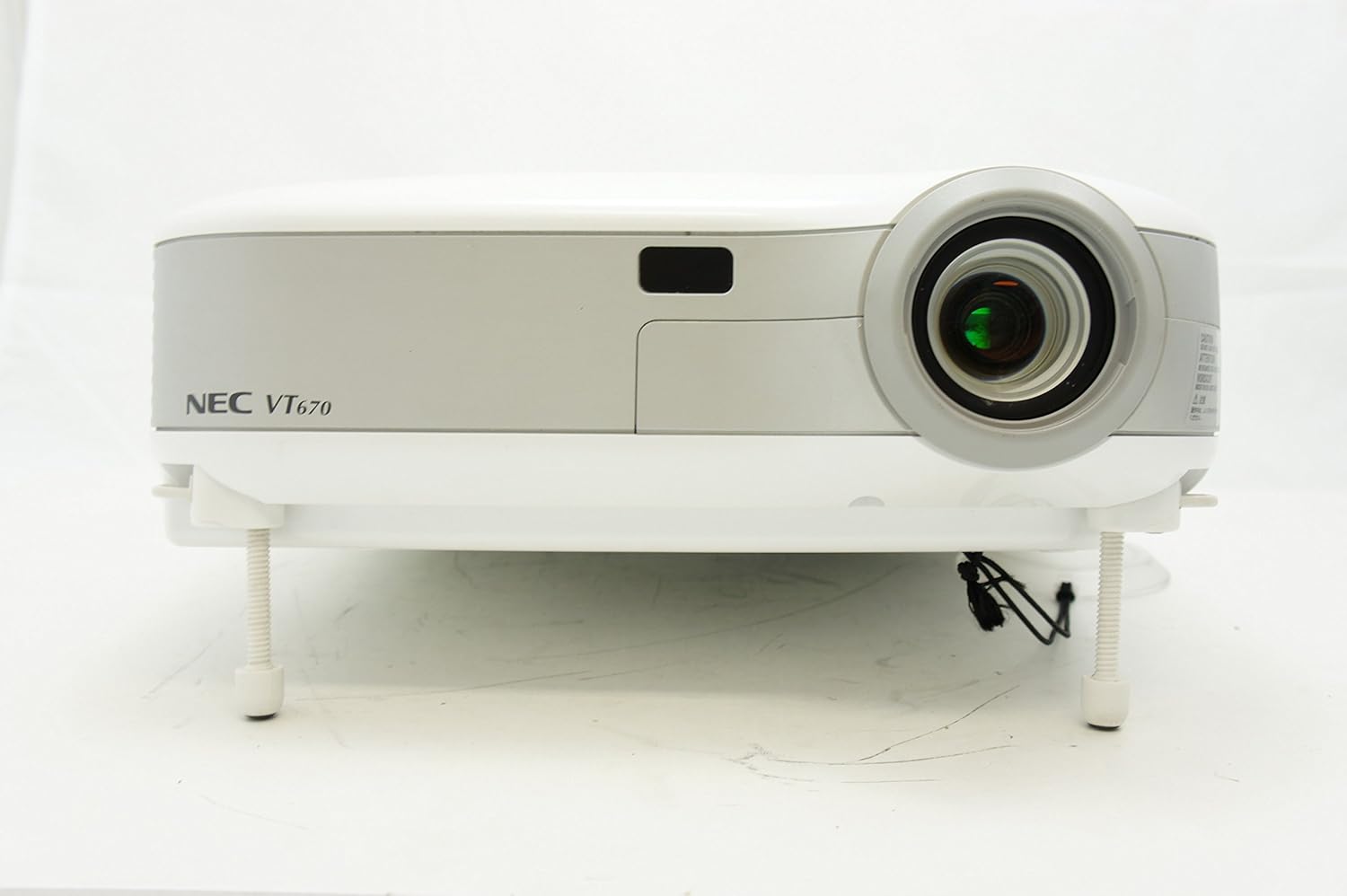
그림 1: 앞쪽 view of the NEC VT670 projector, showing the lens and front panel.
설정
Follow these steps to set up your NEC VT670 projector:
- 놓기: Position the projector on a stable, flat surface or mount it according to the instructions for your specific mounting solution. Ensure adequate ventilation around the unit. The projector is designed for tabletop mounting.
- 전원 연결: 프로젝터의 전원 입력 단자에 전원 코드를 연결한 다음 접지된 콘센트에 연결하십시오.
- 소스 연결: Connect your video source (e.g., computer, DVD player) to the appropriate input port on the projector. The VT670 supports VGA (D-Sub), S-Video, and composite video inputs. Use the color-coded connections for ease of setup.
- 케이블 연결: Ensure all necessary cables, such as the VGA cable for computer input, are securely connected to both the projector and the source device.
- 오디오 연결: If your source provides audio, connect it to the projector's audio input ports. The projector features built-in speakers.
- 초기 전원 켜기: 프로젝터 또는 리모컨의 전원 버튼을 눌러 기기를 켜세요.

그림 2: Rear panel of the NEC VT670 projector, illustrating various input and output ports including VGA, S-Video, and audio connections.

그림 3: Example of a VGA cable (left) and a power cable (right) used for connecting the projector.
작동 지침
이 섹션에서는 프로젝터의 기본 작동법에 대해 자세히 설명합니다.
전원 켜기/끄기
- 전원을 켜려면 힘 버튼을 한 번 누르세요. 전원 표시등이 켜집니다.
- 전원을 끄려면 다음을 누르세요. 힘 button twice. The projector will enter a cooling cycle before shutting down completely.
입력 소스 선택
- 사용하세요 입력 or dedicated source buttons (e.g., 컴퓨터 1, 동영상) on the control panel or remote to cycle through available input sources.

그림 4: Top control panel of the NEC VT670 projector, showing power, input selection, and navigation buttons.
초점 및 줌 조정
- 조정하다 집중하다 이미지가 선명하고 깨끗해질 때까지 렌즈의 링을 조절하세요.
- 사용하세요 줌 lever on the lens to adjust the image size to fit your screen.
메뉴 탐색
- 를 누르세요 메뉴 button to access the on-screen display (OSD) menu.
- 화살표 버튼(UP, 아래에, 왼쪽, 오른쪽메뉴 옵션을 탐색하려면 )
- 누르다 입력하다 or 선택하다 선택을 확인합니다.
- 누르다 EXIT or 메뉴 again to close the OSD menu.
유지
정기적인 유지관리를 통해 최적의 성능을 보장하고 프로젝터의 수명을 연장할 수 있습니다.
Lamp 대사
프로젝터 lamp 수명이 제한적입니다.amp 표시등이 켜지거나 화면이 흐려지면 lamp 교체가 필요할 수 있습니다. 자세한 내용은 전체 서비스 설명서를 참조하십시오.amp 교체 절차. 교체를 시도하기 전에 프로젝터가 완전히 식도록 하십시오.amp 대사.
에어 필터 청소
Dust accumulation on the air filter can reduce cooling efficiency and affect projector performance. Clean the air filter regularly (e.g., every 100 hours of operation) by removing it and gently brushing off dust or using a vacuum cleaner. Replace the filter if it is damaged.
렌즈 청소
프로젝터 렌즈는 광학 표면용으로 특별히 제작된 부드럽고 보풀이 없는 천으로 부드럽게 닦으세요. 연마성 세제를 사용하거나 과도한 힘을 가하지 마세요.
문제 해결
이 섹션에서는 일반적으로 발생할 수 있는 문제에 대한 해결책을 제공합니다.
| 문제 | 가능한 원인 | 해결책 |
|---|---|---|
| 이미지가 표시되지 않음 |
|
|
| 이미지가 흐릿함 |
|
|
| 소리가 나지 않습니다 |
|
|
명세서
Key technical specifications for the NEC VT670 Value LCD Video Projector:
- 모델 이름: VT670
- 디스플레이 유형: 액정표시장치
- 네이티브 해상도: 1024 x 768 (HD)
- 최대 밝기: 2,100 ANSI 루멘
- 대비율: 400시 1분
- 연결 기술 : VGA (D-Sub), S-Video, Composite Video
- 하드웨어 연결: D-Sub, VGA
- 최대 이미지 크기: 300 인치
- 폼 팩터: 가지고 다닐 수 있는
- 장착 유형: 탁상 마운트
- 컨트롤러 유형 : 버튼 제어
- 품목 무게: 9.2 파운드
- 추가 기능: 내장 스피커
- 지원되는 신호: PC, NTSC, PAL, SECAM, HDTV
보증 정보
The NEC VT670 Value LCD Video Projector comes with a 2년 보증. This warranty covers defects in materials and workmanship under normal use. For specific terms and conditions, please refer to the warranty card included with your product or contact NEC customer support.
지원하다
For further assistance, technical support, or service inquiries regarding your NEC VT670 projector, please visit the official NEC website or contact their customer service department. Keep your product model number (VT670) and serial number ready when contacting support.
온라인 리소스: www.nec.com