
1. Introduction to CorelDraw Graphics Suite 12
CorelDraw Graphics Suite 12 is a comprehensive software package designed for professional graphic design, illustration, page layout, and digital imaging. This suite provides a powerful set of tools to create and edit various types of visual content. It includes applications such as CorelDRAW 12 for vector illustration and page layout, Corel PHOTO-PAINT 12 for image editing, and Corel R.A.V.E. 3 for motion graphics.
This manual provides essential information for installing, setting up, and effectively using the CorelDraw Graphics Suite 12 Upgrade. Please read through the instructions carefully to ensure optimal performance and utilization of all features.
2. 포함 사항
The CorelDraw Graphics Suite 12 Upgrade package typically includes the following components:
- CorelDRAW 12: For vector illustration and page layout.
- Corel PHOTO-PAINT 12: For professional digital image editing.
- Corel R.A.V.E. 3: For creating motion graphics and animations.
- CorelTRACE 12: For converting bitmap images into editable vector graphics.
- Corel CAPTURE 12: For screen capture.
- Bitstream Font Navigator 5.0: For font management.
- Kodak Digital Science color management system: For consistent color reproduction.
- Microsoft Visual Basic for Applications 6.3: For scripting and automation.
- QuickTime 6.0 Player: 멀티미디어 재생용입니다.
- 콘텐츠 라이브러리: Over 10,000 professional clipart images, 1,000 TrueType and Type 1 fonts, and 1,000 photos and objects.
- Installation Discs and User Guide.
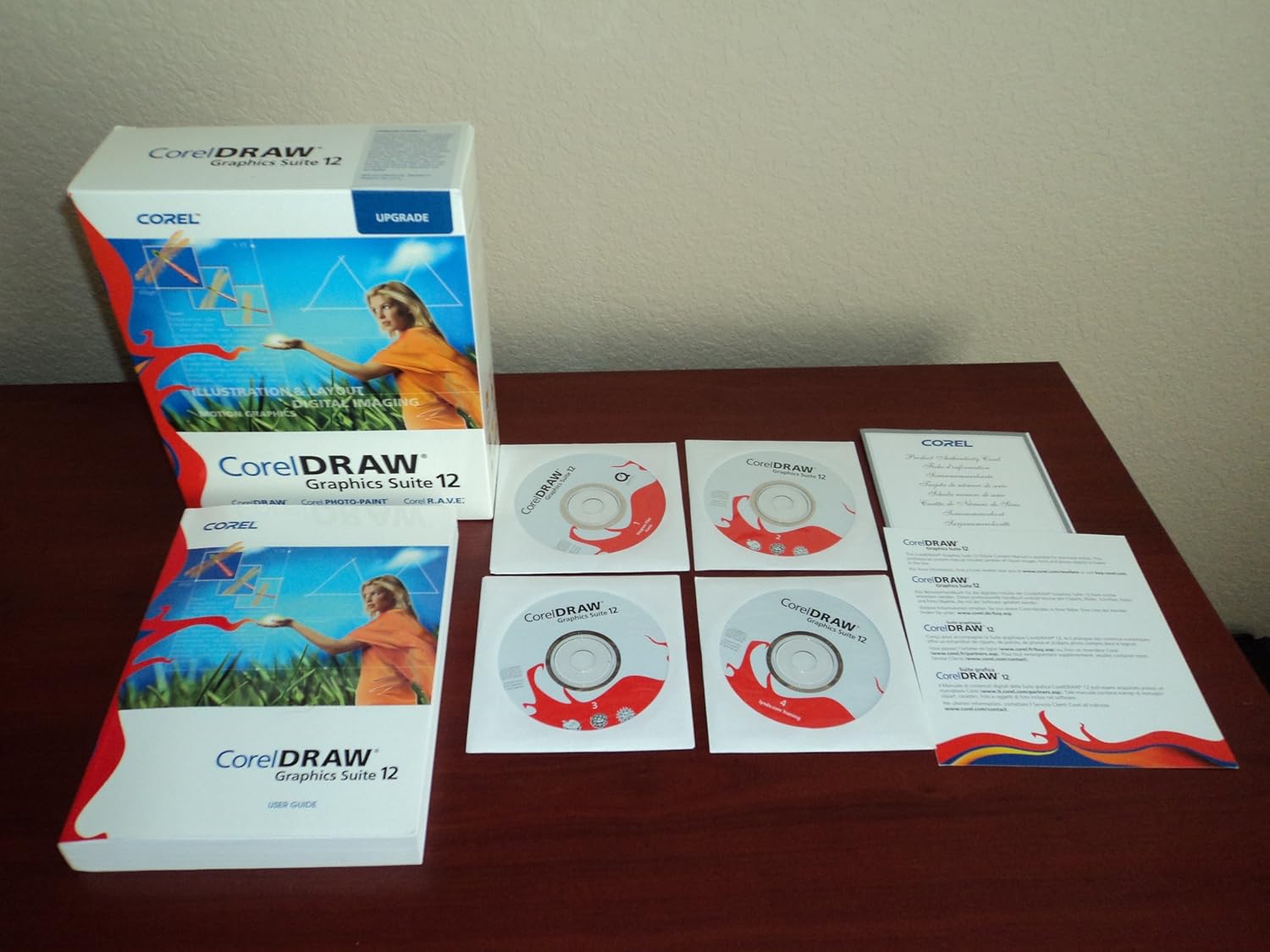
Image 1: Contents of the CorelDraw Graphics Suite 12 Upgrade package, showing the software box, user guide, and multiple installation discs.
3. 시스템 요구 사항
To ensure proper functionality of CorelDraw Graphics Suite 12, your computer system must meet the following minimum requirements. Please note that these are general guidelines for software from this era; specific requirements may vary slightly.
- 운영 체제: Windows 2000, Windows XP, or later compatible Windows versions.
- 프로세서: Pentium III, 600 MHz or greater.
- 숫양: 256 MB RAM (512 MB or more recommended).
- 하드 디스크 공간: 250 MB for program files and additional space for content.
- 표시하다: 1024 x 768 screen resolution.
- 입력 장치: Mouse or tablet.
- 광학 드라이브 : CD-ROM drive for installation.
- 인터넷 연결: Required for product activation and online features (if applicable).
4. 설치 및 설정
Follow these steps to install CorelDraw Graphics Suite 12 on your computer:
- 시스템 준비: Close all other applications before starting the installation process. Ensure your system meets the minimum requirements.
- Insert Installation Disc: Insert the CorelDraw Graphics Suite 12 installation CD into your CD-ROM drive. The setup program should start automatically. If it does not, navigate to your CD-ROM drive in "My Computer" and double-click the "Setup.exe" file.
- 화면의 지시를 따르세요: The installation wizard will guide you through the process.
- 라이센스 계약: 최종 사용자 사용권 계약을 읽고 동의하세요.
- 일련번호: Enter your unique serial number, which can be found on the CD sleeve or in your product documentation.
- 설치 유형: Choose "Typical" for a standard installation or "Custom" to select specific components and installation paths. For most users, "Typical" is recommended.
- Destination Folder: Confirm or change the installation directory.
- 전체 설치: Allow the installation process to complete. This may take several minutes.
- 컴퓨터를 다시 시작합니다. You may be prompted to restart your computer after installation. It is recommended to do so to ensure all changes take effect.
- 제품 활성화: Upon first launch, you may be required to activate the product online or via phone. Follow the instructions provided by the software.
5. 소프트웨어 작동 방법
CorelDraw Graphics Suite 12 consists of several integrated applications, each designed for specific tasks. You can launch these applications from the Windows Start menu under "CorelDraw Graphics Suite 12".
5.1. CorelDRAW 12 (Vector Illustration and Page Layout)
CorelDRAW is the primary application for creating vector graphics, illustrations, and page layouts. It is ideal for logos, brochures, technical drawings, and multi-page documents.
- 새 프로젝트 시작하기: 에서 File menu, select "New" to create a new blank document. You can specify page size, orientation, and color mode.
- 도구: The Toolbox on the left side of the interface contains various tools for drawing, shaping, editing, and arranging objects. Hover over a tool to see its name and a brief description.
- Object Properties: Use the Property Bar (usually at the top) to adjust properties of selected objects, such as fill, outline, size, and position.
- Working with Text: CorelDRAW offers extensive text tools for artistic and paragraph text, including font selection, styling, and text-to-path features.
- 저장 및 내보내기: Save your work frequently using "File > Save". To use your designs in other applications or formats, use "File > Export" and choose from various file types like JPG, PNG, PDF, AI, or SVG.
5.2. Corel PHOTO-PAINT 12 (Digital Image Editing)
Corel PHOTO-PAINT is a powerful image editing application for retouching photos, creating compositions, and applying effects to bitmap images.
- Opening Images: 사용 "File > Open" to load existing image files.
- 이미지 조정 : Access tools for color correction, brightness/contrast, and tone adjustments from the "Adjust" menu.
- Retouching Tools: Utilize tools like the Clone tool, Healing tool, and various brushes for photo retouching.
- 레이어: Work with layers to organize your image elements and apply non-destructive edits.
- 효과: Explore a wide range of filters and effects from the "Effects" menu to enhance your images.
5.3. Corel R.A.V.E. 3 (Motion Graphics)
Corel R.A.V.E. is designed for creating web animations and motion graphics, leveraging CorelDRAW's vector capabilities.
- Creating Animations: Use the timeline and keyframes to define object movements, transformations, and effects over time.
- Importing Objects: Import vector objects from CorelDRAW to animate them in R.A.V.E.
- Exporting Animations: Export animations in formats suitable for web use, such as Flash (SWF) or animated GIF.
6. 주요 특징 및 호환성
CorelDraw Graphics Suite 12 offers several features designed to enhance productivity and workflow:
- Smart Design Tools: New tools for creating and manipulating shapes and objects with real-time visual feedback.
- Industry-Standard File 호환성: 다양한 지원 file formats including SVG, AutoCAD, HPGL, Adobe Photoshop (PSD), Adobe Illustrator (AI), PDF, and Microsoft Office export.
- 방대한 콘텐츠 라이브러리: Access to a large collection of clipart, fonts, photos, and objects to jumpstart your projects.
- Integrated Applications: Seamless workflow between CorelDRAW, PHOTO-PAINT, and R.A.V.E. for a complete design solution.
- 대화형 교육: An interactive training CD (if included in your package) helps users quickly learn the software.
7. 유지 관리 및 모범 사례
To ensure the smooth operation and longevity of your CorelDraw Graphics Suite 12 installation, consider the following maintenance tips:
- 정기 저축: Save your work frequently to prevent data loss. Utilize incremental saves or versioning for critical projects.
- 시스템 업데이트: Keep your operating system updated with the latest service packs and security patches.
- 드라이버 업데이트 : Ensure your graphics card drivers are up to date for optimal display performance.
- 디스크 공간: Maintain sufficient free disk space on your system drive for temporary files and program operations.
- Backup Projects: Regularly back up your project file외장 드라이브나 클라우드 저장소에 저장합니다.
- 글꼴 관리: Use Bitstream Font Navigator to manage your fonts efficiently, installing only necessary fonts to avoid system slowdowns.
8. 문제 해결
This section addresses common issues you might encounter while using CorelDraw Graphics Suite 12.
- 소프트웨어 충돌 또는 멈춤 현상:
-
- 시스템이 최소 요구 사항을 충족하는지 확인하세요.
- 그래픽 카드 드라이버를 업데이트하세요.
- 시스템 리소스를 확보하려면 다른 고부하 애플리케이션을 종료하세요.
- Try resetting the application workspace to default settings (often found in the Options or Preferences menu).
- If the issue persists, consider reinstalling the software.
- 설치 오류:
-
- Verify your serial number is entered correctly.
- Ensure you have administrator privileges on your computer.
- Temporarily disable antivirus software during installation (remember to re-enable it afterward).
- Clean your CD-ROM drive and installation discs for smudges or scratches.
- File 호환성 문제:
-
- When importing or exporting files, ensure you select the correct file format and version.
- Some advanced features or effects from newer software versions may not be fully supported in CorelDraw Graphics Suite 12.
9. 사양
| 기인하다 | 세부 사항 |
|---|---|
| 제품 이름 | CorelDraw Graphics Suite 12 Upgrade |
| 제조업체 | 코렐 |
| ASIN | B00014TCTK |
| 언어 | 영어 |
| 패키지 크기 | 9.7 x 8 x 3.1 인치 |
| 패키지 무게 | 2.29 파운드 |
| 첫 번째 이용 가능 날짜 | 10년 2004월 XNUMX일 |
| 단종됨 | 예 |
10. 지원 및 리소스
For further assistance or detailed information, please refer to the following:
- 공식 문서: Consult the comprehensive user guide included with your software package for in-depth tutorials and reference material.
- 온라인 리소스: Corel 공식 웹사이트를 방문하세요. website for support articles, FAQs, and community forums. While CorelDraw Graphics Suite 12 is an older version, archived resources may still be available.
- 대화형 교육: If available, utilize the interactive training CD to learn specific features and workflows.
11. 보증 정보
Specific warranty terms for CorelDraw Graphics Suite 12 would have been provided at the time of purchase. As this is an older software version, direct manufacturer support and warranty claims may be limited or no longer available. Please refer to the original product packaging or documentation for any applicable warranty details. For software, warranties typically cover defects in the media (e.g., installation disc) rather than the software's functionality itself, assuming it meets system requirements.